






Think about the last time you tried to use a new product.
- Maybe it was a plugin.
- Maybe a SaaS tool.
- Maybe a new dashboard you had never seen before.
What was the first thing you looked for? Most people do the same thing. They search for help documentation.
If they find clear answers, they stay. If they don’t, frustration begins. And frustration usually leads to two things:
- A support ticket
- Or the user leaving the product
This is exactly why knowledge management has become so important.
Documentation is no longer just a help page sitting somewhere on your website. It is now a core part of the product experience.
In this guide, we will explore documentation facts and trends that explain:
- Why knowledge bases matter today
- How documentation impacts support and product adoption
- What the future of knowledge management looks like
Let’s start with one of the biggest shifts happening right now.
Trend 1: Self-Service Support Is Now the First Choice for Customers
When users face a problem today, they rarely start by contacting support. They search-
- First on Google.
- Then inside your help center.
- Then inside your documentation.
Only after that do they open a support ticket.
Recent research shows this behavior clearly. A 2025 Zendesk customer experience report found that 67% of customers prefer to solve problems on their own before reaching out to support.

Another study from HubSpot in 2025 showed that around 69% of customers try a company’s knowledge base or help center first when they need help.
This shift is important for product teams. Users now expect answers to be available instantly. They do not want to wait for emails or live chat replies. If the answer exists in documentation, the user continues using the product. If the answer is missing, frustration starts quickly.
This is where a good knowledge base becomes critical. A well-structured documentation system helps users:
- Solve problems faster
- Understand features better
- Move forward without contacting support
For companies, this reduces the pressure on support teams. Instead of answering the same questions every day, support agents can focus on more complex issues.
That is why many modern SaaS products treat documentation as part of the product experience. The help center is no longer optional. It is expected.
Documentation does not just help users. It also reduces support costs significantly.
Trend 2: Documentation Directly Reduces Support Costs
Support teams spend a lot of time answering the same questions.
“How do I reset my password?”
“Where can I find this setting?”
“How do I install this plugin?”
These questions are simple. But they appear again and again. This is where documentation changes the game. A well-structured knowledge base allows users to solve these problems on their own.
Recent industry data from 2025 support platforms shows that companies with well-implemented knowledge bases see 20% to 40% fewer support tickets.
Another analysis shows that AI-powered knowledge bases can reduce support requests by around 35% because users find answers without contacting support.
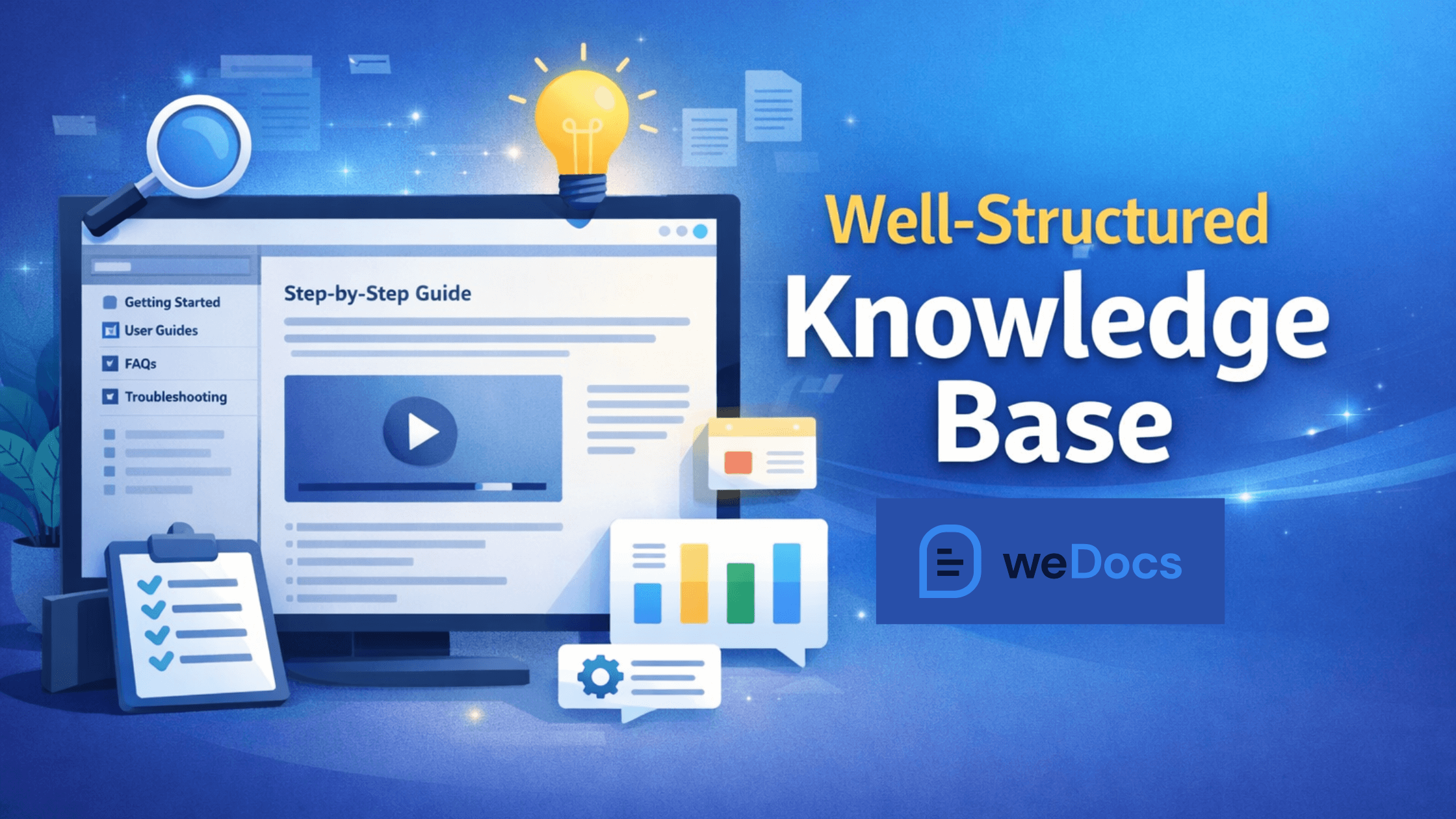
Think about what this means for a growing product. If your support team receives 100 tickets per day, documentation could reduce that number to 60–80 tickets.
That gives support teams more time to focus on complex issues. It also improves response time for users who really need help. And the impact goes beyond cost.
When users find answers instantly, they feel more confident using the product. That leads to a better experience. And often, it leads to better retention. But documentation does more than reduce support load.
It also plays a big role in how quickly users understand your product.
Trend 3: Documentation Improves Product Onboarding
Many users struggle during the first few minutes of using a product.
- They open the dashboard.
- They see many features.
- They are not sure what to do next.
This moment is critical. If users understand the product quickly, they continue exploring.If they feel confused, they often stop using it.
This is why documentation plays a major role in onboarding. Clear guides, tutorials, and step-by-step articles help users move forward without frustration.

Recent research shows that self-service resources can resolve about 54% of customer issues, especially during early product usage. That means more than half of user questions can be answered without opening a support ticket.
Another trend is the growing expectation for instant help. According to a 2026 customer experience report, 74% of consumers now expect support to be available 24/7.
Of course, most companies cannot run support teams all day and night. That is where documentation becomes essential.
A well-structured knowledge base allows users to:
- follow setup instructions
- understand features step by step
- troubleshoot common problems
Instead of waiting for support replies, users continue learning on their own. For product teams, this changes how onboarding works.
Documentation becomes part of the product journey. Many companies now link their help articles directly inside the product interface. When users click a feature, they can instantly open the related guide.
This small change can make onboarding much smoother. But documentation does not only help new users.
It also protects companies from something many teams underestimate: knowledge loss.
Trend 4: Knowledge Loss Is Becoming a Serious Business Risk
Many companies do not realize how much knowledge they lose every year. It happens quietly.
- An experienced employee leaves.
- A developer switches teams.
- A support manager changes jobs.
Along with them, a lot of undocumented knowledge disappears. Processes, shortcuts, solutions to past problems, and internal workflows often live only in people’s heads.
When that knowledge is not documented, teams have to rediscover it.
Recent industry research shows that employees spend nearly 20% of their work time searching for internal information or asking colleagues for help. This equals almost one full workday every week.
Another 2025 knowledge management study reported that 45% of employees struggle to find the information they need to do their job effectively.
This slows down teams. People repeat work that was already done. New employees take longer to learn processes.
Teams depend too much on a few individuals.

Documentation helps solve this problem. When companies build internal knowledge bases, they create a shared source of truth.
- Processes become easier to follow.
- New team members learn faster.
- Teams stop relying on memory.
Many organizations are now investing in internal documentation systems for exactly this reason. The goal is simple. Make knowledge available to everyone who needs it. But even when knowledge exists, another problem appears. People often struggle to find the information they need.
Trend 5: Employees Spend Too Much Time Searching for Information
Finding the right information inside a company should be simple. But in many teams, it isn’t. Important details are scattered everywhere.
- Some knowledge is in Slack threads.
- Some in email conversations.
- Some are in shared drives.
- Some in someone’s memory.
When information is spread across many places, people waste time searching.
Recent research from 2025 workplace productivity studies shows that employees spend about 1.8 hours every day searching for information needed to do their jobs.
That adds up quickly.
In a typical 40-hour work week, almost nine hours are spent just looking for answers.
Another 2026 digital workplace report found that over 48% of employees say they struggle to locate the information they need within their organization.
This problem affects every team.
- Developers search for technical documentation.
- Support agents look for past solutions.
- Marketing teams search for product details.
When the information is hard to find, productivity drops. This is why many companies are building centralized knowledge bases. Instead of storing knowledge across multiple tools, everything lives in one place.
With proper documentation systems, teams can:
- Search information instantly
- Access updated processes
- Avoid repeating work
Good documentation not only stores knowledge. It also makes knowledge easy to discover. And this benefit extends beyond internal teams.
Documentation also plays a major role in keeping customers from leaving your product.
Trend 6: Documentation Helps Reduce Customer Churn
Customers do not always leave because the product is bad. Often, they leave because they feel stuck.
- They cannot find the feature they need.
- They cannot understand how something works.
- They cannot solve a small issue.
When that happens, frustration builds quickly. And frustration is one of the biggest drivers of customer churn.
Recent customer experience research from 2025 Zendesk reports shows that over 70% of customers expect companies to provide self-service options like knowledge bases and help centers.
When those resources are missing, users are more likely to abandon the product.
This shows how documentation affects retention. When users find clear answers quickly, they continue using the product.
But when help is difficult to find, they may start looking for alternatives. Documentation helps prevent that situation.
A strong knowledge base allows users to:
- Troubleshoot problems
- Learn new features
- Solve issues without waiting for support
This keeps users moving forward instead of getting stuck.
Trend 7: Documentation Is Becoming a Major Source of SEO Traffic
Many companies still treat documentation as a support resource. But something interesting has been happening in the past few years.
Documentation is now driving real traffic from search engines. When users face a problem, the first place they go is usually a search engine.

They search things like:
- How to fix a WordPress error
- How to connect an API
- How to configure a plugin
- How to set up a feature
If your documentation answers these questions, it can appear in search results. And that brings new users to your product.
A 2025 HubSpot SEO report showed that around 68% of online experiences still begin with a search engine. That means people are actively searching for solutions every day.
Unlike marketing pages, documentation often targets very specific questions. These pages can rank for thousands of small search queries. For example:
A single help article like
“How to connect WooCommerce payment gateway”
can bring traffic for years.
Companies like Stripe, Notion, and Atlassian receive a large portion of their traffic through documentation pages.
This happens because documentation content usually has:
- Clear problem-based titles
- Detailed step-by-step solutions
- Structured headings
- Practical examples
Search engines love content that solves real problems.
That is why many product companies now optimize their documentation for search. They treat the knowledge base as both a support system and a discovery channel.
For WordPress products, this becomes even easier when the documentation system supports SEO features.
Tools like weDocs allow documentation pages to work well with SEO plugins and structured content. This helps articles rank in search results and attract users who are actively looking for solutions.
Trend 8: AI Is Changing How Knowledge Bases Work
Knowledge bases are no longer just collections of articles.
AI is now becoming part of how documentation works. In the past, users had to search manually. They typed keywords, opened articles, and scanned through content to find answers.
Now AI can do much of that work. Instead of reading several pages, users can simply ask a question. The AI scans the documentation and returns the most relevant answer. This shift is happening quickly.
2026 CX technology report shows that AI-powered knowledge bases can reduce support resolution time by up to 40% because users get answers instantly.
This is why many companies are integrating AI directly into their documentation systems. The benefits are clear.
AI can:
- Search across hundreds of documentation pages instantly
- Summarize answers from multiple articles
- Guide users to the right solution faster
- Provide support even outside office hours
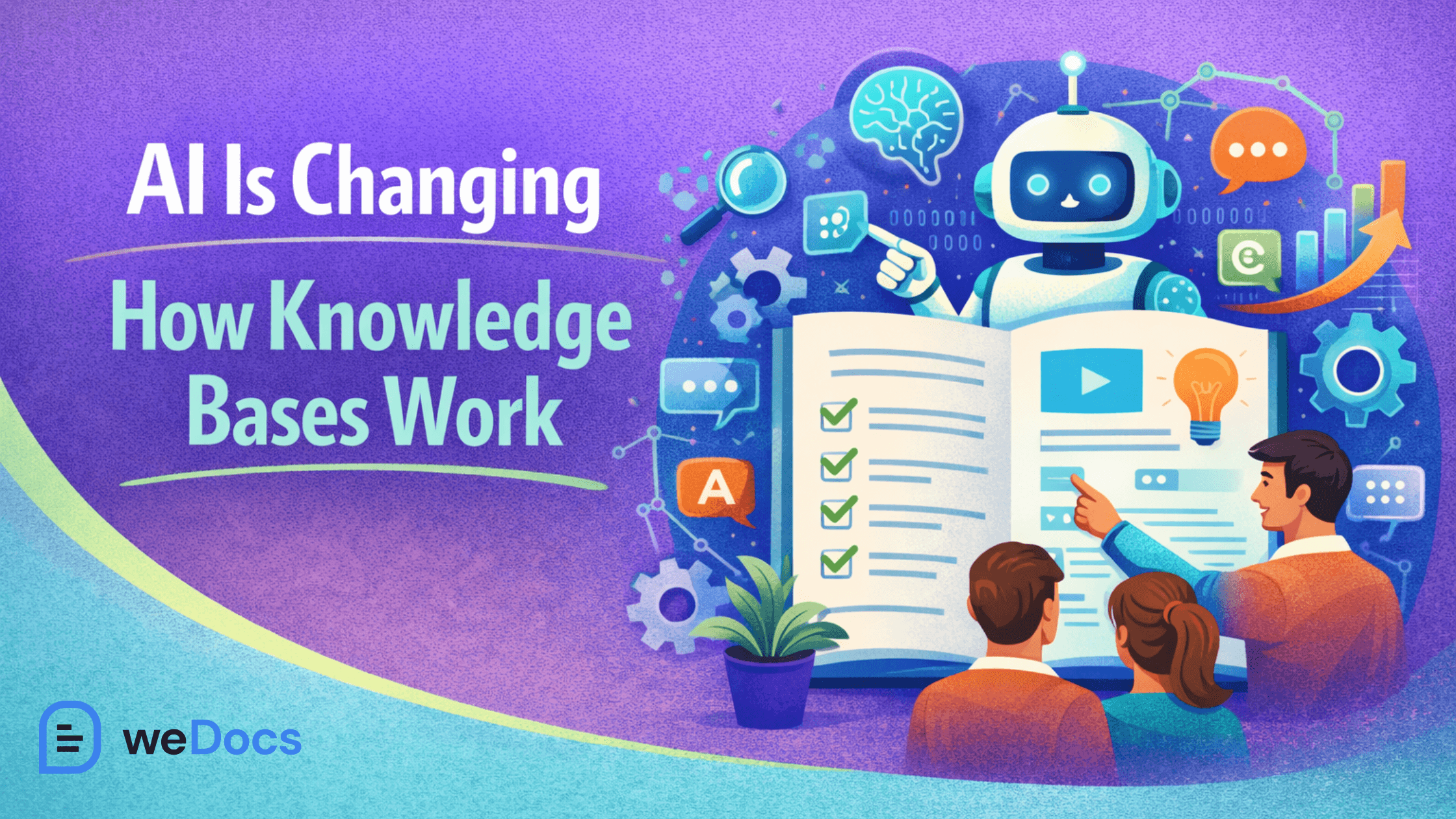
Instead of waiting for a support agent, users can get help immediately. This is especially useful for software companies that have global users in different time zones.
Even small teams can now offer 24/7 support experiences using AI-powered documentation. Many modern knowledge base tools are adding AI features for this reason.
For example, weDocs includes an AI-powered chatbot that learns from your documentation. Users can ask questions and get answers directly from the knowledge base content.
This helps users solve problems faster while reducing the number of support tickets. But AI is not the only change happening.
Trend 9: Documentation Structures Are Becoming Deeper and More Organized
Documentation used to be simple.
- A few articles.
- A few categories.
- Maybe a search bar.
That worked when products were small. But modern software products are much more complex now.
They have dozens of features, integrations, settings, and workflows.Because of that, documentation also needs better structure.
A 2025 product documentation survey by Document360 found that over 72% of companies say their documentation is growing faster than expected as products add new features.
Without proper organization, users quickly get lost. Imagine a knowledge base with 300 articles but only two or three categories.
Finding the right information becomes difficult.
That is why companies are adopting multi-level documentation structures.
Instead of flat categories, documentation is now organized like a tree.
For example:
Main category
→ sub category
→ section
→ article
This layered structure helps users move through information step by step. It also helps search engines understand how content is organized.
A clear structure makes documentation easier to navigate, especially for large products. Users can move from general guides to very specific instructions without feeling overwhelmed.
Modern documentation tools are adapting to this need.
For example, weDocs supports a deep hierarchical structure that allows documentation to be organized across multiple levels. This makes it easier to manage large knowledge bases without turning them into a messy list of articles.
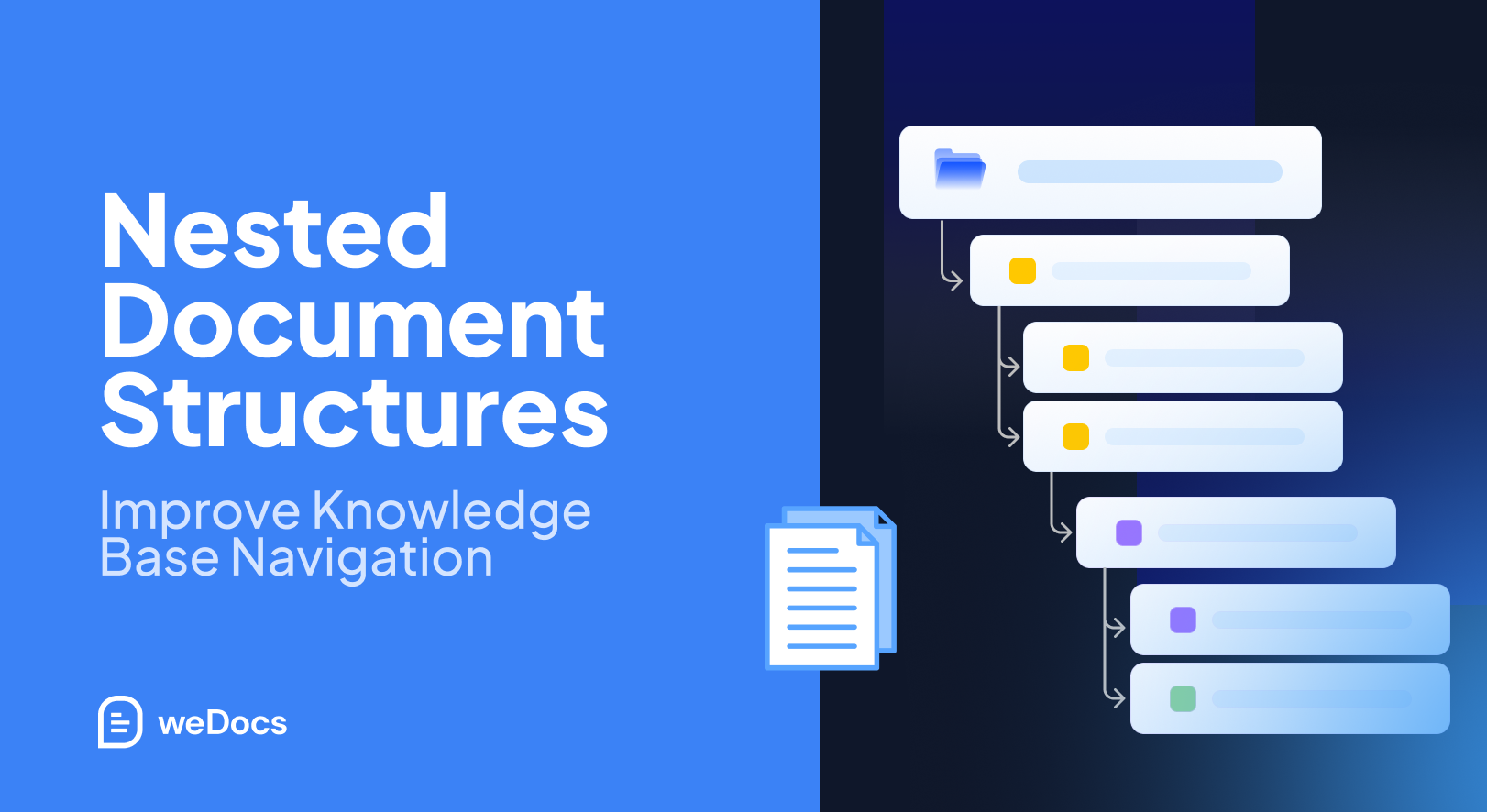
When documentation grows, structure becomes just as important as the content itself. And speaking of growth, another trend is becoming clear.
Companies are realizing that documentation is no longer just for support teams. It is becoming a core part of product strategy.
Trend 10: Documentation Is Becoming Part of the Product Experience
Documentation used to live outside the product. Users had to leave the dashboard, open a help center, and search for answers.
That approach is slowly changing. Today, many companies are bringing documentation directly into the product experience.
Instead of sending users to a separate help site, they show guides, tooltips, and help articles inside the product itself. This helps users learn features while they are using them.
A 2025 product experience study by Pendo found that over 80% of users prefer in-app guidance instead of external documentation pages when learning a new tool.
The reason is simple. Users do not want to leave the product just to understand how something works. They want help exactly where the problem happens. For example:
- A help article appears beside a complex setting.
- A quick guide appears during onboarding.
- A search bar allows users to find documentation inside the dashboard.
This approach reduces friction. Users stay inside the product and keep moving forward. It also reduces the number of support questions because users can solve problems immediately.
Many product teams now treat documentation as part of the product design process.
Tools like weDocs support this approach by allowing documentation to be embedded anywhere using shortcodes or widgets. This makes it possible to place guides and help content directly inside WordPress product pages or dashboards.
When documentation becomes part of the product experience, users learn faster and feel more confident using the tool.
Trend 11: Documentation Is Becoming a Collaborative Effort Across Teams
In the past, documentation was usually handled by one team. Often it was the support team. They answered customer questions and then wrote articles based on those issues.
But that approach has limitations.
- Support teams do not always know the technical details of a feature.
- Developers may understand the feature better.
- Product managers know the roadmap and use cases.
- Marketing teams understand the customer journey.

When documentation depends on only one team, important knowledge can be missed. That is why many companies are shifting toward collaborative documentation.
Instead of one team writing everything, multiple teams contribute to the knowledge base.
knowledge management report from Atlassian found that organizations with collaborative documentation practices resolve internal questions 25% faster.
This makes a big difference.
- Developers can document technical setup guides.
- Support teams can document common customer issues.
- Product managers can document workflows and best practices.
- Marketing teams can write beginner-friendly tutorials.
When everyone contributes, the documentation becomes richer and more useful.
For example, weDocs allows teams to create internal documentation with role-based permissions, so companies can build private knowledge bases for internal use while keeping customer documentation public.
This allows teams to share internal processes, troubleshooting guides, and technical knowledge in one place.
Documentation needs to stay consistent and up to date.
Trend 12: Outdated Documentation Is One of the Biggest User Frustrations
Bad documentation is frustrating. But outdated documentation is even worse.
Imagine following a guide step by step, only to realize the interface has changed. Or a feature mentioned in the article no longer exists. This happens more often than companies realize.
Products evolve quickly. New features are released. Interfaces change. Settings move. But documentation does not always get updated at the same speed.
2026 product support report shows that nearly 40% of support tickets are created because existing documentation is outdated or unclear.
This creates two problems.
First, users lose trust in the documentation.
If one article is outdated, users assume the rest might also be unreliable.
Second, support teams receive more tickets.

Instead of solving new problems, they spend time answering questions that documentation should have covered.
This is why companies are now focusing on documentation maintenance, not just documentation creation. Teams regularly review articles and update them when features change. Some companies also reuse documentation structures to speed up updates.
For example, if multiple articles follow the same format, it becomes easier to update them quickly.
It also plays a role in building trust and authority for your product.
Trend 13: Strong Documentation Builds Product Trust and Authority
When users evaluate a product, they look at more than just features. They also look at the documentation.
Clear documentation signals that the company cares about its users. It shows that the product is well maintained and supported. Poor documentation sends the opposite signal.
If users cannot find clear guides, setup instructions, or troubleshooting help, they may assume the product itself is difficult to use.
Documentation reduces uncertainty.
When users see clear guides, tutorials, and examples, they feel more comfortable exploring the product.
This is especially important for technical products such as:
- Developer tools
- SaaS platforms
- WordPress plugins
- APIs
Many successful technology companies invest heavily in documentation for this reason. Their knowledge bases are often one of the first places new users visit.
Good documentation helps users answer questions like:
How do I start?
How does this feature work?
What should I do if something breaks?
When those answers are easy to find, users feel supported.
Trend 14: Internal Knowledge Bases Improve Team Productivity
Documentation is often associated with customer support. But it is just as valuable inside the company.
Teams generate a huge amount of knowledge every day.
- Processes.
- Technical fixes.
- Onboarding instructions.
- Internal workflows.
When this knowledge is not documented, people rely on memory or repeated explanations.
That slows everyone down.
- New hires do not need to ask the same questions repeatedly.
- They can read onboarding guides.
- They can follow internal processes step by step.
Internal documentation also helps teams stay aligned.
Instead of depending on verbal instructions, teams can refer to documented workflows.
Trend 15: Knowledge Bases Are Becoming Central Knowledge Hubs
A few years ago, documentation was mostly used for support. Companies created help articles to answer common questions.
But today, knowledge bases are evolving into something bigger. They are becoming central knowledge hubs.
Instead of storing only troubleshooting guides, companies now include many types of content inside their knowledge bases.
For example:
- Getting started guides
- Product tutorials
- Feature walkthroughs
- API documentation
- Troubleshooting articles
- Best practice guides
- Internal team documentation
Everything lives in one organized place.
A 2025 digital workplace report by Deloitte found that organizations with centralized knowledge systems improve information access by nearly 40% compared to teams using scattered documentation.
This is happening because teams want one reliable source of truth.
Instead of searching through emails, chat threads, and multiple tools, people can simply go to the knowledge base.
Customers benefit as well.
When documentation is organized in one place, users can easily move from beginner guides to advanced tutorials.
This creates a smoother learning experience.
How to Build a Knowledge Base for Your WordPress Website
Now that we have looked at the trends, one thing is clear. Documentation is no longer optional. It is part of how modern products operate.
If you run a WordPress product business, building a knowledge base should be one of your early priorities. It helps users learn your product, reduces support workload, and brings organic traffic through search.
The good news is that building a knowledge base today is much easier than it used to be.
We have already written a detailed guide on how to create a knowledge base without any technical knowledge. Just follow that.
Quick Recap: Key Knowledge Management Statistics
If you skimmed the article, here are some important numbers that explain why documentation and knowledge management matter more than ever.
| Insight | Statistic | Source/Year |
|---|---|---|
| Businesses using knowledge bases reduce support tickets | Up to 50–70% fewer support tickets | Zendesk CX Report 2025 |
| Customers prefer self-service support | 70% of users prefer solving problems themselves | Zendesk 2025 |
| Online journeys start with search | 68% of online experiences begin with search engines | HubSpot SEO Report 2025 |
| Employees searching for information | Workers spend 1.8 hours daily looking for internal information | McKinsey Workplace Study 2025 |
| Companies using centralized knowledge systems | 40% improvement in information access | Deloitte Knowledge Report 2025 |
| Users prefer in-app guidance | 80% of users prefer in-app documentation | Pendo Product Experience Study 2025 |
| AI support adoption | 60% of support teams now use AI knowledge retrieval tools | Gartner 2025 |
| AI reduces support resolution time | Up to 40% faster problem resolution | CX Technology Report 2026 |
| Outdated documentation frustration | 56% of users complain about outdated docs | Gartner CX Survey 2025 |
| Knowledge hubs reduce repeated questions | Up to 35% fewer repeated internal questions | Enterprise Knowledge Study 2026 |
| Companies using collaborative documentation | 25% faster internal problem solving | Atlassian Knowledge Study 2025 |
| Internal documentation improves onboarding | 30% faster onboarding for employees | Knowledge Management Report 2026 |
| Developers evaluate documentation before adopting tools | 60% of developers consider documentation quality | Stack Overflow Dev Survey 2025 |
| Documentation drives organic traffic | Long-tail queries from help docs generate sustained traffic growth | Content Marketing Research 2026 |
| Support tickets caused by unclear documentation | Nearly 40% of tickets come from missing or unclear documentation | Support Ops Report 2026 |
These numbers show a clear pattern.
Companies that manage knowledge well operate faster, support users better, and grow more efficiently.
Knowledge Management Facts at a Glance
Here are some quick insights gathered from recent industry research.
Customer Support & Self-Service
- 70% of users prefer self-service support.
- Knowledge bases can reduce support tickets by up to 70%.
- 90% of customers expect companies to offer online support resources.
- Self-service portals reduce average support costs significantly.
- AI chatbots are now used by over 60% of support teams.
Workplace Productivity
- Employees spend nearly 2 hours daily searching for information.
- Poor knowledge sharing causes productivity loss in most companies.
- Teams with centralized knowledge systems work faster.
- Internal documentation speeds up employee onboarding.
- Knowledge silos are one of the biggest barriers to productivity.
Documentation Growth
- Documentation libraries are growing rapidly in SaaS companies.
- Many software companies maintain hundreds of documentation pages.
- Product updates require continuous documentation updates.
- Structured documentation improves content discovery.
SEO and Discovery
- 68% of online journeys start with search engines.
- Help articles often rank for long-tail queries.
- Technical documentation can generate organic traffic for years.
- Well-structured help centers perform better in search results.
Product Adoption
- Clear documentation improves product onboarding.
- In-app help reduces user confusion.
- Interactive documentation increases feature adoption.
AI and Knowledge Management
- AI assistants are changing how users access documentation.
- AI search helps users find answers instantly.
- AI support tools reduce support workload.
Internal Knowledge Sharing
- Internal knowledge bases improve team collaboration.
- Documented processes reduce operational errors.
- Teams with shared knowledge systems move faster.
Future of Knowledge Bases
- Knowledge hubs are replacing traditional help centers.
- Documentation is becoming part of product experience.
- Knowledge management is now a strategic investment for companies.
FAQ(s) About Knowledge Base Trends
1. Why is documentation important for SaaS products?
Documentation helps users understand the product, reduces support requests, improves onboarding, and can even bring organic traffic through search engines.
2. What should a good knowledge base include?
A strong knowledge base usually includes:
- Getting started guides
- Feature tutorials
- Troubleshooting articles
- FAQs
- Best practices
- Internal documentation for teams
3. How can WordPress websites create a knowledge base?
WordPress websites can build documentation systems using dedicated knowledge base plugins. One popular option is weDocs, which allows businesses to create structured documentation with search, AI support, hierarchical organization, and internal documentation features.
4. Can documentation help with SEO?
Yes. Documentation often ranks for problem-based search queries such as “how to fix X issue.” These articles attract long-tail search traffic and can bring new users to your product.
The Future of Knowledge Bases
If there is one clear takeaway from all these trends, it is this. Documentation is no longer just a support resource. It is becoming a core part of how products grow.
Companies are realizing that a good knowledge base helps in many ways. It reduces support pressure. It helps users learn the product faster. It brings organic traffic from search engines. It also keeps internal teams aligned.
The way documentation works is also changing.
- AI is helping users find answers faster.
- Knowledge bases are becoming learning hubs instead of simple help pages.
- Documentation is moving inside the product experience.
- Teams across the company are contributing knowledge.
All of this points toward one direction.
Knowledge management will continue to become more important as products become more complex.
For WordPress businesses, this means documentation should not be an afterthought. It should be part of the product strategy from the beginning.
With tools like weDocs, building a structured knowledge base is now much easier. You can organize documentation clearly, allow users to search for answers instantly, and even use AI to help users find solutions faster.
A well-built knowledge base saves time for both your team and your users.
And as the data shows, companies that invest in documentation today are building stronger products for the future.
Subscribe to
weDocs blog
We send weekly newsletters,
no spam for sure!