





A few days ago, I was trying to check a refund policy inside a SaaS documentation site. I clicked on “Help Center.” Then I opened a category. What I saw was a long list of articles. No grouping. No clear order. Just titles stacked one after another.
I opened an article. It was not the right one. I went back. Tried another. Same result.
After three clicks, I felt annoyed.
This is not rare. According to Forrester, 53% of users leave a site if they cannot find information quickly. Moreover, research from Nielsen Norman Group shows that users rely heavily on clear hierarchies to understand where they are inside a website.
A knowledge base is supposed to reduce confusion. If the structure is flat, users must figure out everything on their own.
That is where nested document structures help. They create order. They create direction. They make navigation feel natural.
How Nested Document Structures Improve Knowledge Base Navigation
Think about how we naturally look for information. We do not want 50 links at once. We want steps. First this. Then that. Finally, the exact answer.
A nested document structure works the same way.
Instead of showing all articles in one long list, you group them into levels. Main topic. Then subtopic. Then a detailed article. Users move deeper only when needed. This reduces decision fatigue.
According to Nielsen Norman Group, clear information hierarchy improves task completion rates because users spend less time guessing where to click. When people see structure, they feel in control.
Let’s break down how this improves navigation.
1. It Reduces Cognitive Load
When everything sits on one level, users must scan all titles. That takes mental effort. With nesting, users only see what is relevant at that level.
For example:
- Main: Payments
- Sub: Stripe
- Article: How to Connect Stripe
If someone is not using Stripe, they simply do not enter that branch. Fewer options. Less confusion.
2. It Creates a Clear Learning Path
Flat documentation forces users to decide the order themselves. Nested documentation guides them.
For example, A marketplace plugin documentation:
- Getting Started
- Installation
- Basic Setup
- First Product
This feels like a journey. Especially useful for beginners. Many companies’ onboarding flows follow this layered approach because guided progression increases retention.
3. It Improves Search Context
Even when users use search, hierarchy helps. If someone searches “commission settings,” and sees it under:
Marketplace Setup → Earning & Commission → Commission Rules
The path itself gives context. Users immediately understand where this setting belongs. That structure builds trust.
4. It Makes Large Knowledge Bases Manageable
Some companies have 200+ documentation articles. Without nesting, it becomes a content dump. With nesting, each section becomes a small ecosystem.
Example:
- Developer Docs
- API
- Authentication
- Endpoints
- Error Codes
- API
Developers expect this structure. It mirrors how code and systems are organized.
5. It Reduces Support Tickets
When users find answers faster, they contact support less.
According to Harvard Business Review, 81% of customers try to solve issues on their own before contacting support. If your documentation is structured properly, you support that behavior.
Nested documents make self-service easier. And self-service reduces pressure on your team.
Which Companies Should Use a Nested Document Structure
Nested documentation works best when information has layers. If your content naturally breaks into categories and subcategories, nesting helps.
Here are companies that benefit the most.
1. SaaS Platforms With Multiple Features
Most SaaS tools grow feature by feature. You start with one core module. Then you add analytics. Then integrations. Then automation. Within a year, the documentation becomes large.
Instead of listing 120 articles on one page, you group them:
- Core Features
- Integrations
- Billing
- Advanced Settings
Users navigate faster. They feel guided.
2. Products With Different User Roles
Some systems serve admins, managers, customers, and developers. Each group needs its own guidance.
A nested structure separates them clearly:
- Admin Guide
- User Guide
- Developer Guide
This reduces confusion and prevents cross-over content.
3. API-First Companies
If your product offers APIs, SDKs, or webhooks, structure is critical. Developers expect layered documentation:
- API
- Authentication
- Resources
- Orders
- Customers
- Errors
Flat documentation looks unprofessional in technical ecosystems.
4. Platforms With Step-Based Setup
Some tools require configuration before use.
For example:
- Getting Started
- Account Setup
- Payment Configuration
- First Workflow
This mirrors how users actually move through the product. Structured documentation supports structured onboarding.
5. Companies With 100+ Help Articles
Once you cross 100 articles, flat layouts become hard to scan.
Users scroll. They skim. They guess. Research from Nielsen Norman Group shows users prefer structured navigation because it reduces cognitive load. Clear hierarchy improves task completion speed.
6. E-learning Platforms
Online education platforms often have:
- Instructor Guide
- Student Guide
- Course Management
- Certification Rules
Each of these contains multiple subtopics. Without nesting, the knowledge base becomes cluttered quickly.
7. Fintech and Payment Services
Financial platforms usually include:
- Account Setup
- Compliance
- Transactions
- Security
- Disputes
Some topics require deep explanation.
For example:
- Security
- Two-Factor Authentication
- Fraud Detection
- Account Recovery
Layered documentation improves clarity in sensitive industries.
8. Marketplace or Multi-Sided Platforms
Platforms that serve buyers and sellers need structured separation.
Example:
- Seller Guide
- Listing Products
- Managing Orders
- Buyer Guide
- Purchasing
- Returns
Nested documentation keeps experiences organized.
9. Enterprise Software Providers
Enterprise systems often include modules like HR, Finance, Operations, and Reporting. Each module may contain dozens of articles.
Structure prevents the knowledge base from feeling overwhelming.
10. Rapidly Growing Startups
Startups move fast. They release updates often. New features get added monthly. Without a hierarchy, documentation grows in random directions.
The nested structure keeps growth controlled.
11. Companies Focused on Self-Service Support
According to Harvard Business Review, 81% of customers try to solve problems on their own before contacting support.
If your business wants to reduce support tickets, your documentation must be easy to navigate. Nested structures make self-service practical.
Drawbacks of Creating a Nested Document Structure
Nested structures are helpful. But they are not perfect. If done poorly, they can create new problems.
There are trade-offs. Let’s look at them clearly.
1. Too Much Depth Can Slow Users Down
If users must click through five or six layers, they may lose patience.
For example:
Help Center → Product → Settings → Advanced → Configuration → Optional Rules
That feels long. Users often expect answers within two or three clicks. If the path feels endless, they may switch to search or leave entirely.
2. Poor Structure Creates More Confusion
Hierarchy only works when categories are logical. If “Billing” appears under both “Account” and “Settings,” users will hesitate.
They will not know which branch to follow. Structure must reflect how users think. Not how the internal team thinks.
3. It Requires Planning Time
You cannot build a good nested system in one afternoon. You need to map content first.
You must decide:
- What is a main category?
- What belongs inside it?
- What deserves its own branch?
Many teams skip this step and regret it later.
4. Maintenance Becomes Ongoing Work
Products evolve. Features merge. Names change. Workflows shift.
If your structure is deep, even small product updates may require restructuring multiple levels. Without regular audits, the hierarchy becomes outdated.
5. Important Articles Can Get Buried
Critical information may hide deep inside a branch.
For example:
Security → Advanced → Optional → Best Practices
If users never reach that level, they may miss essential guidance. Visibility matters as much as structure.
6. It Is Overkill for Small Knowledge Bases
If you only have 15 or 20 articles, deep hierarchy may feel unnecessary. Too much structure can make small documentation look complex.
Sometimes a flat layout works better for small teams.
7. Over-Engineering the Experience
Some companies build deep hierarchies because it feels organized internally. But users may prefer simpler navigation.
According to research from Nielsen Norman Group, users favor clarity over complexity. Simplicity often improves usability. More levels do not automatically mean better navigation.
How weDocs 7 Layer Hierarchical Feature Helps Create a Nested Document Structure
Before focusing on hierarchy depth, it is important to understand what weDocs offers overall.
weDocs is a WordPress documentation and knowledge base plugin that allows teams to build structured help centers directly inside their websites. Instead of managing documentation in an external system, everything lives within WordPress.
Teams can create documentation groups, divide them into sections, and organize articles in a clean sidebar layout. It also supports drag-and-drop ordering and built-in search, which improves both content management and user navigation.

Now let’s focus on hierarchy depth.
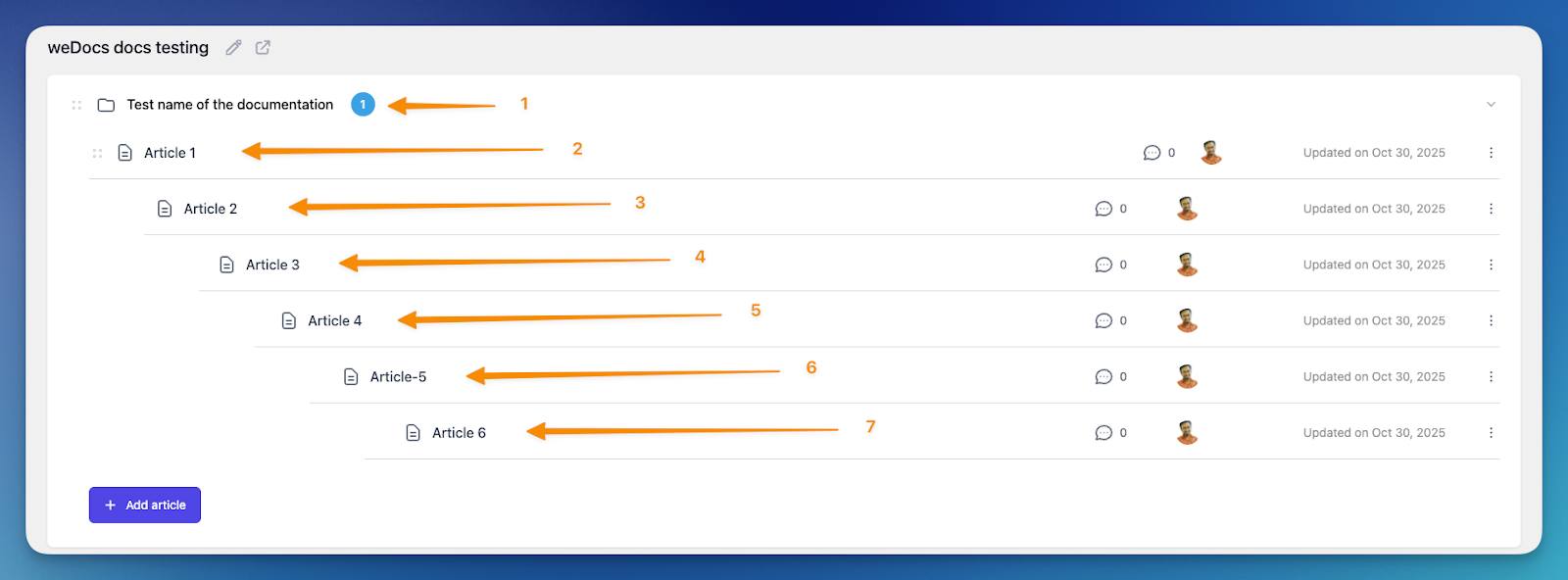
One of the standout capabilities of weDocs is its support for up to 7 layers of nested documentation. Many documentation tools limit you to two or three levels. That may feel sufficient at the beginning, but as content grows, shallow limits create structural pressure. Categories become overloaded. Articles start mixing unrelated topics.
Seven layers provide room to design structure based on logic instead of limitation.
Below is how that depth helps in practical scenarios.
It Allows Documentation to Mirror Real Product Workflows
Products often have layered workflows. Setup comes first. Configuration comes next. Advanced customization comes later.
With seven levels, documentation can follow the same order:
Product Guide
→ Getting Started
→ Installation
→ Server Requirements
→ Advanced Environment Setup
Each level reflects a real step in the product journey. Users move deeper only when necessary. Beginners are not forced to see advanced material too early.
It Prevents Category Overcrowding
Without deeper hierarchy, large sections quickly become crowded. For example, imagine placing 45 articles under one “Settings” category. Users must scan everything manually.
With layered nesting, you can divide it into meaningful branches:
Settings
→ General
→ Billing
→ Notifications
→ Permissions
Seven layers make this segmentation easier.
Read: How to Create a Knowledgebase
It Supports Long-Term Content Growth
Documentation rarely stays static. A product that launches with 20 articles may grow to 150 within two years.
If your tool restricts hierarchy, you may need to restructure everything later.
With seven available levels, you expand existing branches instead of rebuilding the system. Growth feels controlled instead of chaotic.
It Enables Clear Role-Based Separation
Many platforms serve different user types. Admins need configuration details. End users need operational guidance. Developers need technical references.
Deep hierarchy allows clean separation:
Admin Guide
→ User Management
→ Permission Settings
Developer Guide
→ API
→ Authentication
→ Endpoints
Each audience navigates within its own branch, reducing cross-over confusion.
It Improves Self-Service Efficiency
According to Harvard Business Review, 81% of customers try to solve issues on their own before contacting support.
Well-structured nested documentation increases the chances they find answers without raising tickets. Clear branching reduces guesswork. Users understand where they are and what to explore next.
Seven layers do not mean you must create deep trees unnecessarily. The value lies in flexibility. When your documentation requires depth, the structure can handle it.
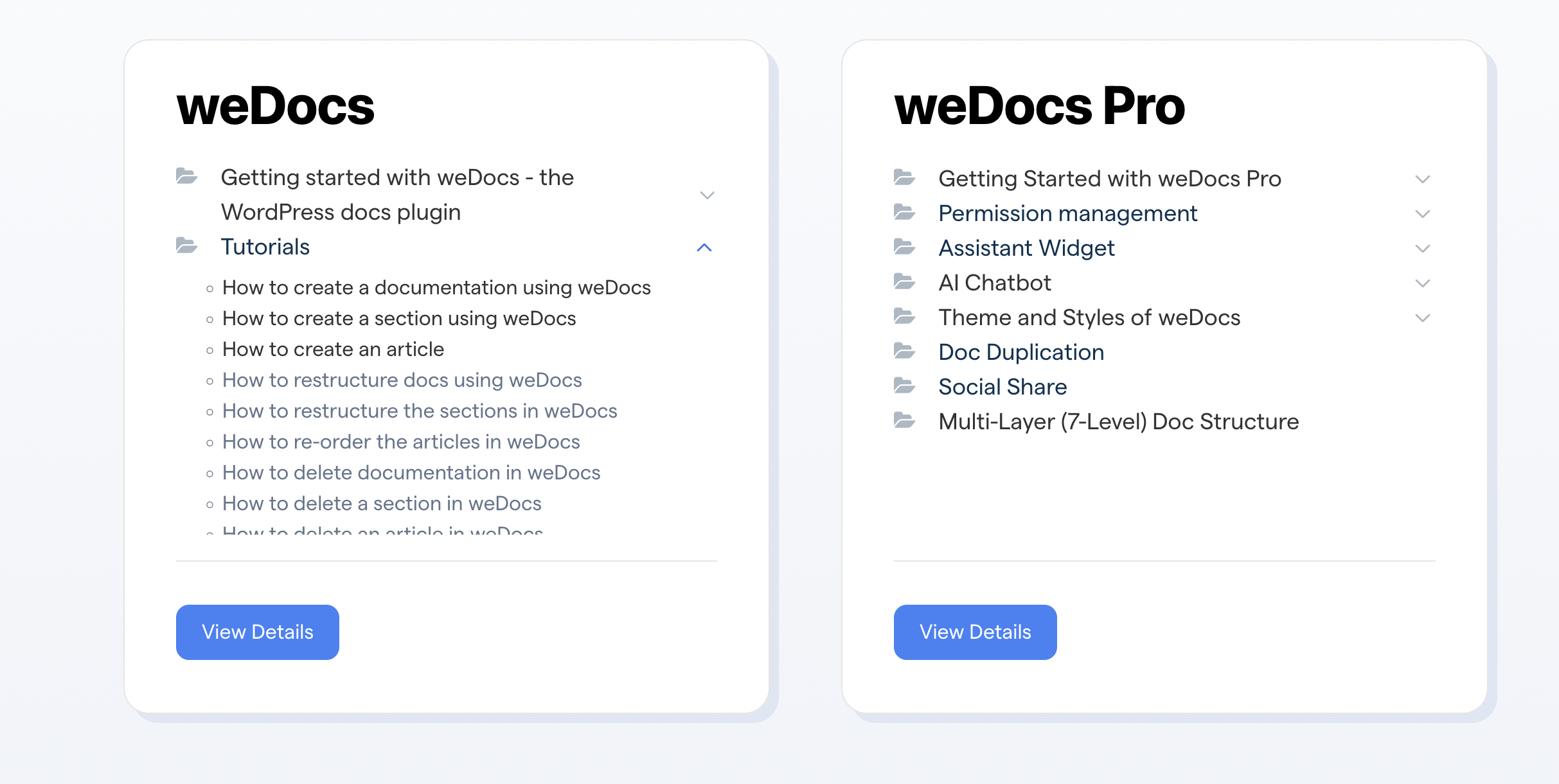
To get started with the weDocs multilayer doc structure, you can read this tutorial guide.
FAQ(s) On Nested Knowledgebase Structure
Start Organizing Your Knowledgebase the Right Way!
A knowledge base is not just a content library. It is a navigation system.
When the structure is flat and overloaded, users scroll, guess, and sometimes give up. When the structure is layered and logical, users move step by step. They understand where they are. They know what to click next.
Nested document structures help reduce cognitive load, especially as content grows. They separate beginner guides from advanced topics. They allow role-based organization. They also support long-term scalability.
At the same time, depth must be intentional. Too many layers without clear logic can slow users down. Structure should always follow user behavior, not internal assumptions.
If your documentation is growing and starting to feel crowded, it may be time to rethink hierarchy. The goal is simple. Help users find answers faster. When that happens, support pressure drops and trust increases.
Now I’m curious.
Does your current knowledge base feel structured, or does it feel like a long list of articles?
Subscribe to
weDocs blog
We send weekly newsletters,
no spam for sure!