
weDocs has been growing fast. Many users asked for easier ways to manage large documentation, copy content quickly, improve visibility, and write faster. So we focused on building features that remove friction and help you work smarter.
In the latest releases, weDocs introduced several powerful additions that make documentation simpler and more efficient. From generating content with AI to duplicating full docs in a click, these updates are designed to save time and improve how you create, manage, and share your knowledge base.
Let’s take a look at what’s new.
weDocs New Feature Releases: Let’s Take a Look at the Major Ones
We have released features and fixes. We are goingt to focus on the features here-
1. AI Doc Writer
Writing documentation takes time. Many users struggle with starting from a blank page or organizing content in a clean structure. The new AI Doc Writer solves this problem by helping you create documentation instantly from a short prompt or product details.
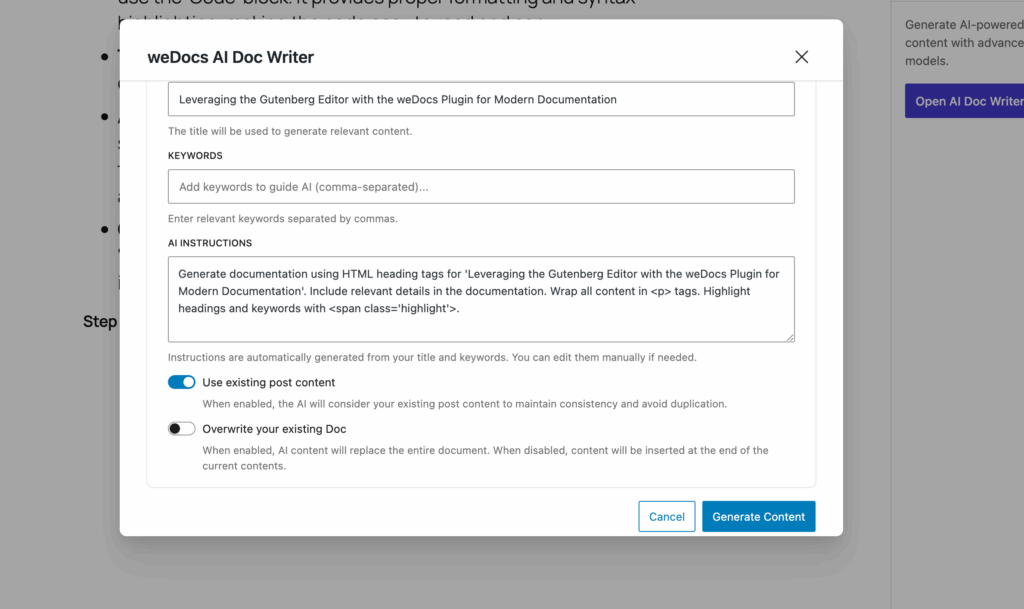
You type a few lines about what you want. The AI understands your context, generates a solid draft, and organizes it in a readable format. You can then edit and refine the content however you like.
This feature is perfect for busy teams, product owners, or anyone who wants to speed up documentation writing without compromising clarity.
What it helps you with:
- Saves time when creating new articles
- Eliminates writer’s block
- Gives you a structured starting point
- Keeps the tone consistent across your docs
And the best part, it’s available for free.
2. Docs Duplicator
If you manage large documentation or multiple products, you know how tiring it can be to recreate similar structures again and again. The Docs Duplicator fixes that.
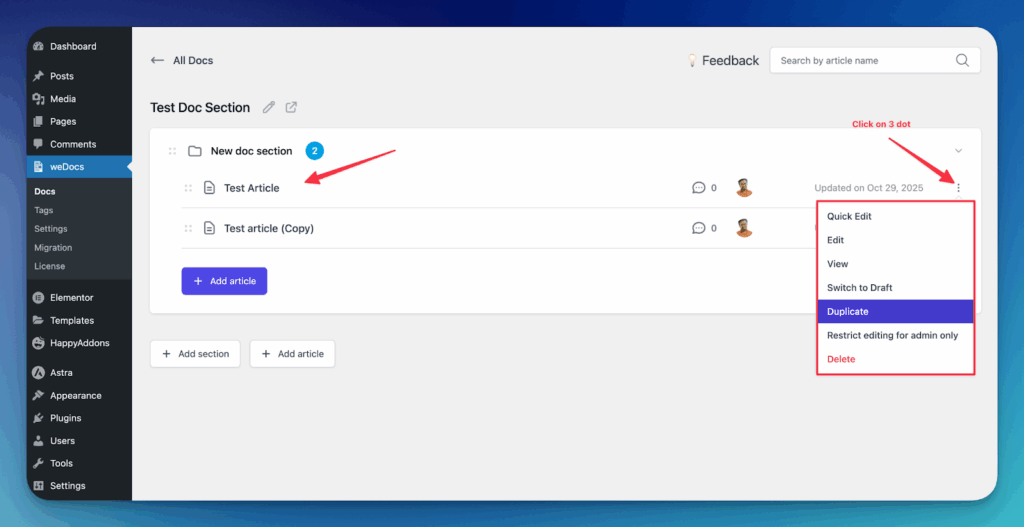
With a single click, you can clone an entire document, including its sections and nested articles. No copy-paste. No manual rebuilding. Everything is duplicated instantly.
This is especially helpful for teams that maintain similar docs for different versions of a product, or those who want to create templates and reuse them across projects.
Why it matters:
- Saves hours of repetitive work
- Ensures structural consistency
- Ideal for scaling documentation across products
Read how to configure the Docs Duplicator.
3. 7-Layer Hierarchical Article Creation
Some projects are simple. Others are huge. For complex documentation sets, you need a deep structure that can handle detailed breakdowns.
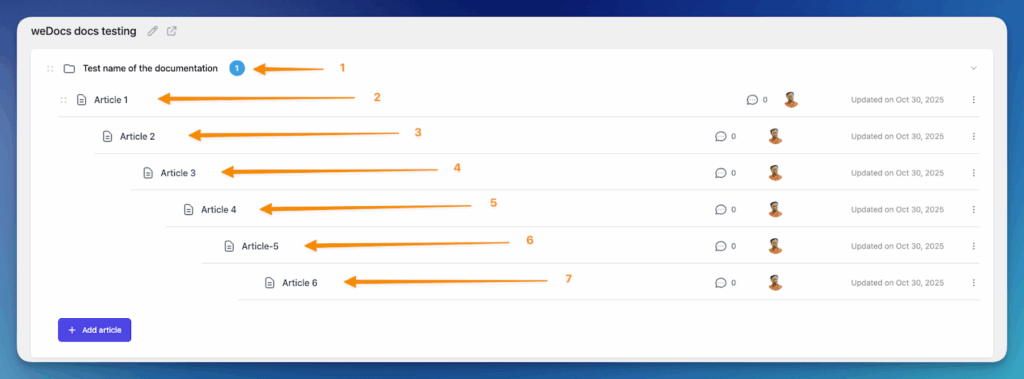
The new 7-layer hierarchy allows you to create articles and sections with more depth than ever before. It gives you the freedom to organize content your own way — whether it’s technical docs, API references, or multi-step guides.
This feature makes weDocs much more powerful for medium to large documentation teams.
What it gives you:
- Better scalability for complex docs
- Clear and logical organization
- Flexibility to create multi-level structures
Read how to configure the 7-Layer Hierarchical Article Creation Option.
4. Social Sharing Options
Great documentation deserves to be seen. That’s why weDocs now includes Social Sharing Options, making it easy for readers to share your articles on platforms like Facebook, LinkedIn, and more.
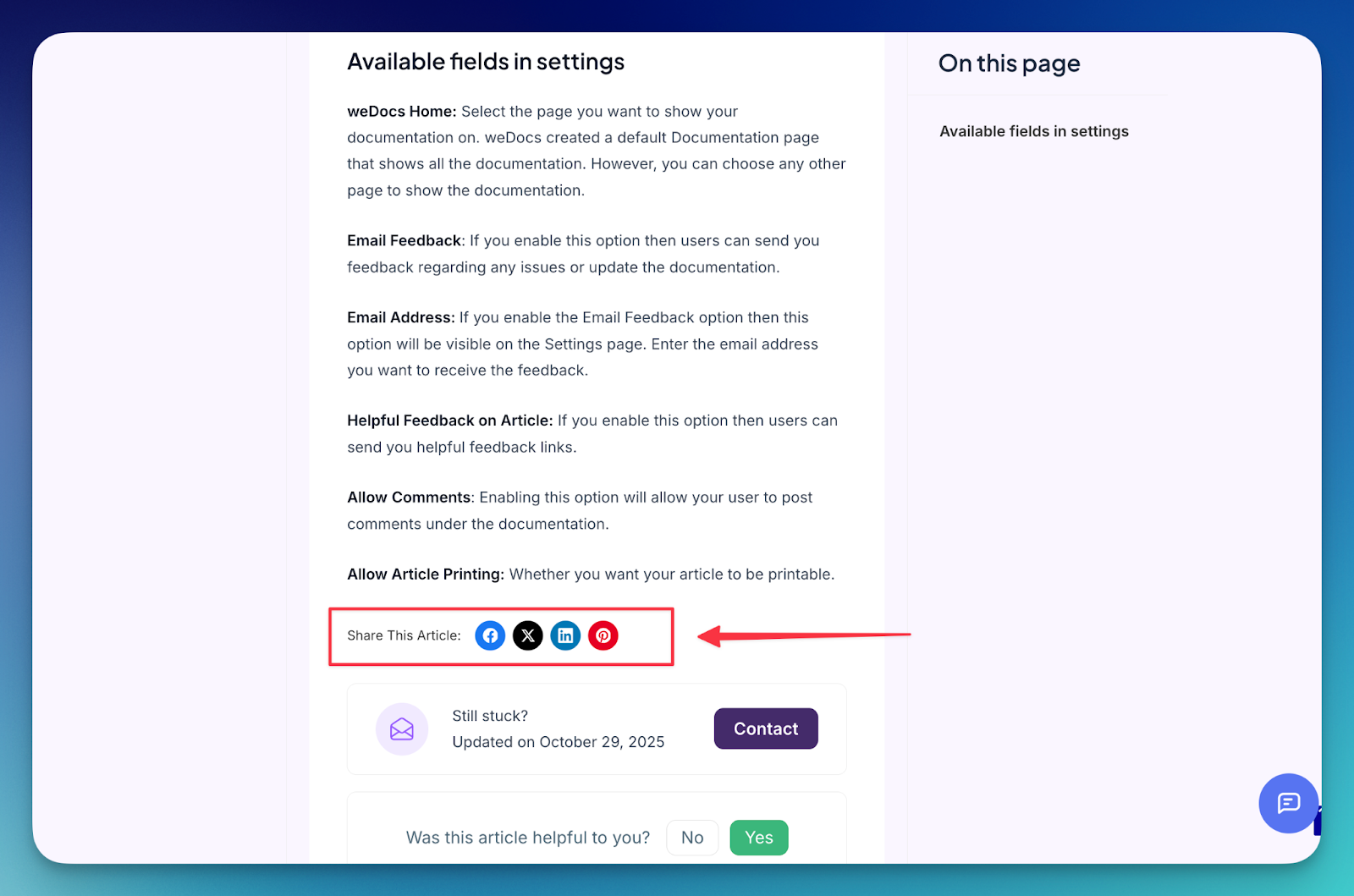
This small addition increases the visibility of your content and helps you reach a wider audience without any extra effort.
Why it’s helpful:
- Encourages organic sharing
- Helps your documentation reach more users
- Boosts engagement and awareness
Read how to configure the Social Sharing Option.

You can find the other changes we have made by visiting the changelog of weDocs.
We Are Working Hard to Bring New Features
The work doesn’t stop here. Our team is actively building more improvements that will make documentation even easier, faster, and more enjoyable for you. Many of these ideas come directly from user feedback, real use cases, and the challenges we see teams face every day.
New tools, smarter workflows, and better editing experiences are already in development. Our goal is to help you create great documentation without friction and support your growth with features that feel modern and reliable.
If you have suggestions or features you want to see next, we’d love to hear from you. Your feedback helps shape what we build.
Put These Updates to Work
The latest updates make weDocs faster, smarter, and easier to use. Features like AI Doc Writer and Docs Duplicator reduce busy work, while deeper article hierarchy and social sharing options help you build more organized and accessible documentation. These improvements were built with real users in mind, and they show how quickly weDocs is evolving.
As we continue adding new features, our goal stays the same to help you create clear, helpful, and professional documentation without extra effort. The best version of weDocs is still ahead, and we’re excited to share what’s coming next.
Subscribe to
weDocs blog
We send weekly newsletters,
no spam for sure!