
Most teams know the struggle of writing documentation. You open a blank page. You type a few lines. Then you rewrite them again and again. Hours pass. The doc still feels unfinished. That’s the moment many of us wish the writing could start itself.
That’s exactly why weDocs AI Doc Writer feels refreshing. You give it your project details. It turns them into structured, readable documentation in minutes. No long drafting sessions. No staring at empty screens. Just clear docs that your team or customers can use right away.
If you’ve ever wished documentation felt easier, this tool changes that feeling fast. Let’s look at how it works.
How AI Doc Writer Works with weDocs
The AI Doc Writer helps you create clean, easy-to-read documentation in far less time. You can turn quick notes into complete articles, refresh outdated content, or generate missing sections without starting from zero. It understands your topic, suggests stronger phrasing, and keeps everything consistent across your docs.
It works directly inside the weDocs editor, so you never have to switch tools or break your flow. You focus on the ideas — the AI handles the writing. This makes it easier to maintain large documentation, publish updates faster, and give your users a smoother learning experience.
We are going to show you how to configure and use the AI Doc writer to write documentation faster.
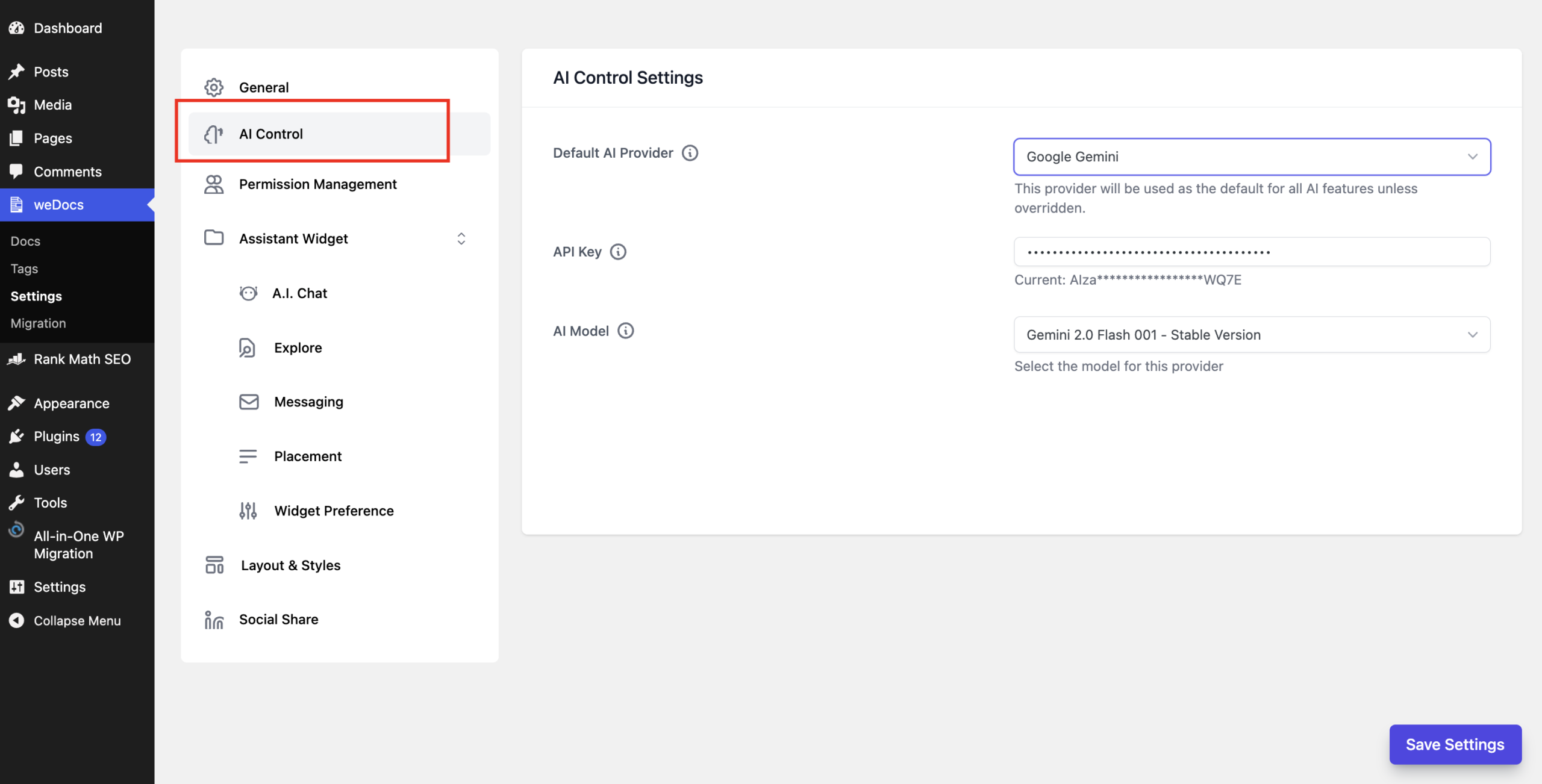
First, go to weDocs—> Settings–> AI Control. There, you need to choose the AI Model, add the API Key and choose the AI version you want to use-
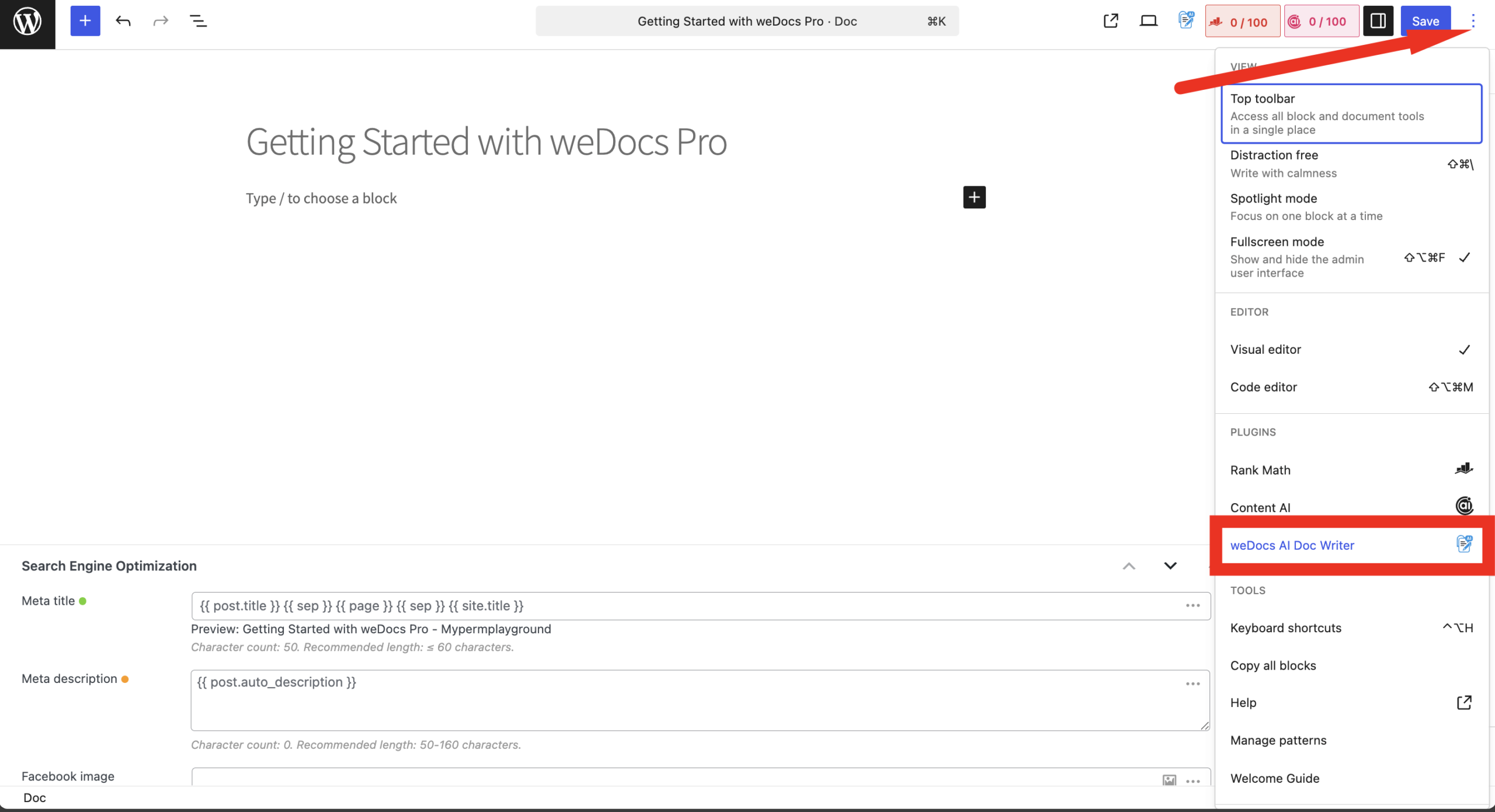
Now, to use the AI Doc Writer, open a doc from weDocs–> Docs. Then, click on the “Three Dot” menu on the top-right hand side and choose the AI Doc Writer option-
Now you will get a pop-up. Write the heading, add the keyword, and give the proper prompt to generate the kind of documentation you want. If you want you can create a new documentation or you can overwrite the exisitng one. Click on the Generate Content button to start-

Based on the documentation, it will take some time to generate the content. If you are satisfied with the result then you can click on the Accept & Insert option. Or you can click on the Regenerate if you are not satisfied.
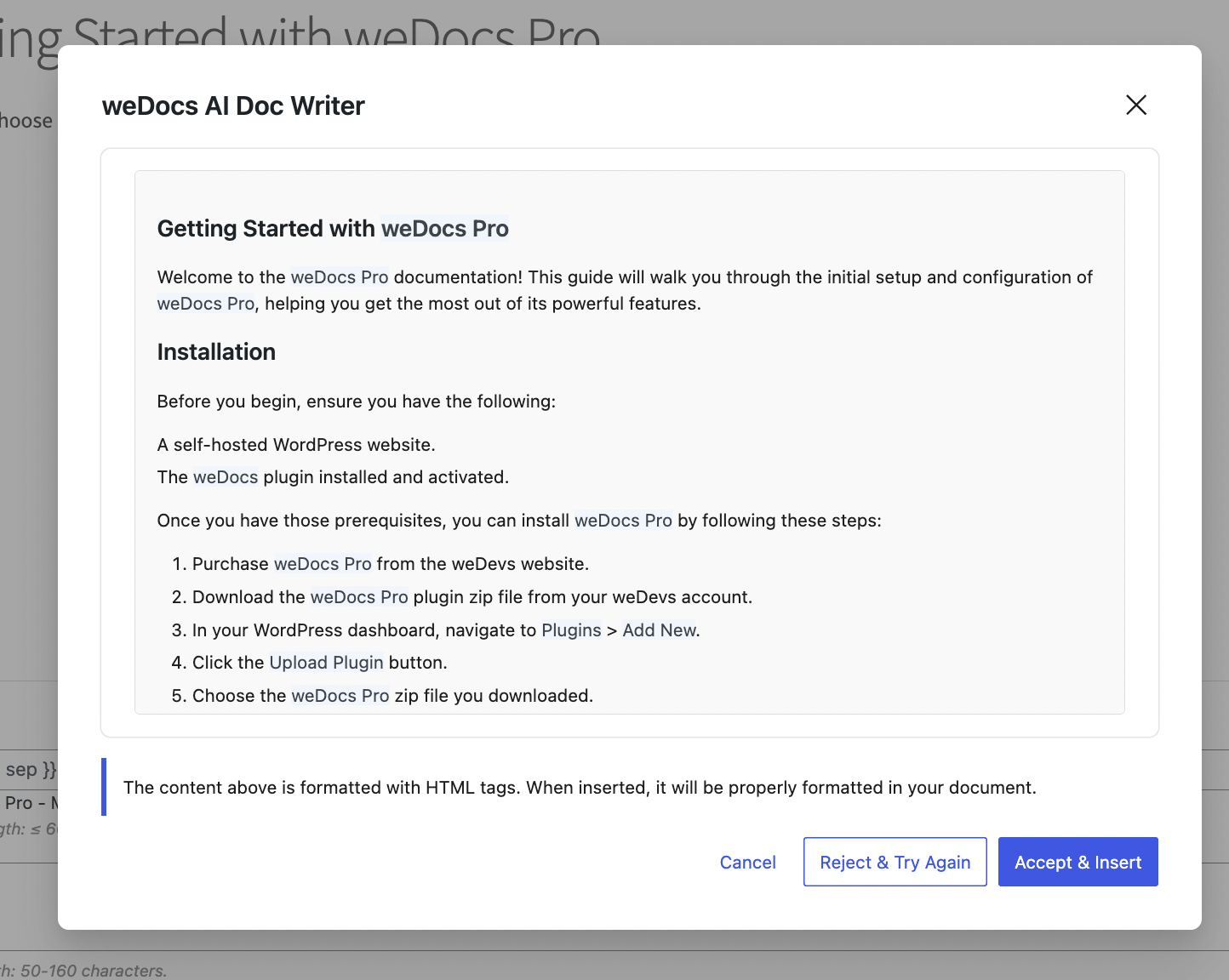
This is the result-
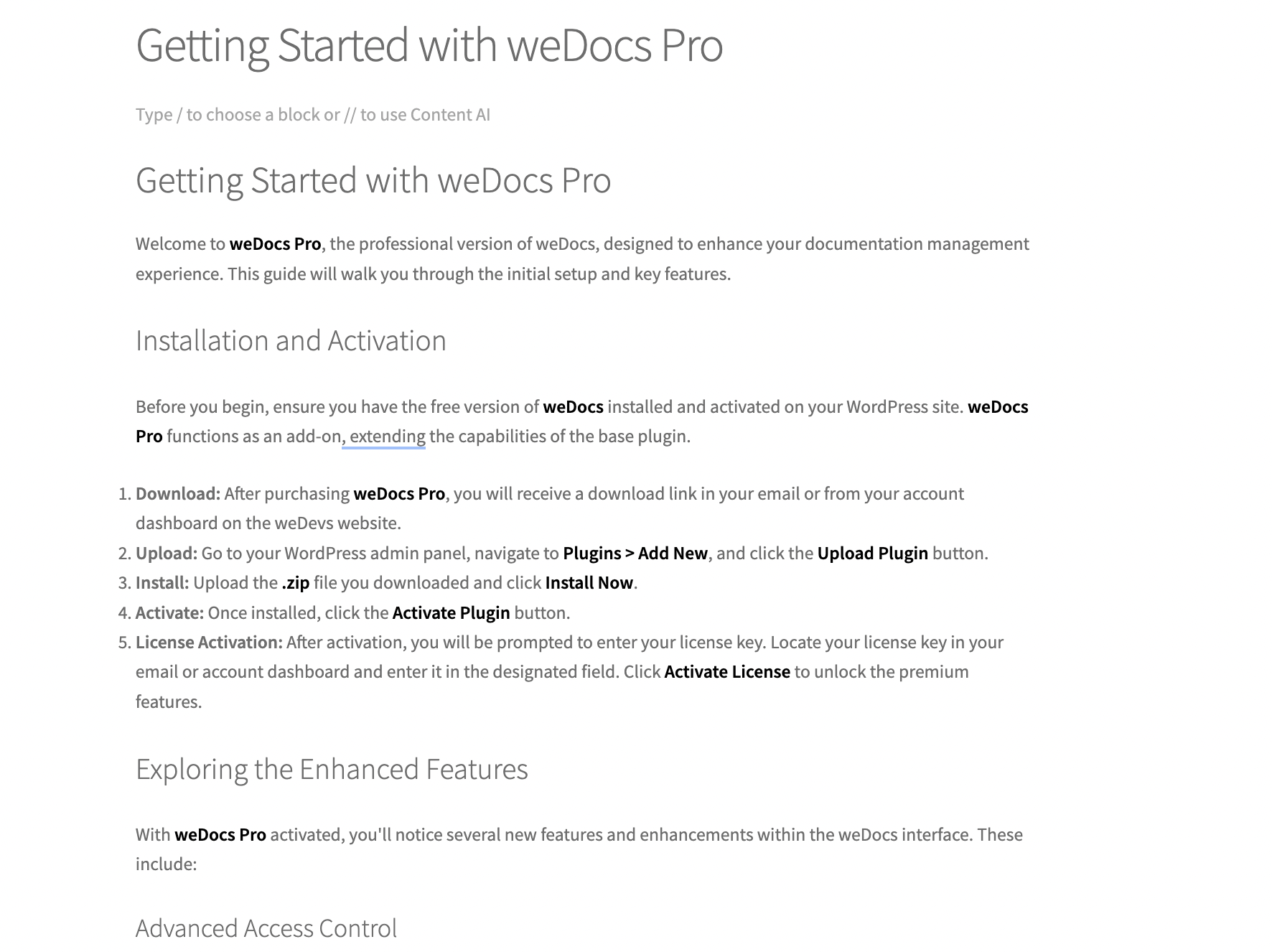
That’s it. This is how you can use the AI Doc Writer.
Use the weDocs AI Doc Writer for Free!!
Writing documentation doesn’t have to slow your team down. With the weDocs AI Doc Writer, you can turn ideas into polished content in minutes, keep everything consistent, and update your docs whenever your product evolves. It reduces the busywork, removes the blank-page struggle, and helps you publish clearer documentation faster.
The end result is simple: better docs, happier users, and a smoother workflow for your entire team. If you want to spend less time writing and more time improving your product, the AI Doc Writer is the easiest place to start.
Subscribe to
weDocs blog
We send weekly newsletters,
no spam for sure!