

An employee handbook template is a ready-made outline of the policies, expectations, and culture notes your team needs in one place. You fill it with your own rules instead of writing every section from a blank page. The hard part of a handbook is never the formatting. It is knowing which sections to include and what to say in each one.
This post gives you a full employee handbook template you can actually build from. Below you get the nine sections a handbook needs, short guidance on what to write in each, and a simple way to keep the finished document current.
TLDR
- A good employee handbook template covers nine areas, welcome and culture, employment policies, code of conduct, compensation and benefits, leave and attendance, health and safety, IT and security, offboarding, and an acknowledgment form.
- No law requires a handbook, but one gives staff clear written answers and protects you if a dispute reaches a courtroom.
- Always add an at-will statement and a disclaimer so the handbook is not read as a binding contract.
- Review it at least once a year, because employment rules change often at the state level.
- Treat the handbook as living documentation, not a PDF that goes stale in a shared drive.
The 9 Sections Every Employee Handbook Template Needs
A complete handbook moves from the warm welcome through to the day someone leaves. Here are the nine sections in the order most teams use them.
- Welcome and company culture
- Employment policies
- Code of conduct
- Compensation and benefits
- Leave and attendance
- Health and safety
- IT and security
- Offboarding
- Acknowledgment of receipt
Take each one in turn below. For every section you get what it is for and a short checklist of what to put inside it.
1. Welcome and Company Culture
Open with a short welcome that tells a new hire who you are and what you care about. This section sets the tone for everything after it, so keep it human rather than legal.
Write in a few lines each of these.
- A welcome note, ideally from the founder or a team lead.
- Your mission and the values you actually use when you make decisions.
- A brief company story, how you started and where you are headed.
- How people talk to each other here, meeting habits, response times, and remote norms.
Keep the values concrete. “We reply to customers within one business day” tells a new hire far more than “we value excellence.”
2. Employment Policies
This section explains the basic terms of working for you. It answers the practical questions a new hire has in their first week.
Cover these points clearly.
- Employment status and classifications, full time, part time, and contractor.
- Working hours, time zones, and any core hours when everyone is online.
- An equal employment and non-discrimination statement.
- Your at-will employment statement, if you operate in the United States.
- The probation or onboarding period and what counts as a successful start.
The handbook is usually one of the first documents a person reads, so it pairs naturally with the rest of your intake process.
If you are still shaping that process, our guide to the best employee onboarding software walks through the tools that carry a new hire from offer to first project.
3. Code of Conduct
The code of conduct sets the behaviour you expect and names the behaviour you will not accept. This is the section that protects both your people and your business.
Spell out these rules.
- A clear anti-harassment and anti-discrimination policy.
- Expectations around professionalism, dress, and language.
- Conflict of interest rules and gift policies.
- Social media and confidentiality expectations.
- A confidential way to report a problem, and a promise of no retaliation.
Give one named path for reporting. A worried employee needs to know exactly who to email, not a vague line about “the appropriate channel.”
4. Compensation and Benefits
Explain how and when people get paid, and what else they get beyond salary. Staff read this section more than any other, so make it easy to scan.
Include the following.
- Pay schedule, pay periods, and how payslips are delivered.
- How overtime, bonuses, and raises work.
- Health insurance and retirement contributions.
- Learning budgets, equipment stipends, and other perks.
- Who to ask when a payment looks wrong.
You do not need to print exact salary bands here. State the structure and the review cycle, then point to a private document for figures that change.
5. Leave and Attendance
This section tells people how to take time off and how to report it. Clear leave rules prevent most of the friction that lands on a manager’s desk.

Lay out each type of leave.
- Paid time off and how it accrues.
- Sick leave and what, if anything, you need for proof.
- Public holidays you observe.
- Parental, bereavement, and other special leave.
- How to request time off and how far ahead to ask.
Leave rules often vary by country and state, so note where local law overrides your default policy.
6. Health and Safety
Set out how you keep people safe at work, in the office and at home. Even a fully remote team needs a short version of this section.
Address these areas.
- Workplace safety rules and who to tell about a hazard.
- What to do in an emergency, with contacts.
- Home office and ergonomics guidance for remote staff.
- Mental health support and any wellbeing benefits.
- Policies on substances, if relevant to your work.
Match this section to your real setup. An online team does not need a fire drill plan for an office it does not have.
7. IT and Security
Explain how people use company devices, accounts, and data safely. This section matters more every year as teams spread across tools and locations.
Write rules for these.
- Acceptable use of company devices and accounts.
- Password standards and multi-factor login.
- How to handle customer and company data.
- Rules for personal devices, if you allow them.
- Who to contact the moment something looks like a breach.
Keep the language plain. A security policy only works when a non-technical person can follow it on their first day.
8. Offboarding
Describe what happens when someone leaves, whether they resign or you let them go. A calm, written process keeps exits fair and protects your data.
Cover these steps.
- Notice periods for resignation.
- The circumstances that lead to termination.
- How final pay and unused leave are handled.
- Returning equipment and closing accounts.
- What happens to confidentiality after someone leaves.
Write this section while nobody is leaving. It is far harder to be fair once a specific name is attached to it.
9. Acknowledgment of Receipt
End with a short form the employee signs to confirm they read the handbook. This single page does a lot of quiet work if a dispute ever comes up.
The form should include these elements.
- A line stating the person received and read the handbook.
- A repeat of the at-will statement and a disclaimer that the handbook is not a contract.
- A note that policies can change and the employee will be told.
- Space for a signature and a date.
Keep a signed copy for every employee. A handbook that nobody acknowledged is weak evidence that your policies were ever shared.
Turn the Employee Handbook Template Into Living Documentation
A handbook only helps when people can find the answer they need in seconds. A PDF buried in a shared drive fails that test the week after you publish it.
The better model is to treat the handbook as living documentation. You give each section its own page, let staff search for a term, and update one place when a rule changes. This is the job a documentation tool does well, and it is where building a simple internal knowledge base turns a static file into something people actually use.
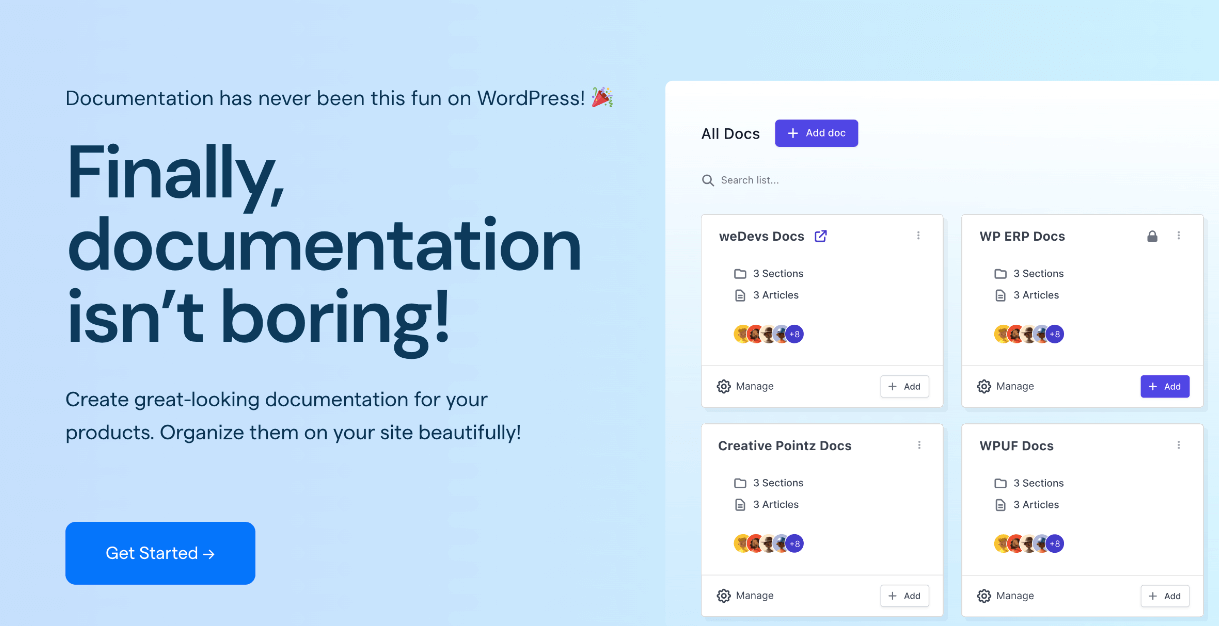
weDocs is a WordPress plugin built for exactly this. You can organize the nine sections into a clear hierarchy, control who sees each part, and search across the whole handbook from one box. For a team spread across time zones, keeping policies in shared internal documentation beats pinging a manager for the same answer every week.
When a policy changes, you edit the page once and everyone sees the current version. That removes the oldest handbook problem, three different copies floating around with nobody sure which one is right.
If your sections grow over time, our notes on how to sort and organize documentation keep the structure tidy as it scales.
Mistakes to Avoid When Using a Handbook Template
A template saves time, but a few habits turn a useful handbook into a liability. Watch for these before you publish.
- Copying another company word for word. Their policies match their state, size, and benefits, not yours. Use the structure, write your own rules.
- Leaving out the at-will statement and disclaimer. Without them, a court can read the handbook as a promise you did not mean to make.
- Writing it once and forgetting it. A policy that contradicts current law is worse than no policy at all.
- Burying it in a drive. If people cannot find a rule, the rule does not exist in practice.
- Skipping legal review. Have a professional check anything touching pay, leave, and termination before it goes live.
Each of these is cheap to fix now and expensive to fix after a complaint. Treat the template as a starting point you adapt, review, and keep current.
Employee Handbook Template FAQ
Is an employee handbook legally required?
No, no law requires a business to have an employee handbook. Employers still write them because a handbook gives staff clear written answers and can support the company if a workplace dispute reaches a courtroom. Some individual policies, such as certain notices, may have to be shared in writing even without a full handbook.
Can a handbook become a binding contract by accident?
Yes, a handbook can be read as an implied contract if the wording sounds like a firm promise and there is no disclaimer. You avoid this with a clear statement that the handbook is not a contract and that employment remains at-will. This is why the acknowledgment form repeats that language.
How often should I update my employee handbook?
Review it at least once a year, and sooner when a law or a major policy changes. Employment rules shift often at the state level, so a handbook that was fine two years ago may now be incomplete. Set a yearly reminder so the review never slips.
How long should an employee handbook be?
Long enough to cover the nine core sections and no longer. A short, clear handbook that people read beats a hundred-page document nobody opens. Depth matters more in compensation, leave, and conduct than in the welcome note.
Who should write the handbook in a small business?
Usually a founder or an office manager drafts it, then a lawyer or HR professional reviews the legal sections. You do not need a full HR team to start. Build from a template, write your real rules, and pay for a review of the parts that carry legal risk.
Do fully remote teams still need a handbook?
Yes, and in some ways they need one more. Remote staff cannot lean over and ask a colleague how something works, so written policies do the explaining. Keep the handbook in a searchable shared space so anyone can find an answer in any time zone.
Build Your Handbook From the Template
You now have a complete employee handbook template and know what belongs in each of its nine sections. Start by filling the welcome and employment sections, then work through conduct, pay, leave, safety, IT, and offboarding, and finish with the acknowledgment form.
When the draft is ready, put it somewhere your team can search and you can update in one place. Organizing it as living documentation is what keeps the handbook useful long after the first version goes out.
Subscribe to
weDocs blog
We send weekly newsletters,
no spam for sure!


