

You change one line in a help article. Simple, right? Then a week later, a customer quotes an old version of that same line from a different page. Turns out you wrote it in three places, and you only fixed one. Welcome to documentation whack-a-mole. This is what duplicate content really does, and it’s sneakier than most SEO advice admits.
Here’s the short version. Duplicate content in a knowledge base is the same or near-same text living on more than one page. It won’t earn you a Google penalty. But it splits your search rankings, confuses AI answer tools, and feeds readers out-of-date answers. To fix it, you find the copies, merge them into one main article, point the rest there, and turn repeated text into reusable snippets. The golden rule sits at the heart of it all. Document once, reference anywhere.
Here’s what this guide covers.
- What duplicate content really means in a knowledge base, and the myth you can drop
- The three real costs, including the new one most blogs ignore
- How to find every duplicate, step by step
- The exact fixes, plus a table for which one to use when
- How to handle versions, guides, and translations
- How to stop duplicates from ever creeping back
Grab a coffee. This is the complete playbook.
Rethink What Duplicate Content Means in a Knowledge Base
Most articles treat duplicate content as a pure SEO bug. That view is too narrow, and it leads people to the wrong fixes. So let’s reset what it actually is.
In a knowledge base, the same words pile up in more than one spot for very human reasons. Here are the most common types you’ll run into.
- Overlapping articles. Two or three docs that explain the same task.
- Repeated boilerplate. The same policy, contact line, or warning pasted into many pages.
- Version duplication. A guide for version 1 and version 2 with the same setup steps.
- One doc, many URLs. The same page reachable through print views, tracking parameters, or http and https.
- Archive pages. Tag and category pages that echo your article text.
- Cross-posted content. The same guide living in a README, a help center, and your main docs.
Now, here’s the myth worth killing. Google does not punish you for any of this. Google has said straight out that there is no duplicate content penalty. Its system simply picks one version to show and hides the others. So you can drop that worry today and focus on the fixes that matter.
And here’s a twist the checklists skip. Some duplication is on purpose, and that’s perfectly fine. Maybe you repeat a key step in two guides so readers find it wherever they land. The danger isn’t repetition itself. The danger is repetition that nobody manages, because unmanaged copies drift out of sync and slowly rot.
Key takeaway. Duplicate content is normal and not a penalty. Your job is to manage it, not to fear it.
Count the Real Cost of Duplicate Content
So if there’s no penalty, why care so much? Because duplicate content still charges you, just in quieter ways. And the bill grows over time. It hits you in four places.
- It splits your search rankings
- It confuses AI answer tools
- It breaks reader trust
- It drains your team’s time
Let’s look at each one.
It Splits Your Search Rankings
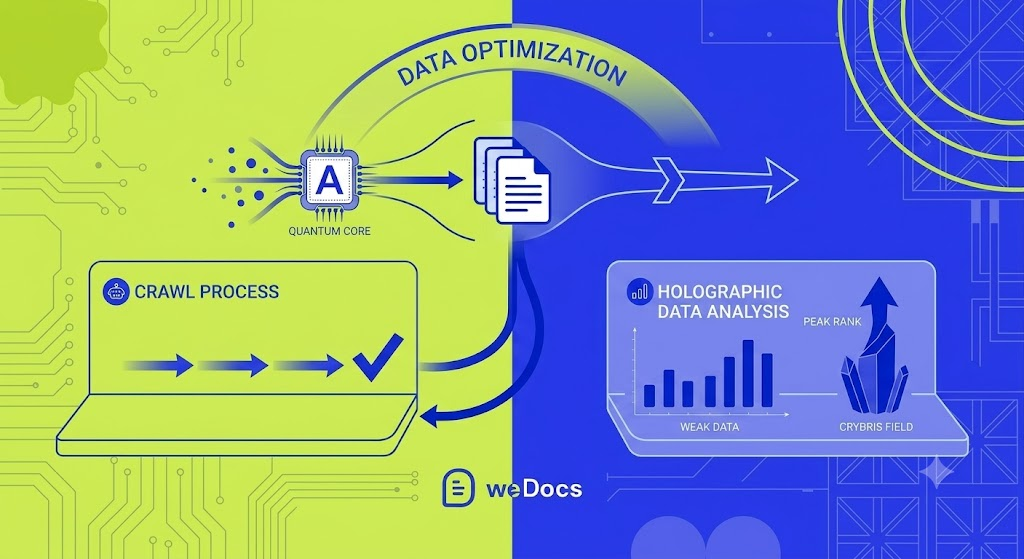
When two pages say the same thing, Google picks one to show and buries the rest. So your ranking power scatters across copies instead of stacking on one strong page. Picture three weak signals where you could have had one loud one.
Worse, Google sometimes picks the wrong version. Now your thin, outdated article ranks while your best one hides in the basement. Search engines also waste time crawling your copies, which is called your crawl budget. So your fresh, important docs get found and updated slower. None of that is a penalty. It’s just lost ground.
It Confuses AI Answer Tools
This cost is new, and it grows every month. More people now ask ChatGPT, Gemini, and Google’s AI answers for help instead of clicking through ten blue links. These tools work in a specific way. They look for one clear, trusted source to pull an answer from.
So what happens when your content is spread across near-identical pages? The AI can’t tell which one is the real answer. As a result, it often skips you and quotes a competitor with cleaner, single-source content. One strong page gives you a far better shot at getting named in those answers. In short, duplication doesn’t just cost you Google clicks anymore. It costs you AI mentions too.
It Breaks Reader Trust
Here’s the cost that hurts most, and SEO blogs barely touch it. When the same info lives in five places, you have to update all five. The hard part isn’t the edit itself. It’s remembering every single spot. So one place always slips through.
Then a reader follows your stale doc, tries the old steps, and they fail. That reader loses faith in a heartbeat. Trust is hard to win and easy to lose, and one wrong answer can undo months of goodwill.
It Drains Your Team’s Time
Every duplicate is a second thing to maintain. Multiply that across a big knowledge base, and your writers spend hours chasing copies instead of creating new help. Worse, confused readers who can’t find a clear answer open support tickets. So your support team pays for the mess too. Clean docs save time on both sides of the house.
Key takeaway. Duplicate content quietly steals rankings, AI mentions, reader trust, and team hours, all at once.
Find Your Duplicate Content First
You can’t fix what you can’t see. So before you touch a single page, run a proper hunt. The goal is to map every spot where the same topic shows up. Here are the five ways to find them, from quickest to most thorough.
- Run a manual content audit
- Search your own knowledge base
- Check Google Search Console
- Scan with free tools
- Catch URL-level duplicates
Run a Manual Content Audit
Start simple. List every article in a spreadsheet. Add columns for the title, the URL, the main topic, and the last update date. Then group the rows that cover the same thing. This rough map alone often reveals copies you forgot you wrote. It takes an hour, and it pays off fast.
Search Your Own Knowledge Base
Next, use your own search bar like a customer would. Type a core topic, such as “reset password,” and watch how many near-twins pop up. If three articles answer one question, you found a cluster to merge. This trick is free, fast, and surprisingly honest about your mess.
Check Google Search Console
Google already tells you where it sees copies, so put that to work. Open Google Search Console and look at the Page indexing report. Watch for labels like “Duplicate, Google chose different canonical than user.” That label means Google ignored the page you wanted and picked another. So it points you straight to the docs that need attention, right from the source that matters most.
Scan With Free Tools
For a deeper sweep, bring in tools. Siteliner scans your own site for internal copies and shows match percentages. Screaming Frog crawls your pages and flags duplicate titles, descriptions, and content. If you already pay for Ahrefs or Semrush, their site audits catch near-duplicates at scale too. Pick one and run it. The report becomes your fix list.
Catch URL-Level Duplicates
Some copies hide in your URLs, not your words. The same page might load at http and https, with and without a trailing slash, or with tracking tags on the end. Search engines can read each one as a separate page. So check for these sneaky variants, since they create duplicates without you writing a single extra word.
Key takeaway. Combine a manual audit, your own search, Search Console, and a scanning tool to catch every copy, words and URLs alike.
Fix It With One Simple Rule
Now for the heart of it. Forget memorizing a pile of random tricks. Hold onto one rule instead. Document once, reference anywhere. Keep each piece of information in a single home, then point everything else to it. Every fix below is just that rule in action.
- Merge your copies into one pillar doc
- Link to the pillar instead of repeating it
- Turn boilerplate into reusable snippets
- Set a canonical tag on the page you keep
- Redirect or delete the leftovers
- Noindex thin and archive pages
Merge Your Copies Into One Pillar Doc
Found three articles on the same task? Combine them into a single, complete page. Keep the clearest steps, fold in the missing details, and cut the fluff. Think of it as merging three weak streams into one strong river. The result ranks better, reads better, and gives AI tools one clean source to quote. This pillar doc becomes the home base for that topic.
Link to the Pillar Instead of Repeating It
Once you have a pillar, protect it. When another doc touches the same topic, don’t rewrite the steps. Link to your main page instead. So you update that one page when things change, and every link still points to the truth. Use the topic as your link text, not “click here,” since clear link text helps both readers and search engines. This habit alone stops most duplication before it starts.
Turn Boilerplate Into Reusable Snippets
Do you paste the same contact line, refund policy, or safety note into every article? That repetition creates duplicate blocks across your whole site. So save that text once as a reusable snippet, then drop it in wherever you need it. Change it in one place, and it updates everywhere at once. Tools built for documentation, like weDocs, help you organize and reuse content this way, so you stop scattering copies across your knowledge base.
Set a Canonical Tag on the Page You Keep
Here’s a term that sounds scary but isn’t. A canonical tag is a small bit of code that tells Google, “This is the main version of the page.” So search engines know which one to show and which to skip. Add it to the doc you want to rank. One heads-up though. Google treats the canonical tag as a strong hint, not a hard order, so it won’t always follow it. Most SEO plugins set these tags for you with a simple toggle.
Redirect or Delete the Leftovers
After you merge, don’t leave the old pages floating around. Loose copies keep causing the same mess. You have two clean choices. Set up a 301 redirect from the old URL to the new one, which sends both readers and ranking power to the right place. Or, if a page holds no value at all, delete it. A redirect is the safer pick when the old URL still gets visits or links.

Noindex Thin and Archive Pages
Some pages help readers but don’t belong in search results. Tag and category archive pages often repeat your article text, for instance. So tell Google to skip them. A “noindex” tag keeps a page live for visitors while hiding it from search. This stops those thin pages from competing with your real docs, and most SEO plugins make it a one-click job.
Pick the Right Fix Every Time
Not sure which fix fits which problem? This table makes the call for you.
| The situation | The best fix | Why it works |
|---|---|---|
| Two or three articles on the same topic, all useful | Merge into one pillar doc | One strong page ranks and reads better than several weak ones |
| You must keep more than one live version | Canonical tag to the main one | Tells Google which version to show |
| Old page removed but still gets visits or links | 301 redirect | Passes readers and ranking power to the new page |
| Page helps readers but shouldn’t rank | Noindex tag | Keeps it live while hiding it from search |
| Same boilerplate in many docs | Reusable snippet | Update once, with no copies to chase |
| Thin page with no value left | Delete it | Removes clutter that drags down good docs |
Key takeaway. One rule guides every fix. Document once, reference anywhere, then use the table to pick the right tool for each case.
Handle Tricky Cases Like Versions and Translations
Here’s where real knowledge bases get messy, and where most guides go quiet. Sometimes you genuinely need the same content in more than one place. So you manage it with care, rather than force it into a single page. Four cases come up again and again.
- Product versions
- Beginner and admin guides
- Translations
- Syndicated content
Manage Product Versions
Say you keep docs for version 1, 2, and 3, each with the same setup steps. Point your canonical tag to the current version, so search engines push people to the one that matters now. Keep the older docs live for users who still run those versions. So everyone finds their answer, and Google still knows your main page.
Handle Beginner and Admin Guides
The same feature might appear in a basic guide and an admin guide. That’s okay, because each serves a different reader. Write each one with its own angle, then link both back to a single core reference for the shared steps. So you avoid copying the steps twice, and each guide still fits its audience.
Mark Up Translations Correctly
Good news here. A page in English and the same page in Spanish are not duplicate content. Google treats true translations as separate pages, as long as the main text is actually translated. So just mark each language version properly with the right tags. Then every reader lands on the version in their own language, and your SEO stays clean.
Point Syndicated Content to the Original
Maybe your guide lives in a README, a partner site, and your main docs. When you post the same content in more than one place, set the canonical tag on the copies to point at your original. So the source page gets the credit, and the copies don’t compete with it. This keeps your authority in one spot.
Key takeaway. Intentional duplicates are fine when you manage them with canonical tags, clear language markup, and links back to one source.
Keep Duplicate Content From Coming Back
Cleaning up once feels great. But duplicates creep back through quick fixes and rushed edits. So build a few simple habits, and you’ll stay ahead of the mess for good. Five habits do the trick.
- Search before you write
- Give every topic one home
- Single-source your reusable text
- Assign owners and a review date
- Write to a simple content standard
Search Before You Write
This one is the easiest, and people skip it all the time. Spend ten seconds searching your knowledge base for a topic before you create a new doc. If it already exists, update that page instead. So your content grows stronger over time, rather than splitting into copies.
Give Every Topic One Home
Most duplication starts with messy structure. When you can’t see what already exists, you write it again. So group your docs into clear sections and subsections, and use tags to connect related articles. A tidy structure works like a well-organized closet. You see what you own, so you stop buying the same shirt twice.
Single-Source Your Reusable Text
Keep your shared content, like policies and warnings, in one reusable block. Then reference it everywhere it belongs. So a single edit updates every doc at once, and nothing drifts out of date. This is the practice that ends the whack-a-mole for good.
Assign Owners and a Review Date
Docs without an owner go stale. So give each section an owner, and set a review date every quarter. A quick check every few months catches new copies while they’re still easy to fix. Small, steady reviews beat one giant cleanup later.
Write to a Simple Content Standard
Finally, agree on a few ground rules for your team. Decide where shared steps live, how you name articles, and when to update versus create. A short standard keeps everyone on the same page, so duplicates stop sneaking in through “quick” edits.
Let weDocs Do the Heavy Lifting
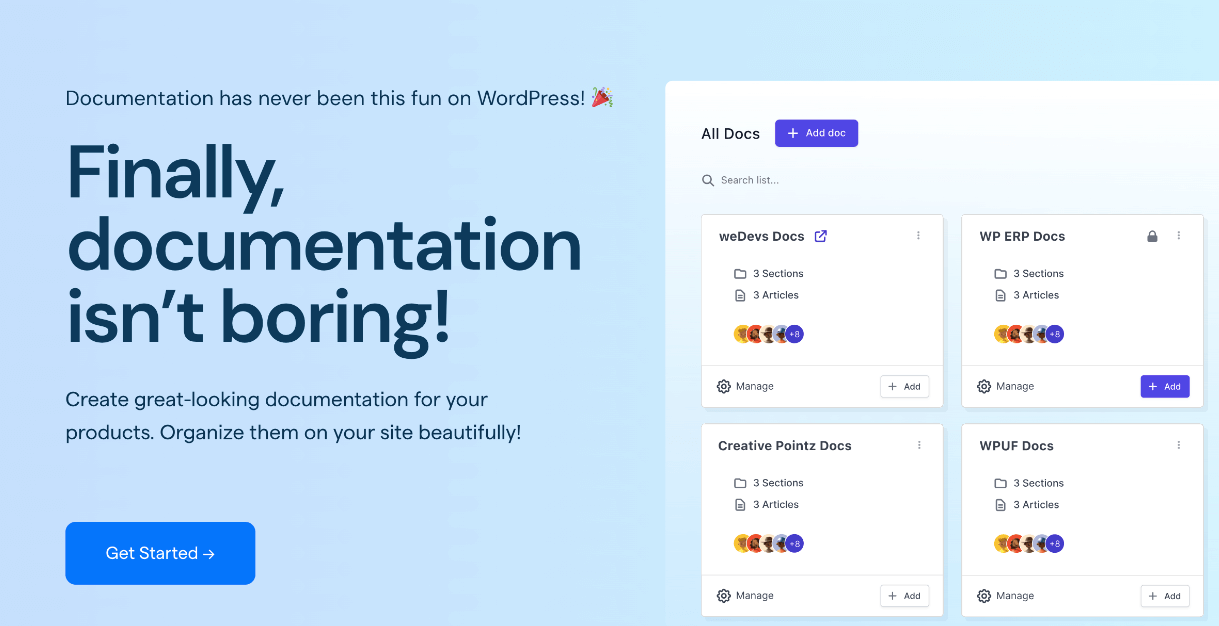
Good structure prevents far more duplication than any cleanup ever fixes, and this is where the right tool earns its keep. weDocs keeps your whole knowledge base organized inside WordPress. You build clear sections and subsections, so every topic gets one home. You add tags to link related docs instead of copying them. And the fast search means you find what already exists in seconds, before you write a near-twin.
There’s more under the hood. The weDocs AI Doc Writer refreshes and rewrites old articles right in the editor, so you improve one page instead of spawning a new copy. weDocs also works with the major SEO plugins like Yoast, Rank Math, and AIOSEO, so your canonical tags and noindex settings get handled cleanly, with no extra code from you. If you run several products, you can even keep separate knowledge bases, each tidy on its own. In short, weDocs makes “document once, reference anywhere” the easy default rather than a daily chore.
Key takeaway. Prevention beats cleanup. Tidy structure, single sourcing, and clear ownership keep your docs clean, and weDocs builds that habit in.

FAQs
Does Google penalize duplicate content in a knowledge base?
No. Google has said there is no duplicate content penalty. Google simply picks one version to show and hides the rest. The real harm is split rankings, weaker AI citations, and confused readers, not a penalty.
How do I find duplicate content in my docs?
Start with a manual audit and your own knowledge base search. Then scan with a tool like Siteliner or Screaming Frog, and check the Page indexing report in Google Search Console for pages flagged as copies.
What does “document once, reference anywhere” mean?
It means you keep each piece of information in one main place, then link to it everywhere else instead of repeating it. So you update one page, and every reference stays correct.
Is duplicate content always bad?
No. Some repetition is useful, like a shared step in two guides. The problem is unmanaged duplication, where copies drift out of sync over time and nobody updates them all.
Does duplicate content hurt my chances in AI search?
Yes. AI answer tools look for one clear source to trust and quote. When your content is split across copies, they struggle to pick you, so consolidating into one strong page improves your odds of getting cited.
Should I redirect or delete a duplicate page?
Redirect it when the old page still gets visits or links, since a 301 redirect passes that value to your main doc. Delete it only when the page has no value left.
How often should I check for duplicate content?
Run a full audit once or twice a year, and do a quick review every quarter. Regular checks catch new copies while they’re small and easy to merge.
Build One Source of Truth
Let’s bring it home. Duplicate content won’t get you penalized, but it quietly splits your rankings, trips up AI answers, breaks reader trust, and drains your team. The cure isn’t a pile of tricks. It’s one mindset. Document once, reference anywhere.
So find your copies, merge them into strong pillar docs, point everything back to the source with links and canonical tags, and keep your structure tidy. Do that, and your knowledge base turns into a single source of truth that readers, Google, and AI tools all trust. And if you want your docs to stay clean without the constant cleanup, weDocs gives you the structure, search, and reuse tools to make it happen, so your content never gets lost in the chaos again.
Subscribe to
weDocs blog
We send weekly newsletters,
no spam for sure!