

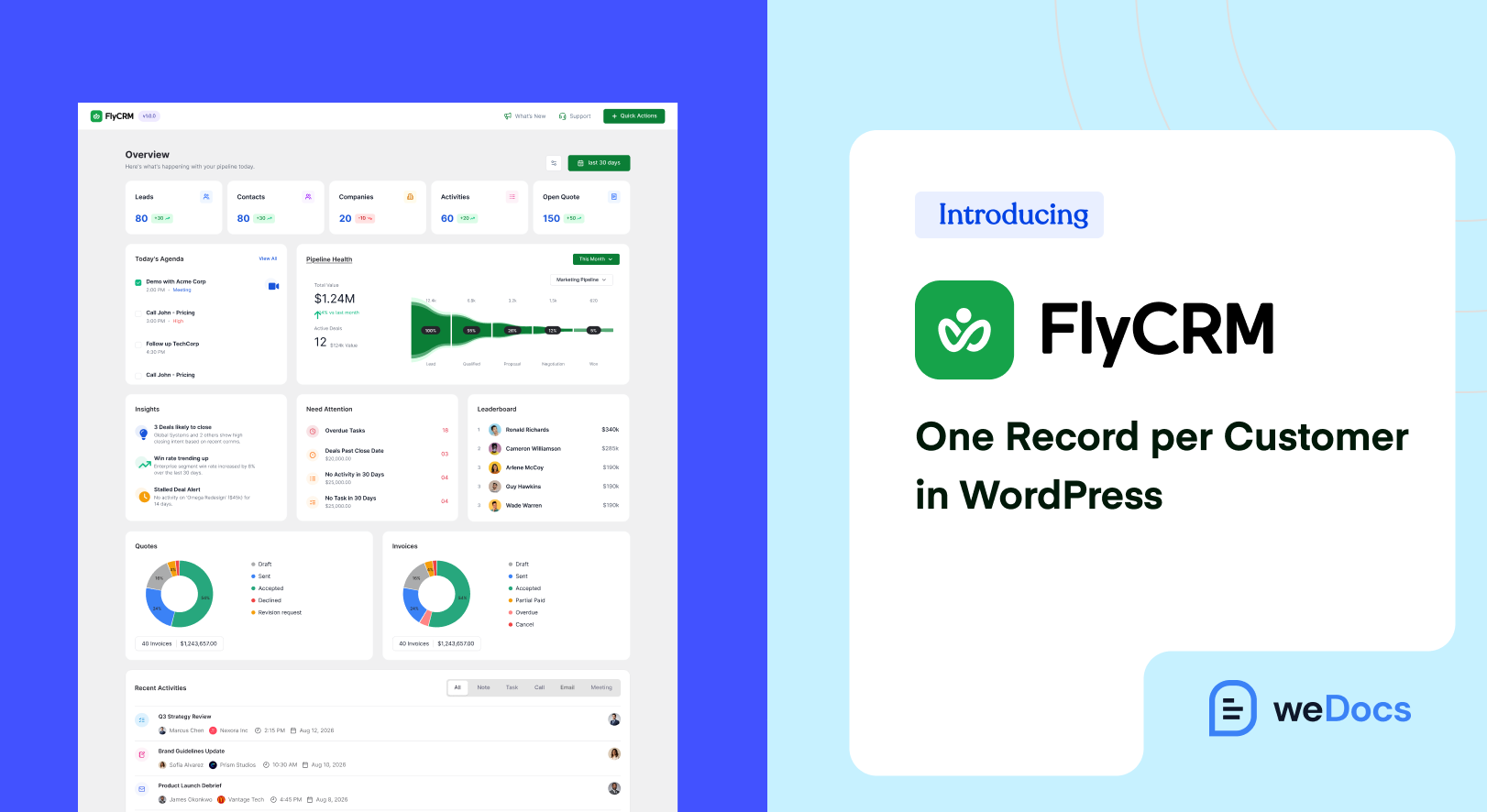
FlyCRM is a free CRM plugin that runs inside WordPress, and weDevs launched it on 14 September 2026. Contacts, companies, leads, deals and quotes sit in your own database, on the site you already run. If you publish documentation and answer the questions it does not cover, FlyCRM gives those conversations somewhere to live. One record per customer, from the first support question to the deal at the end of it.
Your docs already carry most of the load. Someone reads the setup guide at eleven at night, gets stuck on step four, emails you, and you answer in six minutes.
Then that exchange goes nowhere. Three months later the same person asks about a plan with more seats, and nobody can say whether they are an easy yes or the customer who has been fighting with your importer since June.
[Image here: FlyCRM dashboard inside the WordPress admin, pipeline value by stage and period comparison]
TLDR
- FlyCRM is a free self-hosted CRM plugin from weDevs, live on WordPress.org since 14 September 2026.
- Every customer gets one record, with notes, calls, emails, meetings, tasks and files stacked on a single timeline.
- Leads stay in their own list, then convert into a contact, a company and a deal in one step.
- Quotes carry line items, a PDF and a public page where the customer accepts or declines, all free.
- It is not a help desk and not a knowledge base. It runs beside weDocs, with nothing to connect.
- Lifetime licenses are 50% off for the launch, from $125 for a single site.
What FlyCRM Is
FlyCRM installs like any other plugin and adds a CRM to the WordPress admin you already sign into. A contact gets a profile with email, phone numbers, job title and addresses, and a company gets its own with industry, size, revenue, website and the people who work there.
None of it leaves your server. There is no outside account to open, no per-seat bill and no cap on how many records you keep.
It comes from the team that built WP ERP, and it is a new plugin rather than a new version of an old one. FlyCRM is not an upgrade of WP ERP CRM and shares none of its data. weDevs has spent more than ten years on WordPress products, which more than 200,000 people now use.
One Record per Customer
Support history and sales history usually live in different tools, which is how the same customer ends up being treated like two different people. FlyCRM holds one record and lets everything land on it.
Every note you write, call you log, email you send, meeting you book, task you set and file you attach stacks up on that record’s timeline in order. Last contacted shows when the person was last engaged and how, so nobody guesses whether they were already chased this week.
- Somebody owns every record. No customer is left to whoever happens to notice the email first.
- Tags and statuses keep the list readable. Statuses are color coded, with separate sets for contacts, companies and leads, and tags cross every record type. Deleted records go to trash and come back.
- Two roles decide who sees what. A CRM Manager reaches everything and a CRM Agent only their own records, with access set per record type and per action, so support can add a contact without being able to delete a deal.
If better documentation is already reducing your support pressure, this is the other half of the job. Docs cut the number of questions, and the record tells you who the rest came from.
Where the Records Come From
Mostly you do not type them in.
- Forms. If your contact or pre-sales form runs on Contact Form 7, WPForms, Fluent Forms, Ninja Forms or Gravity Forms, FlyCRM takes the submission as a lead. You switch it on per form and map any field to a CRM field, with a full name split into first and last for you.
- Your store. WooCommerce order sync creates contacts from orders, and you choose which order statuses trigger it. The contact then carries order total, order count, average order value and last order, and a one time import brings in customers from before you installed it.
- A spreadsheet. CSV import for contacts and companies maps your columns and catches duplicates on email address, so running the same file twice does not double your list.
Each lead records where it came from, down to the campaign, medium, source, content and term, plus the page that referred it. When your docs pull in search traffic, that is how you learn which page sent the buyer.
From Question to Deal
Leads are kept in their own list, so an inquiry that never turns into anything stays out of your customer records. You score a lead by hand and move it through statuses that are ready from day one, covering New, Contacted, Working, Nurture, Qualified, Unqualified and Converted. When it turns real, one step converts it into a contact, a company and a deal, with the history attached.
Deals live on a kanban board you drag them across, and every stage carries its own total, so the value sitting in Proposal is on screen rather than in an export. Build as many pipelines as you sell through, reorder the stages, and give each one a win probability. A deal holds its value and expected close date and takes several contacts with a role each, so a renewal keeps the user and the budget holder on one deal.
[Image here: FlyCRM kanban deal board with drag and drop stages and a total per stage]
Quotes Your Customer Accepts From a Link
A quote carries line items, discounts and tax, gets a document number with a prefix you choose, and goes out as a PDF. Each one also gets a public page of its own. Your customer opens the link without a WordPress account, reads it, and clicks accept or decline. The status on your side follows, and you see when the page was opened.
All of that is in the free plugin. Invoices, payment tracking and taking money through Stripe or PayPal are FlyCRM Pro.
What FlyCRM Is Not
It is a sales CRM and it stops there. No tickets, no queues, no shared inbox, so it does not replace a help desk. If that is the gap you are filling, weDocs has a roundup of help desk alternatives worth reading first.
It is not a knowledge base either. weDocs holds the answers everybody needs, FlyCRM holds the person who asked, and there is no integration between the two to set up. A CRM with a knowledge base beside it is two tools in one admin, and the case for a proper knowledge base stands where it did.
There is no email marketing in it. FlyCRM emails a quote with the PDF attached and logs one to one mail sent through your own server, and campaigns stay wherever you send them from today.
Free Plugin and FlyCRM Pro
Everything described so far is in the free plugin, including the dashboard, where new contacts, activity volume, open quotes, revenue and average sales cycle each sit against the period before, with pipeline value broken down by stage. No record cap, no monthly fee.
FlyCRM Pro is the paid half, a one time lifetime license priced by the number of sites. Pro adds invoices with payment tracking and partial payments, and turning an accepted quote into an invoice in one step is Pro as well. Pro also brings online payment through Stripe and PayPal, workflow automation, custom fields, a product catalog, sales reports for the funnel and sales velocity, email templates, inbox sync so a customer’s reply lands on the record, team invites, and CSV import for leads. The features page lists both halves in full.
What It Costs
The launch offer is 50% off every lifetime license.
- Starter, 1 site, $249, now $125
- Business, 5 sites, $399, now $199
- Agency, 50 sites, $699, now $349
One payment, no renewals, with updates and priority support included and a 14-day money-back guarantee. Yearly plans exist at $99, $199 and $349, but the launch discount is on lifetime only. Every plan carries unlimited users and unlimited contacts, priced by the number of sites rather than by the seat, so adding the person who answers your docs email changes nothing on the bill. The pricing page holds the current figures.
[Image here: FlyCRM launch offer, 50 percent off lifetime licenses]
How to Install It
In your WordPress dashboard, go to Plugins, then Add New, and search for FlyCRM. Click Install Now, then Activate. You need WordPress 6.5 or newer and PHP 7.4 or newer. If you would rather upload the zip, the plugin page is FlyCRM on WordPress.org.
Activation sets up a working pipeline and a set of lead statuses, so nothing has to be configured first. Open FlyCRM in the admin sidebar and add a contact, or open Import and bring in a CSV. Form capture lives under FlyCRM, then Integrations, with a feed for each form.
Frequently Asked Questions
1. Should support and sales share one customer record?
For most small teams, yes, because the same few people do both jobs. The person asking about an import error this week is the person weighing a bigger plan next quarter. One record means the second conversation starts with the first one, not with a question they already answered.
2. Can a CRM work alongside a knowledge base?
They do different jobs, so they sit side by side. weDocs publishes the answers everybody needs, and FlyCRM keeps the person who asked, what you agreed and what it is worth. Both run in the same WordPress admin, with no integration between them to set up.
3. Is FlyCRM a help desk or ticketing tool?
No. There are no tickets, no queues and no shared inbox. FlyCRM records a conversation on the customer it belongs to after the fact, from a note you write or an email you send through your own mail server. Keep your help desk and let FlyCRM hold the history.
4. Who can see which records in FlyCRM?
The plugin ships with two roles. A CRM Manager reaches everything, a CRM Agent reaches only their own records, and administrators get full access as soon as it is active. Access is set per record type and per action, so an agent can add a deal without deleting one.
5. What is in the free plugin, and what needs FlyCRM Pro?
Contacts, companies, leads with scoring, pipelines, the deal board, quotes with a public accept page, the timeline, CSV import, form and WooCommerce capture, the dashboard and both roles are free. Invoices, online payments, workflow automation, custom fields, sales reports, email templates and inbox sync are FlyCRM Pro.
Put One Customer on One Record This Week
Pick the customer who wrote in twice this month. Create their record, paste what they asked and what you answered onto the timeline, and add a deal for whatever they will probably buy next, with a value and a close date you believe.
Next time they email, you answer with three months of context in front of you instead of a search through your inbox.
Do the same for the next five people who write in, and the pattern shows itself. Some of them are renewals waiting to be asked. One or two are a bigger deal that nobody had written down. The documentation keeps answering the common questions on its own, and the CRM keeps the people behind the uncommon ones.
FlyCRM is free on WordPress.org, the lifetime offer is on the pricing page, and the launch announcement covers everything that shipped.
Subscribe to
weDocs blog
We send weekly newsletters,
no spam for sure!