
Something changed in documentation, and most teams have not adjusted for it yet.
For twenty years, we wrote docs for one reader. A person, stuck on something, searching for an answer. Every rule we learned, the headings, the screenshots, the search box, the friendly tone, existed to serve that person.
That reader is now sharing the room with a second one. AI agents inside Cursor, Claude Code, ChatGPT, and Copilot are reading documentation constantly, and on many sites they are reading more of it than humans are. Mintlify reported in 2026 that nearly half of traffic to documentation sites now comes from AI agents rather than human browsers, and for API-first products that share runs higher.
So the question for the next two years is not whether AI will change documentation. It already has. The question is whether your docs are built for the world that exists now.
Here are the AI documentation trends that will matter through 2026 and 2027, what each one means in practice, and what your team should actually do about it.
The short answer. AI documentation trends for 2026 and 2027 center on one shift. Documentation now serves both humans and machines. Teams need structured, chunked content that AI can parse, machine-readable entry points like llms.txt and MCP servers, optimization for citation rather than clicks, AI-drafted content with human review, and new success metrics that count answers delivered rather than pages viewed.
Understand What Actually Changed
Before the individual trends, it helps to see the two shifts underneath all of them. Almost every prediction below traces back to one of these.
Documentation Now Has Two Audiences
Your docs used to be read by people. Now they are read by people and by machines acting on behalf of people.
An AI coding agent does not browse your documentation. It fetches it. It does not scan your beautifully designed landing page or notice your sidebar navigation. It pulls the content, parses the structure, and extracts what it needs to answer a question or write a line of code.
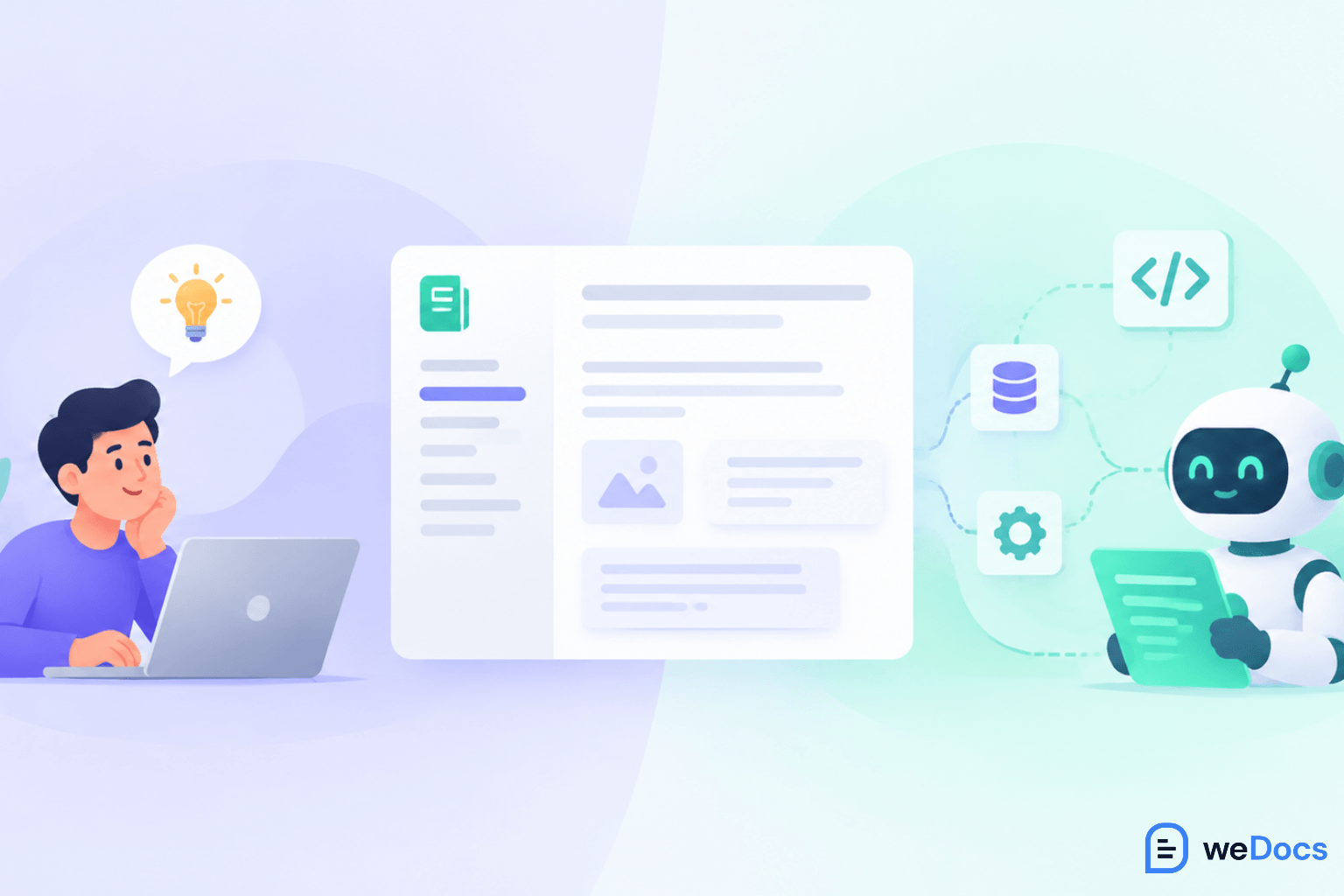
This is a genuine change in requirements, not a cosmetic one. Content that reads well to a human but has vague headings, buried context, and information scattered across pages performs badly with machines. Steev Kundukulangara of Teradata put the difference plainly when discussing AI-ready documentation, explaining that in AI-ready docs, writers are creating content not only for users but also for systems, which need clear structures, defined audiences, and content chunked into smaller sections.
Search Stopped Sending the Traffic It Used To
The second shift is about discovery. People are increasingly getting answers without visiting your site at all.
By 2026, roughly 64.82% of Google searches end without a click, up from about 60% in 2024. In news-related queries specifically, Similarweb tracked zero-click searches rising from 56% in May 2024 to 69% in May 2025 after AI Overviews rolled out. And when an AI Overview appears on a result, organic click-through drops by about 18% on average.
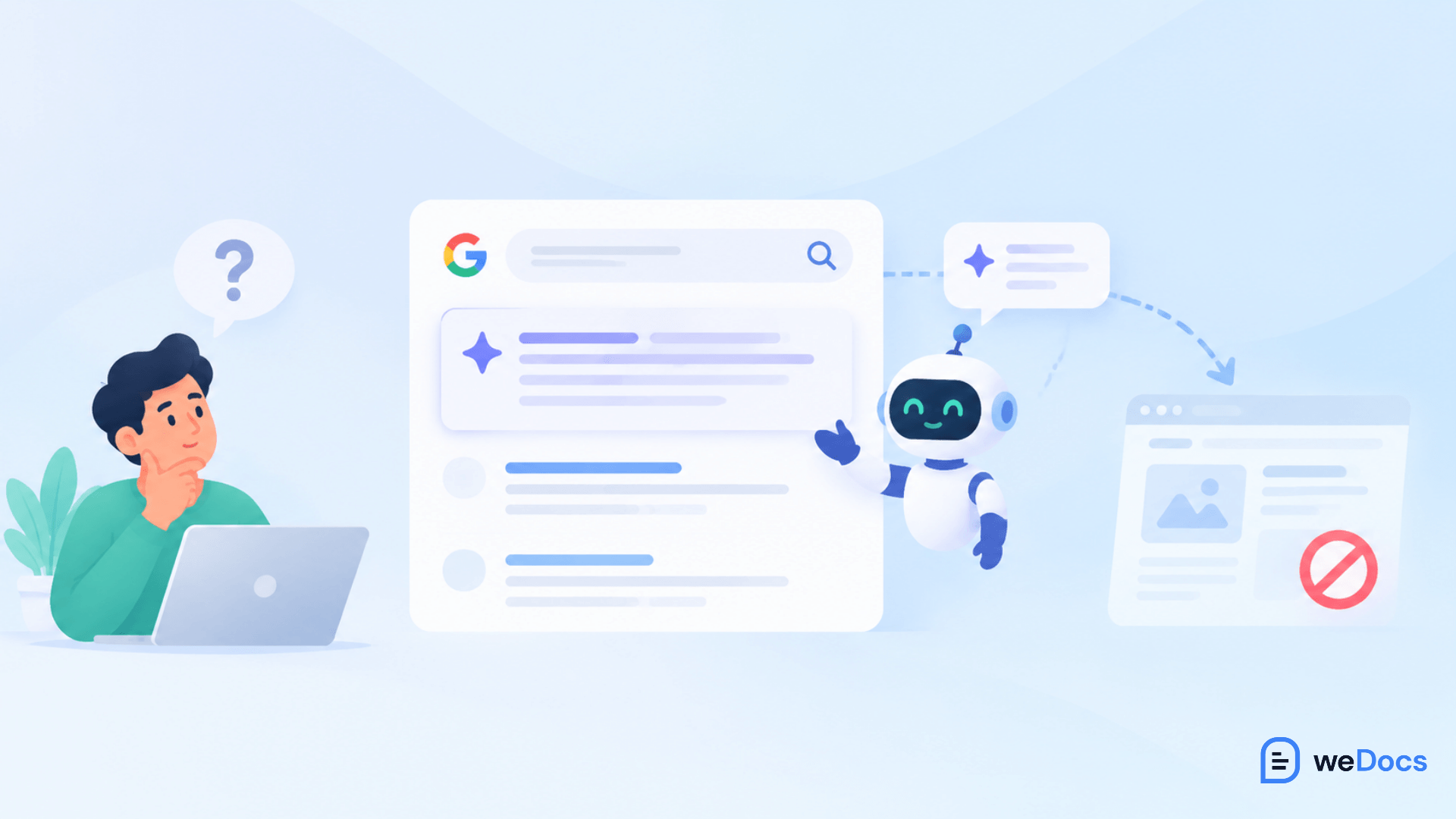
For documentation teams, this reframes the whole job. If your traffic is falling but your content is fine, you may not have a quality problem. You may have a distribution problem, where AI systems are answering from your content without sending anyone to read it. The wider picture is in our roundup of documentation facts and trends.
Worth knowing. Falling documentation pageviews are no longer automatically a bad sign. If AI systems are answering user questions accurately from your content, users are being served even when your analytics do not show it. The measurement problem is real, and it is covered further down.
Write Documentation That Machines Can Parse
This is the foundational trend, and everything else builds on it. AI-ready documentation is structured documentation.
The good news is that most of what makes content readable to an AI system also makes it clearer for humans. This is not a trade-off. It is mostly just better writing, applied consistently, and it rests on the same principles behind nested document structures that help people navigate a knowledge base.
What AI-Ready Documentation Looks Like
- One topic per page. A page that covers setup, troubleshooting, and billing gives a machine three competing answers and no clear one. Split it.
- Descriptive headings that state the content. “Configure webhook retries” beats “Advanced options.” AI systems use headings to decide what a section contains.
- Answer first, explanation after. Put the direct answer in the opening sentence of a section, then expand. Retrieval systems extract the top of a chunk far more often than the bottom.
- Self-contained sections. A section that says “as mentioned above” is useless when pulled out on its own. Write each chunk so it stands alone.
- Consistent terminology. If your product has one name for a feature, use it everywhere. Synonyms confuse retrieval and split your authority.
- Clean, semantic markup. Real headings, real lists, real tables. Content trapped in images, PDFs, or custom widgets is largely invisible to machines.
- Explicit context in code examples. Include the version, the required parameters, and realistic values instead of placeholders. AI agents copy your examples directly into user code.
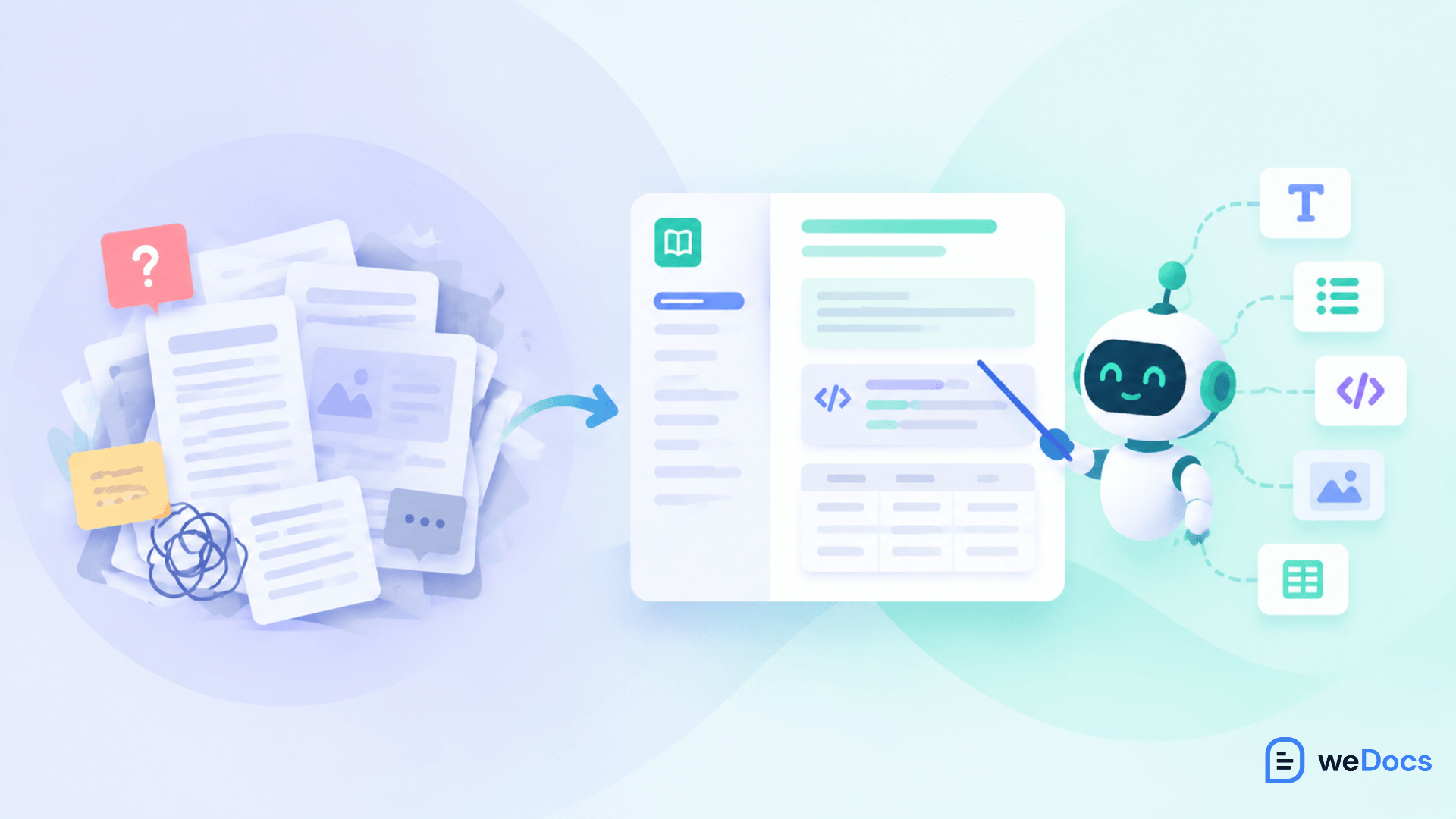
If you run a knowledge base on WordPress, this structural work is where most of the gain sits. A tool like weDocs gives you the hierarchy and article structure to organize content properly, which is exactly the shape both search engines and AI systems reward.
Ship Machine-Readable Entry Points
In 2026, a new layer of infrastructure appeared specifically so AI agents could consume documentation efficiently. Two pieces matter.
Add an llms.txt File
The llms.txt file is a plain markdown file at the root of your site that gives AI systems a clean, token-efficient map of your documentation. Instead of crawling your rendered HTML with all its navigation and styling, an agent fetches one file that tells it what exists and where.
Adoption is still early, sitting somewhere around 5 to 15% among technology and documentation sites, though it has become close to standard among AI-native companies. Most modern documentation platforms, including Mintlify and GitBook, now offer a one-click toggle to generate it.
Here is the honest part, and it matters. Analysis of AI bot traffic has found that llms.txt is not currently a ranking or citation factor for ChatGPT or Perplexity. Anyone promising you a citation boost from shipping one is overselling it. What llms.txt actually does is serve the agentic layer, where IDE assistants like Cursor, Claude Code, Windsurf, and Copilot routinely fetch it when pointed at a documentation site.
Consider an MCP Server for Your Docs
Model Context Protocol servers go a step further. Rather than an agent fetching a static file, an MCP server lets AI assistants query your documentation live during a task.
The practical difference comes down to who is driving. llms.txt helps when a developer is using an AI assistant to write integration code. MCP fits when an AI agent needs to interact with your product or docs autonomously, without a human in the loop for each step. Either way, the quality of your API documentation sets the ceiling on what the agent can do with it.
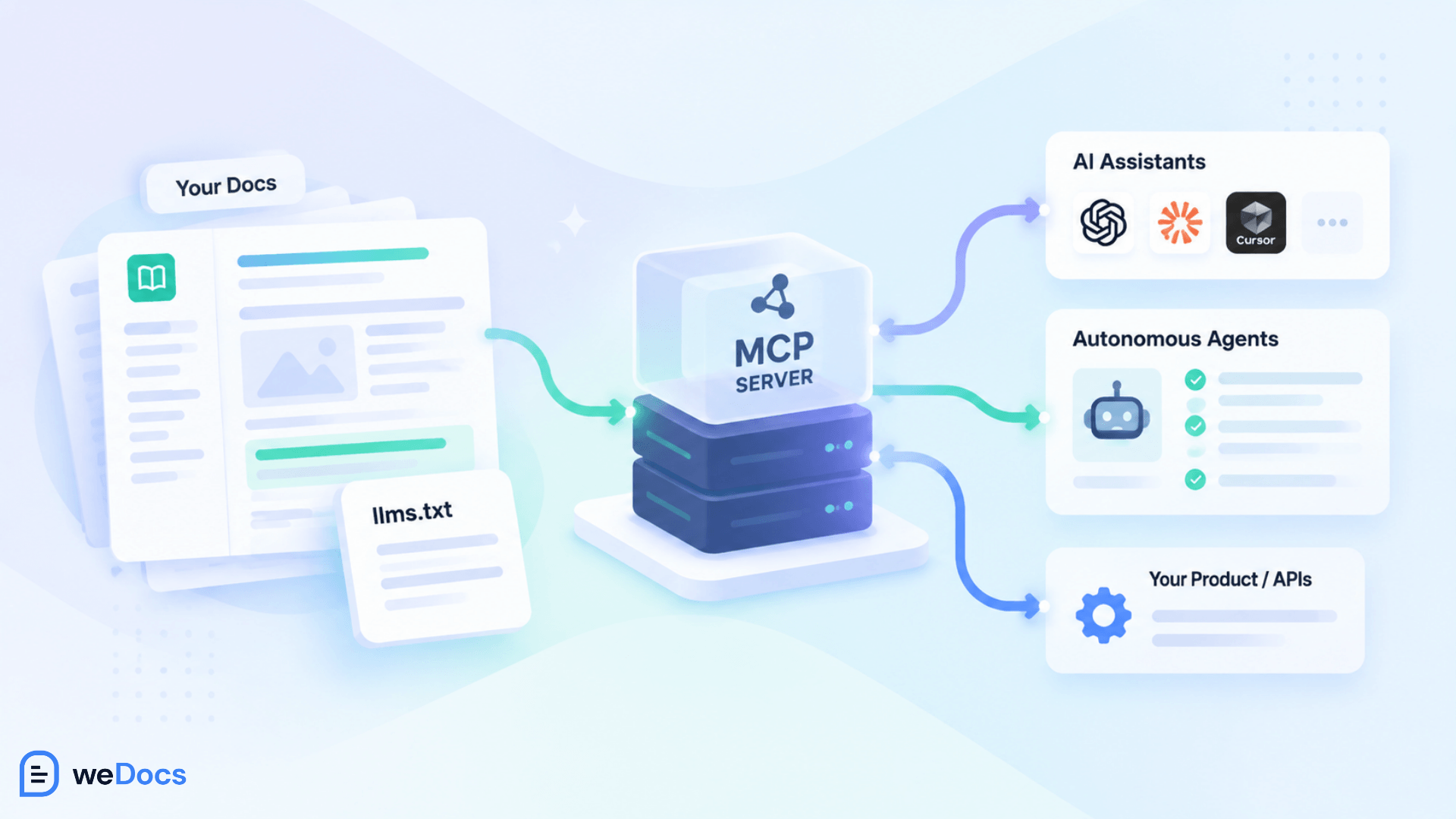
Some platforms now auto-host an MCP server for documentation sites, which removes the infrastructure work. LangChain also released mcpdoc, an open-source MCP server that exposes llms.txt files to host applications like Cursor and Claude Desktop.
Practical caution. AI coding assistants cache these files, so a stale llms.txt can keep producing outdated code suggestions for days or weeks. If you ship one, regenerate it automatically in your build pipeline whenever docs change.
Optimize for Citation, Not Just Clicks
Generative Engine Optimization and Answer Engine Optimization describe the same practical goal. Make your content easy for AI systems to understand, trust, and cite.
This is not a replacement for SEO. It is a layer on top of it, and the brands that do well at GEO are generally the ones with solid traditional SEO already. But it does add requirements that classic SEO never asked for.
What Earns a Citation
- Extractable answers. Clear definitions and direct statements that can be lifted into an AI answer without editing.
- Factual density. Specific numbers, named sources, and dates. Vague marketing language does not get cited because there is nothing in it to cite.
- Original data and real experience. AI systems can already synthesize generic explanations. What they cannot generate is your benchmark, your customer data, or your first-hand account.
- Consistency across the web. AI models weigh whether your claims are corroborated elsewhere, so third-party mentions and consistent information matter more than they did.
- Question-shaped structure. Content organized around real questions maps directly onto how people prompt AI systems.
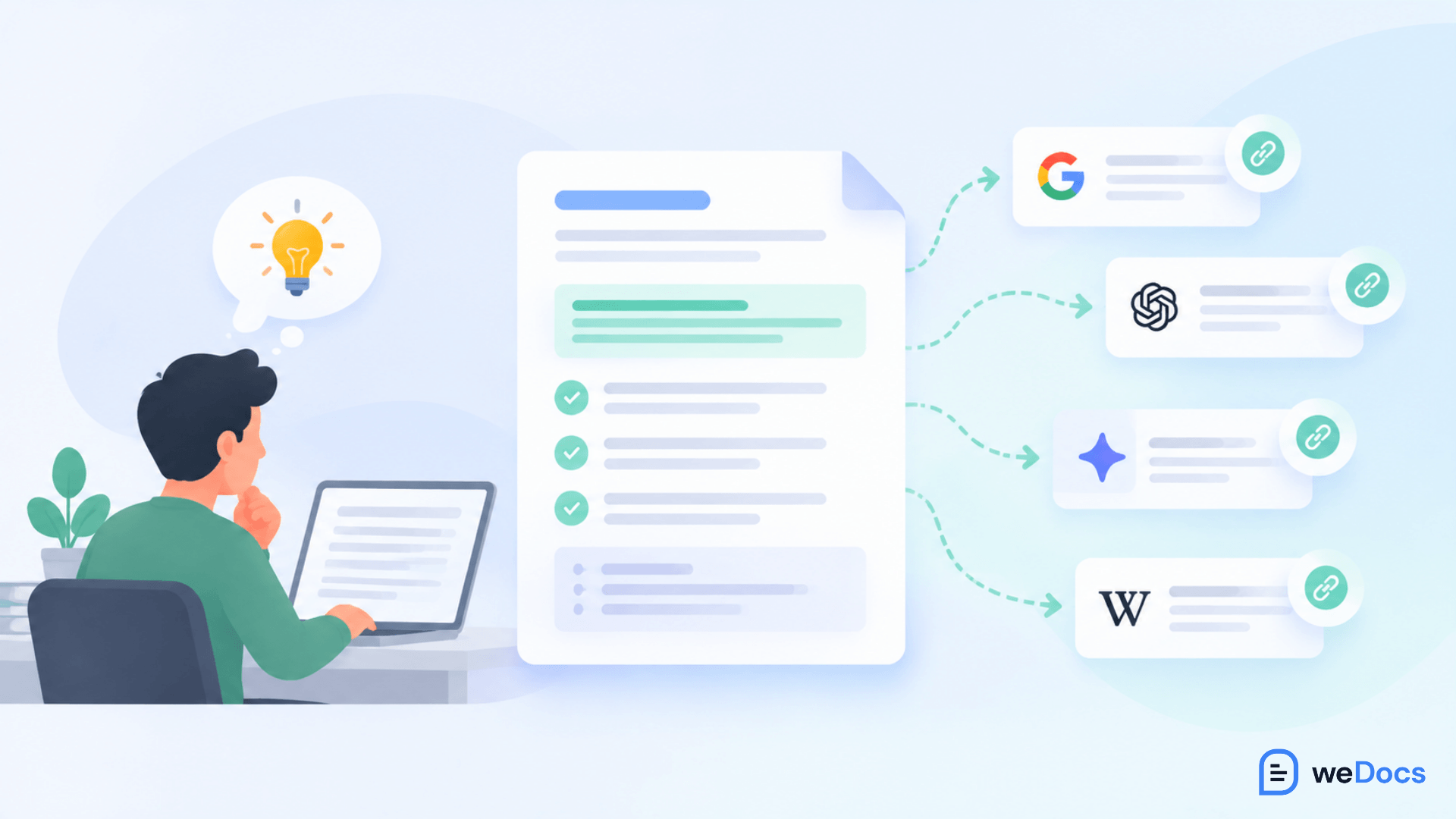
There is an upside hiding in the zero-click data that gets missed. When AI-referred traffic does click through, it tends to convert better than ordinary search traffic, because the person arrives already informed and already partly sold. Most of the groundwork here overlaps with making your knowledge base SEO friendly.
Let AI Draft, Keep Humans Accountable
The role change is the trend technical writers feel most, and it happened faster than most predictions expected.
Adoption is now mainstream rather than experimental. A McKinsey survey found 88% of companies reported regular AI use in at least one business function in Q4 2025, up from 78% in 2024. Within documentation specifically, Cherryleaf’s 2025 survey found 55% of technical communicators using AI regularly or semi-regularly.
The shape of the work changed with it. As one 2026 analysis of technical writing trends put it, the 2025 expectation was that AI would assist with drafting and editing. The 2026 reality is that AI now creates the first draft by default while humans review and correct it. Drafting became faster. Reviewing became heavier. Our comparison of AI and manual documentation writing covers where each one still wins.
Plan for the Review Bottleneck
This is the part teams underestimate. If you assume AI drafting frees up your writers, you will be surprised when the queue just moves downstream.
Volume goes up. Every draft still needs someone to verify the technical accuracy, catch the confident-sounding errors, and check it against how the product actually behaves. Weak content now gets amplified at scale rather than quietly sitting in a drawer.
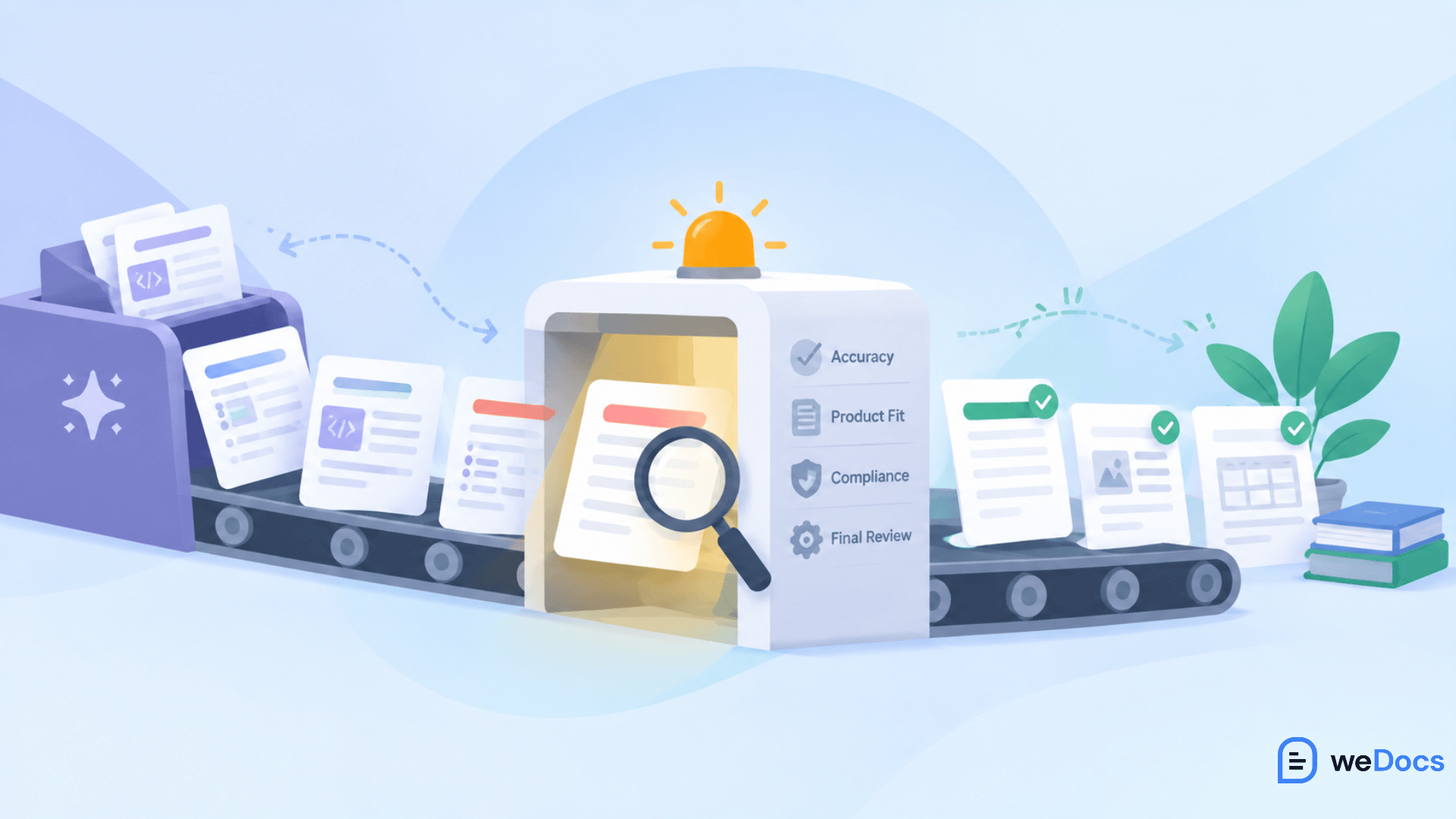
So build the review capacity deliberately. Define what “reviewed” means, decide which content types can ship with light review and which cannot, and give your team the time the review actually takes. Better input also reduces the review load, which is why the prompts you use to generate documentation matter more than most teams assume. Internal process docs generated from a recording may need very little editing. Customer-facing, compliance, or legally-exposed content still needs full human review.
Move Toward Self-Updating Documentation
Static documentation has always had the same failure mode. The product ships, the docs drift, and six months later half your knowledge base is quietly wrong.
The direction for 2026 and 2027 is documentation that maintains itself, at least partly. Connected systems can pull current information from the source rather than relying on a human to remember to update a page. Agentic workflows can detect that a feature changed and flag or draft the corresponding documentation update.
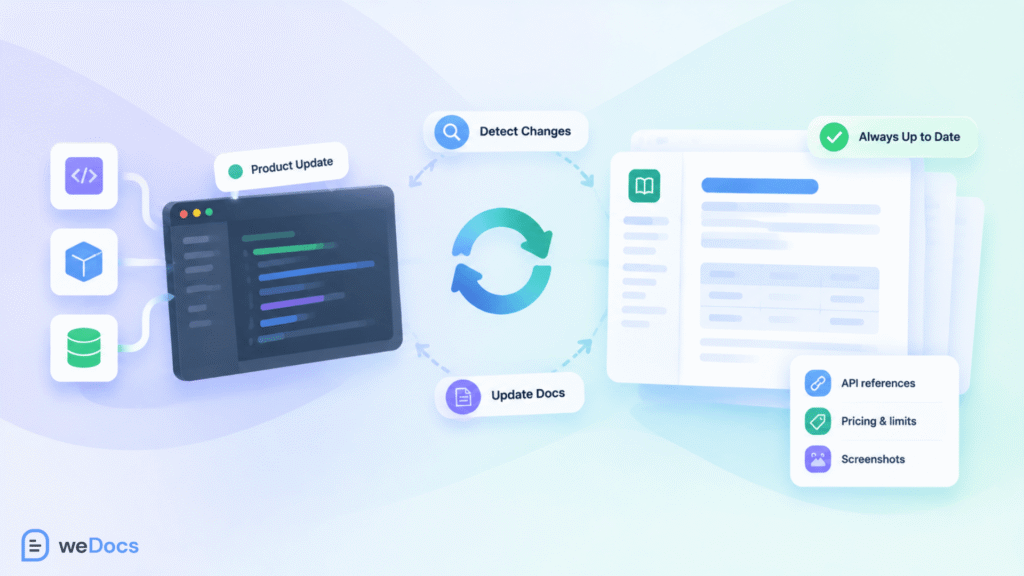
This does not remove humans from the loop. It changes where they sit. Instead of manually rewriting a parameter table every release, a writer defines the system that keeps that table accurate and reviews what it produces.
For most teams, the realistic near-term version of this is smaller than the vision. Start by identifying which content goes stale fastest, usually API references, pricing, limits, and screenshots, and automate or alert on those first. Our guide on how to manage documentation covers the process side of keeping that current.
Deliver Help Inside the Product
The center of gravity is moving from documentation sites to the moment of need.
Users increasingly do not want to leave what they are doing, open a docs portal, search, and read. They want the answer where the question occurred. That means in-app assistants, contextual guidance, personalized onboarding, and AI chat trained on your own documentation.
Your documentation site is not going away. It becomes the source of truth that feeds those surfaces. Which loops back to structure, because content that is well organized can be reused in an in-product assistant, and content that is not cannot.
This is one reason AI chatbots built on your own docs have moved from novelty to expectation. The knowledge already exists in your knowledge base. The trend is simply delivering it where people are stuck instead of asking them to go find it, and setting up an AI chatbot on your documentation is now a short job rather than a project.
Document Your AI, Not Just Your Product
Here is a category of documentation that barely existed three years ago and is becoming a real responsibility.
As organizations put AI into more decisions, they need records of how those systems behave. That means documenting prompts used, model versions, evaluation results, issues found, and the steps taken to reduce risk. Teams tracking model behavior in production need that written record to show governance requirements are still being met over time.

If your company ships anything AI-powered, someone will need to own this. It is increasingly landing with documentation teams, because it is fundamentally a documentation problem wearing a compliance hat.
Prepare for Multimodal Documentation
Written text is no longer the default output format for every kind of guidance.
Generative tools now produce diagrams, video walkthroughs, audio instructions, and interactive examples at a cost that used to make them impractical. For process documentation and onboarding especially, some teams are inverting the old order, recording the workflow first and generating the written guide from the recording rather than the other way around.
The caution here is maintenance. Video is more expensive to update than a paragraph. Use it where the format genuinely helps, like a complex setup flow, and keep the fast-changing details in text you can edit in seconds. Matching format to purpose is the same decision covered in our guide to the types of product documentation.
Watch the Compliance Requirements
Documentation is picking up regulatory obligations from two directions at once.
On one side, digital documentation mandates are pushing organizations away from printed materials, which suits AI-compatible formats well. On the other, AI governance rules are creating new documentation requirements around how models are built, tested, and monitored.
For most teams the practical advice is the same. Do not wait for the deadline to start restructuring content. The work of making documentation structured, current, and machine-readable serves compliance and AI-readiness simultaneously, so it is worth starting for reasons that have nothing to do with regulation.
Change How You Measure Documentation Success
If AI is answering questions from your content without sending traffic, pageviews stop being a meaningful scorecard.
The measurement problem is genuine. Most AI search activity is zero-click, so standard analytics do not capture it. Teams still reporting documentation success in sessions and pageviews are measuring a shrinking pool and drawing the wrong conclusions from it. This is one reason collecting feedback directly on your articles has become more useful than traffic data alone.
Metrics That Still Mean Something
- Support ticket deflection. Are fewer people contacting support about topics your docs cover? This is the outcome documentation actually exists to produce.
- Time to first success. How long does it take a new user to complete the thing they came to do?
- Answer accuracy. When your AI assistant or an external AI answers from your docs, is it right? Sampling this matters more than counting visits.
- AI citation and visibility. Whether your content is being referenced in AI answers, which needs AI-specific tracking rather than standard analytics.
- Agent traffic in your logs. Watch for hits from known AI user agents. That data tells you what is actually being fetched from your site.
- Content freshness. The percentage of your documentation reviewed within a defined window, which is a leading indicator of everything else.
Answer the Questions Teams Are Actually Asking
Across Reddit, Quora, developer forums, and technical writing communities, the same handful of questions come up repeatedly. These are worth addressing directly, because the honest answers are more useful than the confident ones.
Will AI replace technical writers?
This is by far the most asked question, and the anxiety behind it is real rather than imagined. When Snowflake reportedly cut its technical writing team, the discussion across professional forums was immediate and grim, with the blunt version being that product managers can write docs with AI now.
The honest answer has two halves. Roles genuinely are changing, and some organizations are reducing writing headcount. Pretending otherwise helps nobody.
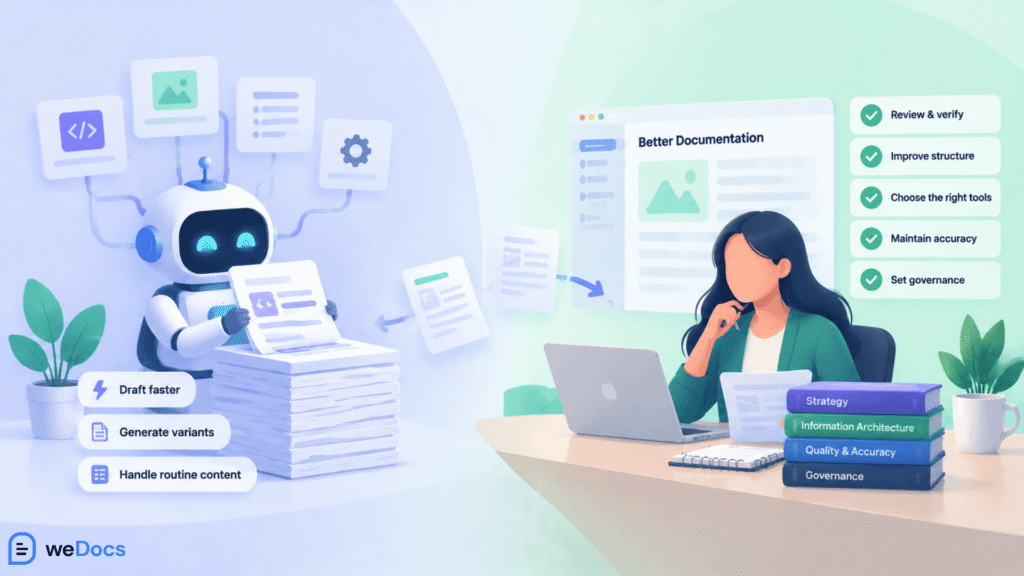
But the work is shifting rather than vanishing. Writers in 2026 spend less time drafting and more time on quality assurance, information architecture, choosing which tools handle which content, and governance. The teams doing this well tend to produce more documentation with the same headcount rather than the same documentation with fewer people. The risk sits with organizations that cut writing teams early and only feel the accuracy problems much later, once nobody is left who knows whether the output is correct.
How do I make our documentation AI-ready?
Start with structure, not tools. One topic per page, descriptive headings, answers in the opening sentence of each section, self-contained chunks, and consistent terminology. Then make sure content is in clean HTML or markdown rather than locked inside images and PDFs. Our tips for writing clear documentation cover most of that groundwork. Machine-readable entry points like llms.txt come after, not before.
Do we actually need llms.txt?
If developers use AI coding assistants with your product, yes, it is worth shipping. If you are hoping it lifts your citations in ChatGPT or Perplexity, the current evidence says it will not. Ship it as agent infrastructure with realistic expectations, automate its regeneration, then watch your logs to see whether agents actually fetch it.
Our documentation traffic is dropping. Is that AI?
Possibly, but check before concluding. Look at whether impressions held steady while clicks fell, which points to AI Overviews and zero-click behavior absorbing the answer. If impressions fell too, you have a ranking or visibility problem instead. The diagnosis changes the fix entirely, so do not skip it.
Should we let AI write our customer-facing docs?
Use it for drafts, and review everything that touches customers. AI-generated content is often close to publishable for internal process guides, particularly when generated from a recording of the actual workflow.
Customer-facing documentation, compliance content, and anything with legal exposure still needs human verification, because a confident, fluent, wrong answer is worse than no answer.
How do we stop AI from giving wrong answers about our product?
Mostly by fixing the source. AI systems answer from what they can find, so contradictory pages, outdated versions, and content spread across several places produce contradictory answers.
Consolidate duplicates, remove or update stale pages, state versions explicitly, and make the canonical answer easy to find. Our guide on how to identify and fix duplicate content in a knowledge base walks through that process. Then sample the answers your assistant gives and correct the underlying content when it gets something wrong.
Is documentation still worth investing in if AI answers everything?
It becomes more valuable, not less. AI answers are only as good as the documentation they draw from. Teams with thin or contradictory docs now get their weaknesses amplified through every AI surface their customers use. Your documentation is the training and retrieval material for how AI describes your product, which makes it a competitive asset rather than a cost center.
Build Your 2026 and 2027 Documentation Plan
Ten trends is a lot to act on at once. Here is a realistic sequence, and it starts with a knowledge base audit so you know what you are actually working with.
Start With the Foundation
- Audit your structure. Find the pages covering three topics at once and split them. Fix vague headings. Move answers to the top of sections.
- Kill your contradictions. Duplicate and conflicting pages hurt AI answers more than missing pages do.
- Get content out of images and PDFs. If a machine cannot read it, it does not exist for half your audience.
- Fix your freshness process. Decide who reviews what and how often, before adding anything new.
Then Add the AI Layer
- Set up AI drafting with a defined review standard. Decide which content types need which level of review, and staff for it.
- Add an AI assistant on your own documentation so users get answers in context rather than searching.
- Ship llms.txt and automate its regeneration if developers use your product with AI tools.
- Rewrite your top pages for extractability with clear definitions, specific numbers, and named sources.
Then Change What You Measure
- Move your primary metric from pageviews to support deflection and time to first success.
- Start tracking AI visibility and agent traffic in your logs.
- Sample answer accuracy regularly and feed the errors back into the content.
Teams running documentation on WordPress can cover a surprising amount of this with the tooling they already have. Clear article hierarchy, an AI chatbot answering from your own docs, and control over what stays public or private handle the structure, in-context delivery, and governance pieces without a platform migration.
Key takeaway. Do not try to adopt every trend at once. The teams that gain the most in 2026 and 2027 are the ones that fix structure and accuracy first, then layer AI capabilities on a foundation worth amplifying. AI applied to disorganized documentation just produces disorganized answers faster.
Frequently Asked Questions
1. What are the main AI documentation trends for 2026 and 2027?
The main trends are writing structured content that AI systems can parse, shipping machine-readable entry points like llms.txt and MCP servers, optimizing for citation in AI answers rather than clicks, AI-first drafting with human review, self-updating documentation, in-product contextual help, documenting AI systems themselves, multimodal formats, new compliance requirements, and replacing pageview metrics with outcome metrics.
2. What is AI-ready documentation?
AI-ready documentation is content structured so both people and machines can use it. That means one topic per page, descriptive headings, the answer stated in the first sentence of each section, self-contained chunks that make sense in isolation, consistent terminology, and clean semantic markup rather than content locked in images or PDFs.
3. What is llms.txt and does my documentation need it?
The llms.txt file is a plain markdown file at your site root that gives AI systems an efficient map of your documentation. It is worth shipping if developers use AI coding assistants with your product, since tools like Cursor, Claude Code, and Copilot fetch it routinely. Current evidence does not support the claim that it improves citations in ChatGPT or Perplexity.
4. How much documentation traffic now comes from AI agents?
Mintlify reported in 2026 that nearly half of traffic to documentation sites comes from AI agents rather than human browsers, with higher shares for API-first products. This is why structure for machine consumption became a priority rather than a nice-to-have.
5. Is AI replacing technical writers?
The role is changing rather than disappearing, though some organizations have reduced writing headcount. Writers are moving from drafting toward quality assurance, information architecture, AI orchestration, and governance. Around 55% of technical communicators were already using AI regularly or semi-regularly by 2025, which suggests integration rather than replacement.
6. What is GEO and how is it different from SEO?
Generative Engine Optimization is the practice of structuring content so AI systems cite it in generated answers. Traditional SEO optimizes for a ranking position in a list of links. GEO optimizes for inclusion in the answer itself. It is an additional layer rather than a replacement, and strong traditional SEO is usually the foundation for it.
7. How should documentation teams measure success now?
Measure support ticket deflection, time to first success, the accuracy of AI answers drawn from your content, AI citation and visibility, agent traffic in your server logs, and content freshness. Pageviews alone understate your reach in a world where most AI search activity produces no click.
8. Should we still write documentation if AI can answer questions?
Yes, and it matters more than before. AI answers about your product are only as accurate as the documentation behind them. Thin or contradictory docs get their weaknesses amplified across every AI surface your customers use, so documentation quality now shapes how AI represents your product everywhere.
Start With Structure, Then Add Intelligence
The teams that will do well over the next two years are not the ones adopting the most AI tools. They are the ones who fix their foundation first.
Every trend here rewards the same underlying work. Structured content that a machine can parse also helps a human find things. Accurate, current documentation produces accurate AI answers. Consolidated pages without contradictions serve search engines, AI systems, in-product assistants, and support teams at the same time.
That is the genuinely good news in all of this. You do not need to guess which AI platform wins or which format takes over. You need documentation that is well organized, correct, and current, which was always the goal. The difference now is that the cost of getting it wrong compounds much faster, because AI amplifies whatever it finds.
If your knowledge base needs that foundation, weDocs gives WordPress teams the structure, hierarchy, and AI-powered answering to build documentation that serves both audiences. Start with your structure, and the rest gets much easier.
Subscribe to
weDocs blog
We send weekly newsletters,
no spam for sure!