

Bad documentation kills good APIs. That’s not an opinion. That’s a pattern every developer has lived through.
You build something powerful. The endpoints work. The responses are clean. But nobody can figure out how to use it. So they give up, file a support ticket, or worse, switch to a competitor whose API is half as good but ten times easier to understand.
In the 2024–2025 Postman State of the API data, the challenge has shifted from general “outdated documentation” to 93% of teams reporting collaboration blockers, with 39% specifically citing inconsistent documentation as their top roadblock. That number should make every API team uncomfortable.
Good documentation is not a nice-to-have. It is part of the product. In this guide, you will learn exactly how to write API documentation that developers actually want to read, what to include, what to avoid, and how real companies get it right.
Let’s get into it.
What is API Documentation?
API documentation is a technical reference guide that explains how to use and integrate with an API. Think of it as the instruction manual for your API. Without it, even the best-built API is just a locked door.
There are a few different types worth knowing:
- Public API documentation is open to everyone. Any developer can read it and start building. Stripe, Twilio, and GitHub all publish public docs.
- Private API documentation is for internal teams only. It covers internal services, microservices, or partner integrations that are not exposed to the public.
- REST API documentation covers endpoints, HTTP methods, parameters, and response formats. Most APIs you encounter today are REST-based.
- GraphQL API documentation works differently. Instead of fixed endpoints, you document queries, mutations, and schemas.

No matter which type you are working with, the goal is the same: help the reader go from zero to working integration as fast as possible.
Understand Why API Documentation Matters
Poor documentation is not just a developer’s inconvenience. It is a business problem. Here is why getting it right pays off across your entire operation.
Speed Up Developer Onboarding
The first 30 minutes a developer spends with your API are critical. If they cannot make a successful API call within that window, most of them will not come back. Clear documentation with a quick-start guide cuts that time down dramatically.
Cut Down Support Tickets
Every question your documentation answers is a support ticket that never gets filed. Atlassian has publicly stated that good documentation reduces support volume significantly. That means your team spends less time answering the same questions over and over.
Grow API Adoption
Developers talk. When your docs are good, word spreads. When they are bad, that spreads faster. A SmartBear survey found that documentation quality is the top factor developers consider when evaluating an API. Not price. Not features. Documentation.
Build Trust with Developers
Developers are skeptical by nature. Sloppy docs signal a sloppy API. Clean, accurate, well-structured documentation tells developers you take your product seriously. That trust compounds over time.
Make Integration Easier
Good documentation removes guesswork. When a developer knows exactly what parameters to send, what response to expect, and how to handle errors, they write better code and ship faster.
Help Your Team Scale Faster
As your API grows, internal teams benefit from documentation just as much as external ones. New engineers get up to speed faster. Teams stop relying on the one person who knows everything. Knowledge lives in the docs, not in someone’s head.

Know What Makes API Documentation Great
Not all documentation is equal. Here is what separates the good from the forgettable.
1. Build a Clear Structure
Developers scan before they read. Your documentation needs a logical flow: overview, authentication, endpoints, errors, and examples. If a developer cannot find what they need in 30 seconds, the structure is broken.
2. Make Navigation Easy
A long, unbroken wall of text is the enemy. Use a sidebar with clear sections. Add anchor links. Let developers jump directly to what they need.
3. Include Real Request and Response Examples
This is non-negotiable. Show exactly what a request looks like. Show what the response returns. Use real data, not placeholder nonsense, like your_value_here with no context.
4. Write Like a Human
Technical accuracy matters. But so does tone. Write like you are explaining something to a smart colleague, not writing a legal contract. Short sentences win every time.
5. Explain Authentication Clearly
Authentication is where most developers get stuck first. Explain every method you support. Show a working example. Spell out exactly where credentials go.
6. Document Errors as They Matter
Because they do. A list of status codes with no explanation is useless. Tell developers what each error means, what caused it, and how to fix it.
7. Add Interactive API Testing
Let developers test calls directly in the docs. Tools like Postman and Swagger make this possible. When someone can test an endpoint without writing a single line of code, the barrier to getting started drops to almost zero.
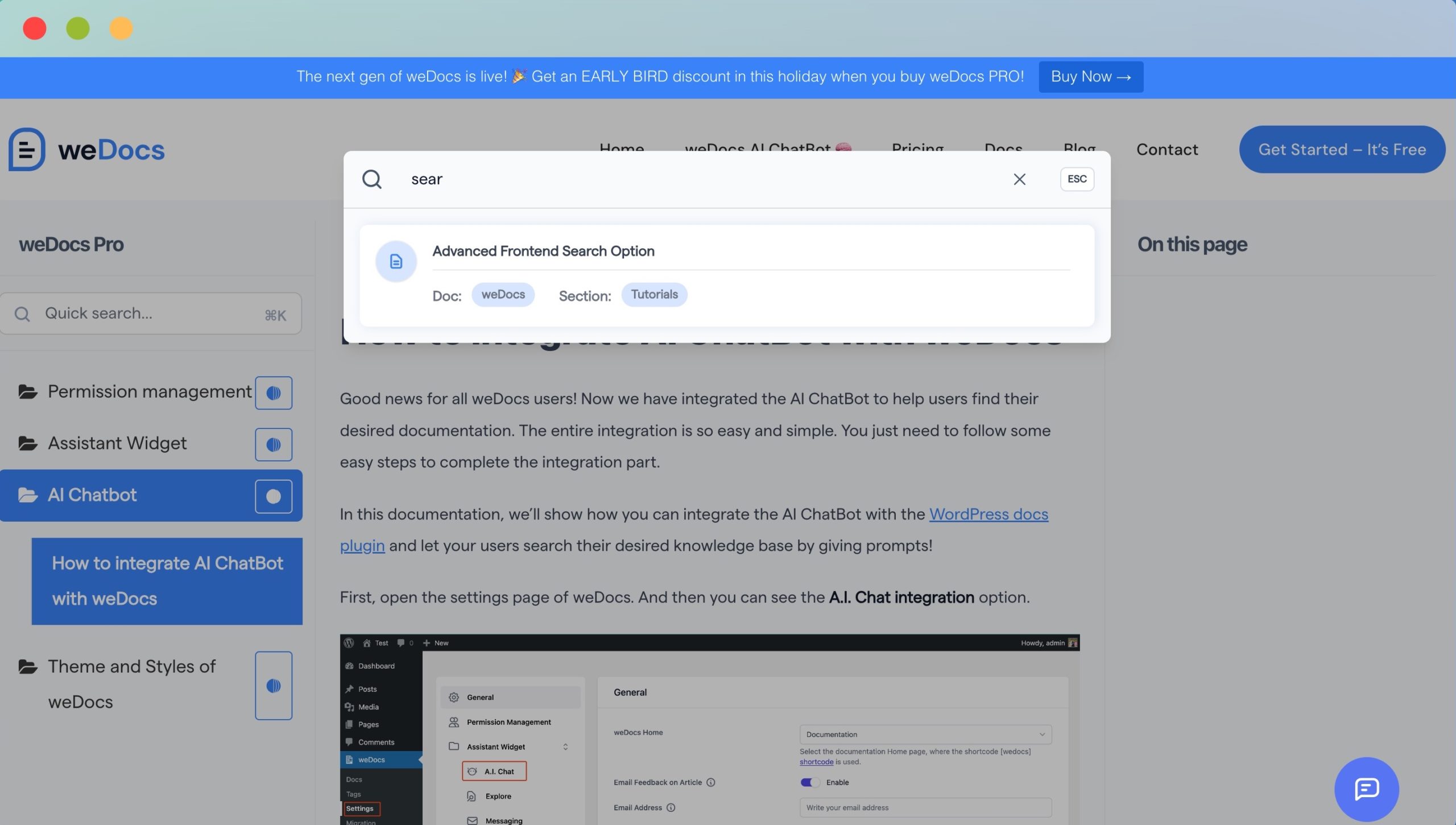
8. Make Docs Searchable
Developers search, they do not browse. If your documentation does not have search, you are making every developer’s job harder than it needs to be.
9. Offer SDK and Language Examples
Not every developer works in the same language. Show examples in cURL, JavaScript, Python, and PHP at a minimum. The more languages you cover, the wider your reach.
10. Keep Versioning and Changelogs Up to Date
APIs change. Developers need to know what changed, when it changed, and what broke. A clear changelog prevents nasty surprises.
Learn the Core Components of API Documentation
Every solid piece of API documentation shares the same building blocks. Miss one and you leave developers guessing. Here is what every complete set of docs needs to include.
Introduction and Overview
Start by answering one question: what does this API do? Keep it short. Two or three sentences. Then explain what a developer can build with it.
Base URL
Show the base URL upfront. Every endpoint call starts here.
https://api.example.com/v1
Authentication
Cover every method you support.
- API Keys are the simplest. The developer includes the key in the request header.
- OAuth is more complex but more secure. Walk through the flow step by step.
- Bearer Tokens are common with OAuth 2.0. Show exactly where the token goes in the request.
Endpoints
For each endpoint, document:
- The URL
- The HTTP method (GET, POST, PUT, DELETE)
- Required and optional parameters
- Headers
- Query strings
Request Examples
Show real code. Use cURL as the baseline, then add JavaScript and Python examples.
curl -X GET https://api.example.com/v1/orders \
  -H "Authorization: Bearer YOUR_API_KEY"
Response Examples
Show both success and error responses. Developers need to know what good looks like and what bad looks like.
Success:
{
  "status": "success",
  "order_id": "12345",
  "total": "99.00"
}
Error:
{
  "status": "error",
  "code": 401,
  "message": "Invalid API key"
}
Status Codes
Cover the ones developers will actually encounter:
- 200 — Request succeeded
- 401 — Authentication failed
- 404 — Resource not found
- 500 — Server error
Rate Limits
Tell developers how many requests they can make per minute or hour. Tell them what happens when they hit the limit and how to recover.
Webhooks
If your API sends events, document the payload structure, the event types, and how to verify the webhook signature.
SDKs and Libraries
Link to official SDKs. If the community has built unofficial ones, mention those too.
Changelog
Date every change. Note what was added, what was changed, and what was deprecated.
Here is How to Write API Documentation Step by Step
Writing good documentation does not happen by accident. It follows a process. Here is the step-by-step approach that works.
Step 1: Know Your Audience
Before you write a single word, figure out who you are writing for. Are they senior engineers who just need a reference? Are they beginners who need every step spelled out? Are they partners integrating a specific feature? The answer changes everything about how you write.
Most APIs serve multiple audiences. A quick-start guide works for beginners. A detailed endpoint reference works for experienced developers. You likely need both.
Step 2: Start With a Quick Start Guide
This is your most important page. It answers one question: how do I make my first successful API call? Keep it to five steps or fewer. Show real code. Celebrate the win at the end. When a developer successfully makes their first call in under ten minutes, you have earned their trust.
Step 3: Explain Authentication Clearly
Do not assume developers know how your authentication works. Show a complete example. Explain where to find credentials. Cover common mistakes. This section saves more support tickets than any other.
Step 4: Document Every Endpoint Properly
Use a consistent format for every single endpoint. No exceptions. Here is a simple structure that works:
- Endpoint URL — The full path
- Method — GET, POST, PUT, DELETE
- Parameters — Name, type, required or optional, description
- Request example — Working code
- Response example — Real output
Step 5: Add Real Code Examples
Pull examples from real use cases. If developers commonly use your API to fetch orders, show that. If they commonly create customers, show that. Generic examples waste everyone’s time.
Step 6: Document Errors Clearly
List every error code your API returns. For each one, explain what triggered it and what the developer should do next. Troubleshooting guides that walk through common errors are worth their weight in gold.
Step 7: Add Interactive Testing
Let developers run real API calls from inside your documentation. Postman, Swagger UI, and Redocly all support this out of the box. Interactive docs reduce the gap between reading and doing.
Step 8: Keep Documentation Updated
Stale documentation is worse than no documentation. It creates false confidence and wastes developer time. Treat documentation updates as part of every release cycle, not as an afterthought.
Study API Documentation Examples That Get It Right
The best way to learn good documentation is to look at who is doing it well. These five companies have figured it out.
Stripe API Documentation
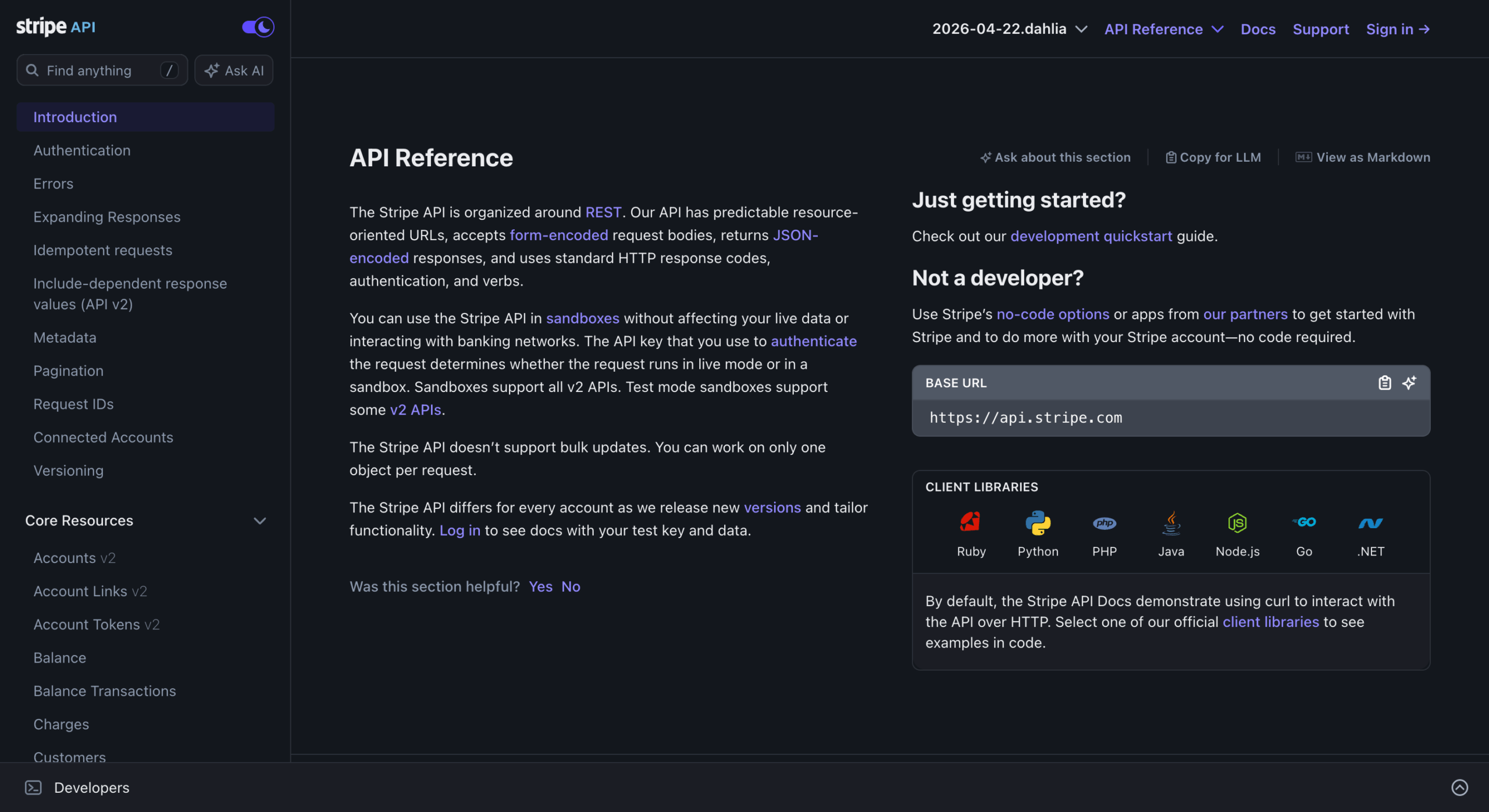
Stripe sets the gold standard. Their quick-start gets developers to their first payment in minutes. Every endpoint includes request and response examples in multiple languages. The error documentation is thorough and clear. If you are looking for a benchmark, start with Stripe.
Twilio API Documentation
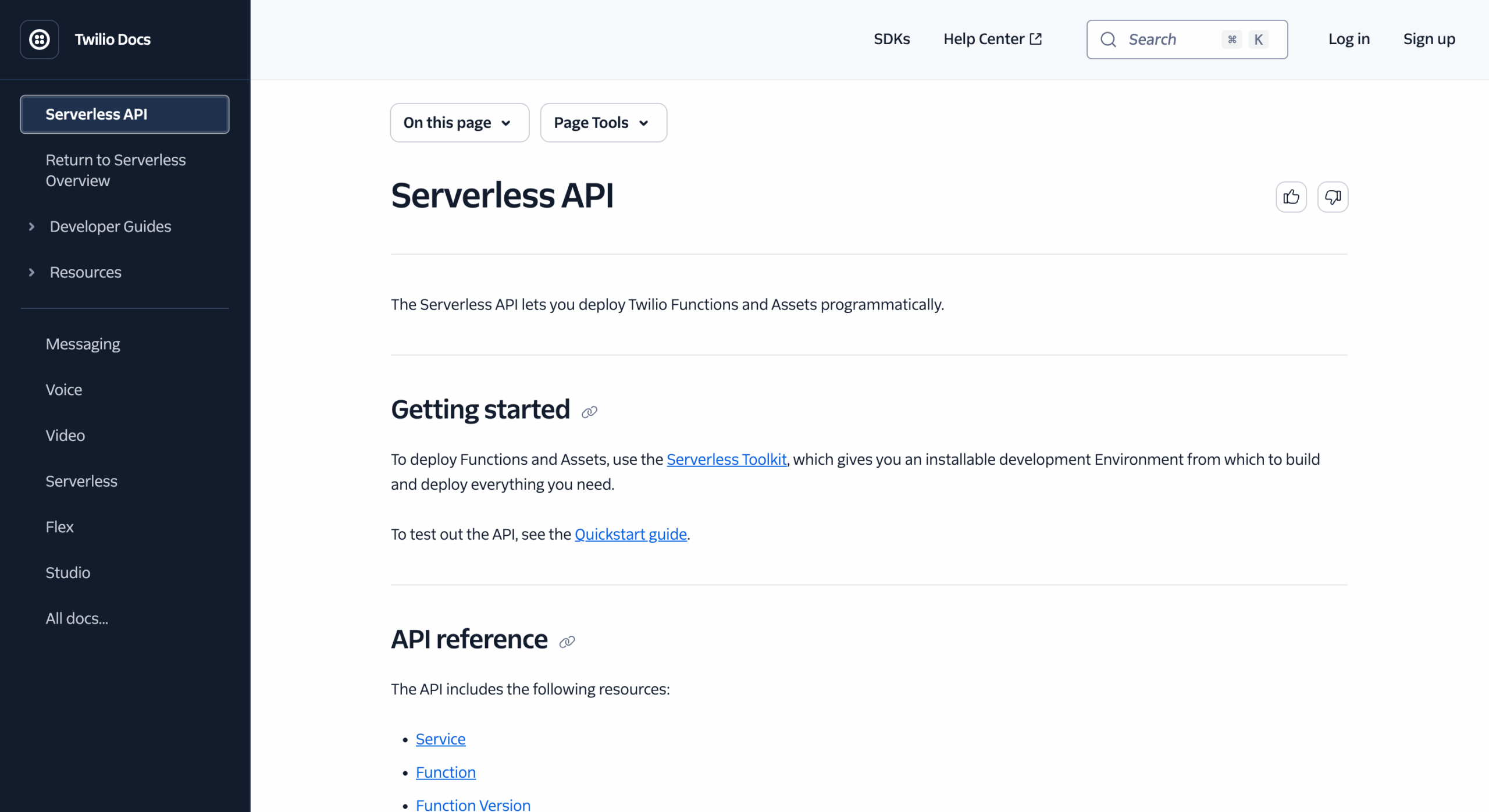
Twilio understands that developers come with different goals. Their docs are organized around use cases, not just endpoints. Want to send an SMS? There is a guide for that. Want to build a phone tree? There is a guide for that too. Use-case-first organization is a smart move.
GitHub API Documentation
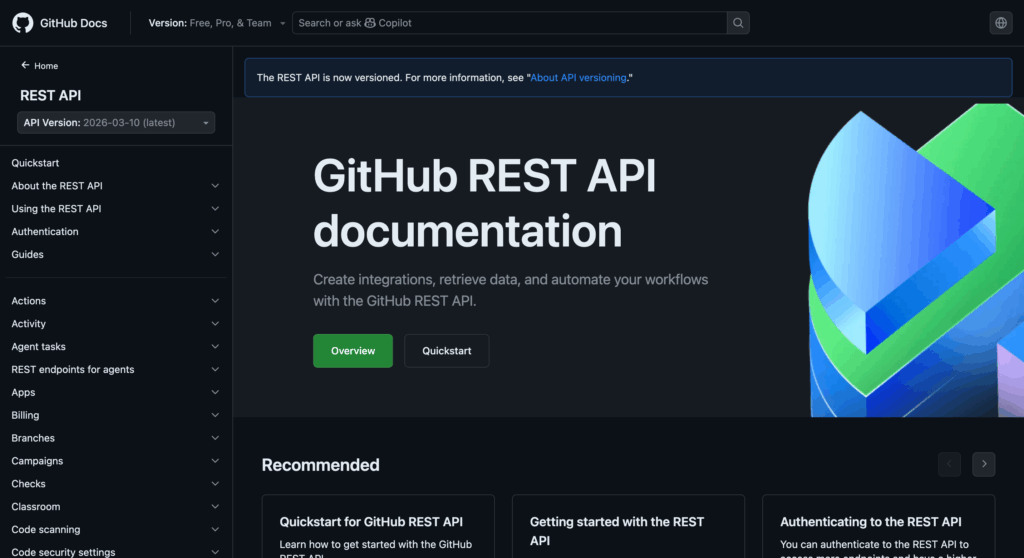
GitHub’s REST API documentation is extensive but well-organized. The sidebar navigation is clear. The search works well. Each endpoint is consistently formatted. When you have hundreds of endpoints to document, consistency matters more than anything.
Shopify API Documentation
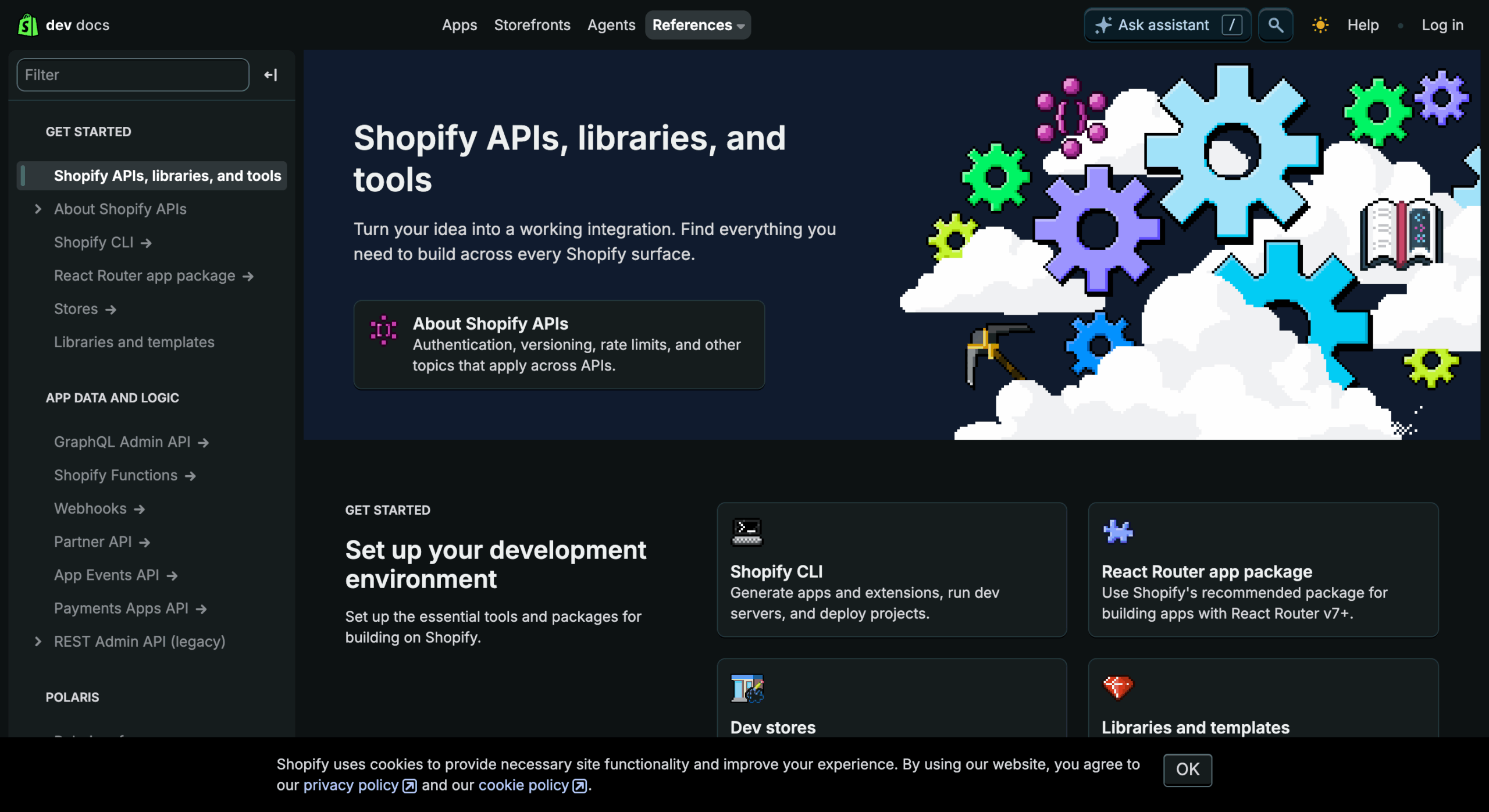
Shopify organizes API docs around eCommerce concepts. Merchants and developers both understand products, orders, and customers. Building your documentation around concepts your users already know reduces cognitive load.
Postman API Documentation
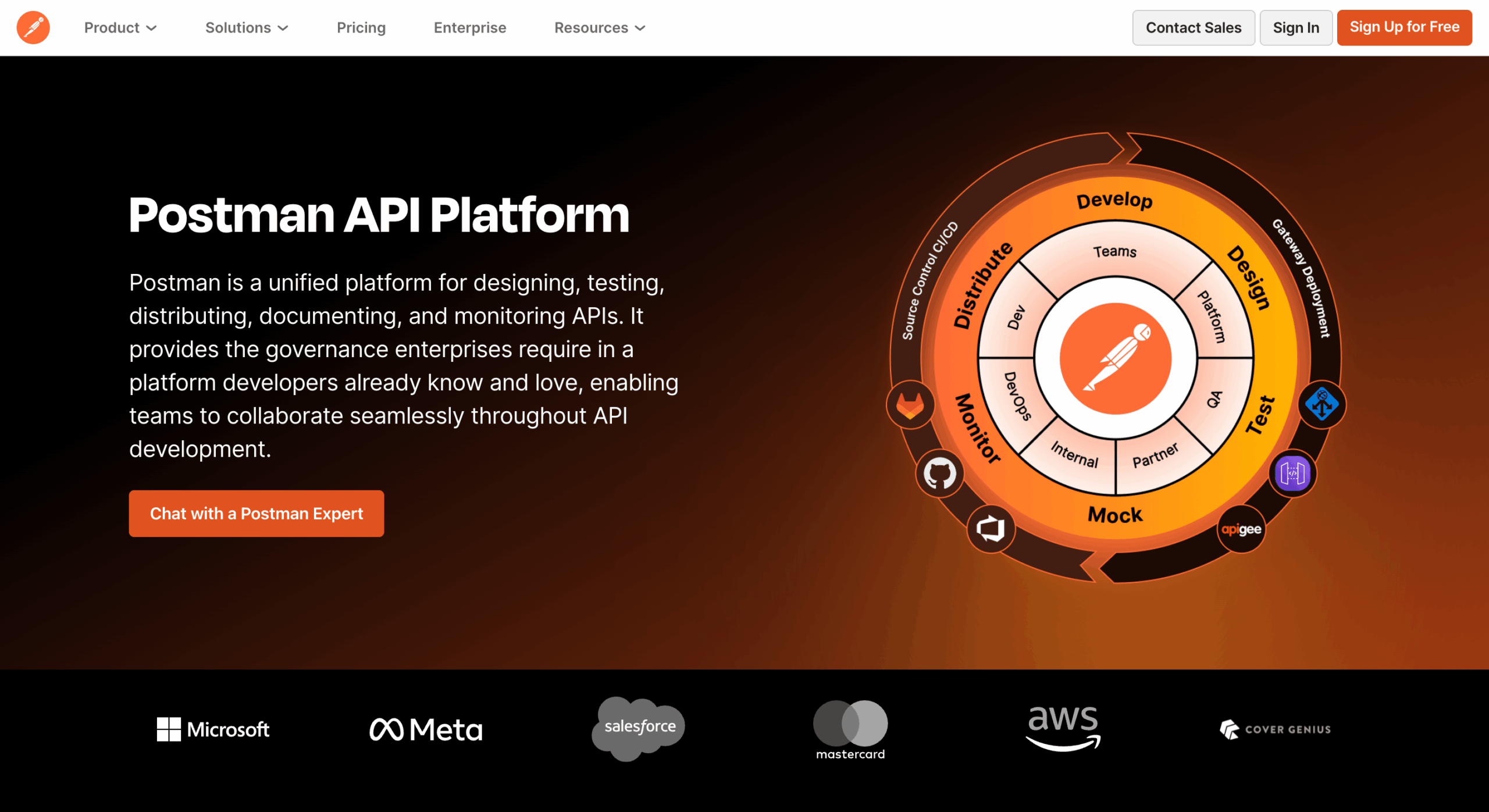
Postman eats its own dog food here. Their API documentation is interactive by default. You can test endpoints without leaving the page. It demonstrates exactly what their product does while serving as functional documentation at the same time.
Avoid These Common API Documentation Mistakes
Most API documentation problems come down to the same handful of mistakes. Knowing what they are is the first step to avoiding them.
Skip the Examples and Lose the Developer
No example means no adoption. Developers do not read API docs to understand theory. They read them to copy working code and adapt it. Every endpoint needs an example.
Let Documentation Go Stale and Watch Trust Disappear
Outdated docs break integrations and destroy trust. If your API changes and the docs do not, you are setting developers up to fail.
Build Poor Navigation and Lose People Fast
If a developer cannot find what they need in under a minute, they will give up. Invest in your sidebar, your search, and your overall information architecture.
Overload Developers With Jargon
Write for the developer who is smart but unfamiliar with your system. Every term that is specific to your platform needs a clear explanation the first time you use it.
Leave Error Documentation Thin
Error codes without explanations are useless. Developers need to know what went wrong and what to do about it. Thin error docs generate thick support queues.
Publish Broken Code Samples
Test every code sample in your documentation. Broken samples are the fastest way to lose a developer’s confidence. Run them. Check the output. Then publish.
Skip Search Functionality
Developers do not read documentation from top to bottom. They search for specific terms. Without search, your documentation is harder to use than it needs to be.
Ignore Mobile Readability
Many developers reference docs on their phones while working. If your documentation breaks on mobile, you are cutting off a real chunk of your audience. Mobile test. Fix what breaks.
Follow REST API Documentation Best Practices
REST APIs are the most common type out there. These are the practices that separate documentation that works from documentation that frustrates.
Use Consistent Naming
Pick a naming convention and stick to it. If you use snake_case for one parameter, use it for all of them. Inconsistency forces developers to guess, and guessing leads to bugs.
Keep Endpoints Predictable
Follow REST conventions. /orders returns a list. /orders/{id} returns one order. POST creates. DELETE removes. When your API behaves the way developers expect, they spend less time reading docs and more time building.
Use OpenAPI/Swagger
OpenAPI is the industry standard for describing REST APIs. Write your API spec in OpenAPI format and you can auto-generate reference documentation, import into Postman, and validate your API contract automatically.
Add Interactive API Playgrounds
An interactive playground turns passive readers into active testers. Developers who test your API in the docs are far more likely to integrate it into their projects.
Version APIs Properly
Never change a live endpoint in a way that breaks existing integrations without warning. Use versioning. /v1/ and /v2/ let you iterate without breaking what already works.
Add Changelogs
A changelog is a signal of respect for developers. It says: we changed something, and we want you to know about it. Date every entry. Be specific about what changed.
Prioritize Developer Experience
Documentation is a product. Treat it like one. Test it with real developers. Watch where they get stuck. Fix those spots. Iterate. The best API documentation teams think about developer experience the same way product teams think about user experience.
Use the Best API Documentation Tools
The right tool makes a real difference. Here are the ones worth knowing about and what each one does well.
Postman
Postman is the most widely used API platform in the world, with over 30 million developers on the platform. Beyond API testing, Postman lets you publish interactive documentation automatically generated from your collections. Developers can read the docs and test endpoints without switching tools.
Mintlify
Mintlify is built specifically for developer documentation. It offers a clean, modern reading experience with AI-powered search. If you want your docs to feel current and fast, Mintlify is worth a close look.
GitBook
GitBook works well for teams that want collaborative documentation workflows. Multiple contributors can edit, review, and publish documentation without needing to touch code. The structured content system keeps things organized even as docs grow.
Swagger / OpenAPI
Swagger and the OpenAPI specification are the backbone of most API documentation workflows. Write your spec once and use it to generate reference docs, client SDKs, and mock servers. It is the closest thing to a universal standard the API industry has.
Redocly
Redocly takes OpenAPI specs and turns them into clean, readable documentation. The three-panel layout, with navigation, content, and code examples side by side, is one of the most developer-friendly formats available.
weDocs
weDocs is a WordPress-based documentation solution that works particularly well for SaaS companies and plugin developers. It gives you a searchable, nested documentation structure that is easy to manage without developer involvement.
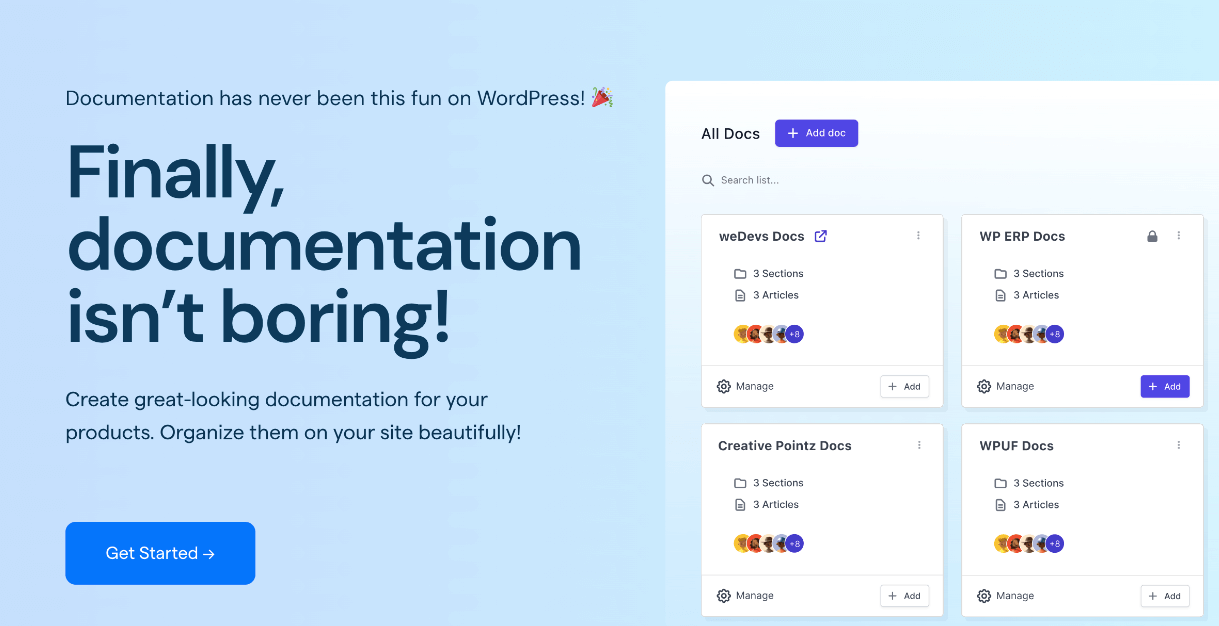
Here is what makes it stand out for API documentation:
- Centralized documentation management means your entire knowledge base lives in one place. No scattered Google Docs. No outdated PDFs. Everything is organized and accessible from a single dashboard.
- Nested documentation structure lets you mirror exactly how an API is organized. You can create a parent section for your API reference and nest endpoints underneath it in a way that makes logical sense.
- Easy content updates mean that when your API changes, updating the docs does not require a developer. Your content team can make changes directly.
- Built-in search helps developers find what they need without hunting through menus.
- Great for onboarding because the clean layout and logical structure reduce the time it takes for a new developer to find their footing.
Use weDocs to Build API Documentation That Works
weDocs is not just a general documentation tool. With the right setup, it handles API documentation cleanly and keeps your team in control of every update. Here is how to get the most out of it.
Understand Why weDocs Works for API Docs
Most documentation tools are built for general content. weDocs is built with structured documentation in mind, which makes it a natural fit for API references. The combination of nested articles, full-text search, and WordPress familiarity means your team can maintain great docs without a dedicated technical writer.
Structure API Docs with weDocs
Here is a clean structure you can replicate inside weDocs:
API Documentation
├── Getting Started
├── Authentication
├── Endpoints
│   ├── Orders API
│   ├── Products API
│   └── Customers API
├── Webhooks
├── Error Codes
├── SDKs
└── Changelog
Each section becomes a parent doc. Each endpoint or subtopic becomes a child doc. The hierarchy makes navigation intuitive for developers and easy to manage for your team.
Add Code Snippets and Examples
weDocs supports code blocks with syntax highlighting. Add your cURL examples, JavaScript snippets, and Python samples directly inside the doc. Developers can copy them with one click.
Improve Developer Experience
The sidebar navigation in weDocs updates automatically as you add docs. Developers get a clear map of everything available to them. Combined with search, this removes the two biggest friction points in most documentation experiences.
Read: How to Create Documentation with weDocs
Combine weDocs with Swagger or Postman
The most effective documentation setups use more than one tool. Use Swagger or Postman for your interactive API reference. Use weDocs for your getting-started guides, tutorials, authentication walkthroughs, and troubleshooting content. Together, they cover every developer need from first contact to deep integration.
Apply SEO Tips to Get Your API Documentation Found
Writing great documentation is only half the job. People need to find it. These SEO practices make sure they do.
Match Search Intent
Developers search for specific things. “How to authenticate with REST API.” “API error 401 fix.” “How to paginate API results.” Write documentation that matches those searches exactly. Use the language developers use, not the language your internal team uses.
Use Keyword-Based Endpoint Titles
Instead of titling a page “Orders,” title it “Get Orders API Reference” or “Create Order with REST API.” Descriptive titles rank better and tell the developer exactly what they will find.
Add FAQ Sections
FAQs capture long-tail search traffic and reduce support volume at the same time. Think about the questions your support team answers most often. Put those answers in a FAQ section on the relevant documentation page.
Build Internal Links
Link related pages together. The authentication page should link to the quick-start guide. The error codes page should link to the troubleshooting guide. Internal links help developers and help search engines understand how your content is organized.
Create Tutorial-Based Content
Step-by-step tutorials rank well in search and serve developers who want to build something specific. “How to create a WooCommerce order with the REST API” will bring in far more organic traffic than a plain endpoint reference page.
Add Use Cases and Examples
Real use cases help developers see how your API fits their situation. They also help search engines understand the context and intent of your documentation. Show what developers have built. Show what they can build.
Where is API Documentation is Heading?
API documentation is not standing still. The tools, the formats, and the expectations are all shifting. Here is what is coming.
AI-Powered Documentation
AI tools are starting to change how documentation gets written and maintained. GitHub Copilot can generate code examples. Tools like Mintlify use AI to improve search. The next few years will see AI play a bigger role in keeping docs accurate and up to date.

Auto-Generated Docs
OpenAPI specs already make auto-generation possible. As tooling matures, more teams will move to a spec-first approach where documentation is a direct output of the API definition. Less manual writing. Fewer outdated pages.
Interactive API Experiences
Static documentation is giving way to interactive experiences where developers can test, experiment, and learn inside the docs themselves. Expect more teams to invest in playground-style documentation that blurs the line between docs and product.
Personalized Developer Documentation
The future of documentation is contextual. Instead of one set of docs for everyone, developers will see content matched to their language, their use case, and their experience level. Some platforms are already experimenting with this.
Final Thoughts
Great APIs do not sell themselves. The documentation does.
Every hour you invest in your API documentation pays back in faster onboarding, fewer support tickets, and more developers who actually ship something with your API.
Think of documentation as the front door to your product. If the door is hard to open, most people will turn around and leave. If it swings open easily and the path inside is clear, they will walk straight in.
Start with a quick-start guide. Document your endpoints consistently. Cover your errors thoroughly. Keep everything updated. Use the right tools for the job.
If you are building on WordPress or running a SaaS, weDocs gives you a clean, searchable, organized home for all of it. You do not need a documentation team to get started. You just need a clear structure and the commitment to keep it current.
Your API is ready. Now make sure your docs are too.
Subscribe to
weDocs blog
We send weekly newsletters,
no spam for sure!