
A changelog and release notes both tell people what changed in your product. That is where the similarity ends.
A changelog is a running list. Every fix, every version, in order, written for people who want the detail. Release notes are an announcement. They cover one release, explain what it means, and are written for people who want to know why they should care.
Teams that treat them as the same thing send the wrong one to the wrong audience. Customers open an email full of commit messages and close it. Developers open a page of marketing copy and go hunting for the actual list of fixes.
Both groups end up in your support inbox asking what changed, which is the exact question the document was supposed to answer.
Here is the difference, when each one earns its place, and which to start with if you can only maintain one.
TLDR
- A changelog is the ongoing record of every notable change, newest first. Release notes are the announcement for one specific release.
- Changelogs are complete and dry. Release notes are selective and explain why a change matters.
- The same change gets written two different ways depending on which document it lands in.
- If you can only maintain one, start with the changelog. It is cheaper to keep and easier to add release notes on top of later.
- Most mature products run both, with release notes linking back to the changelog entry.
The Short Answer
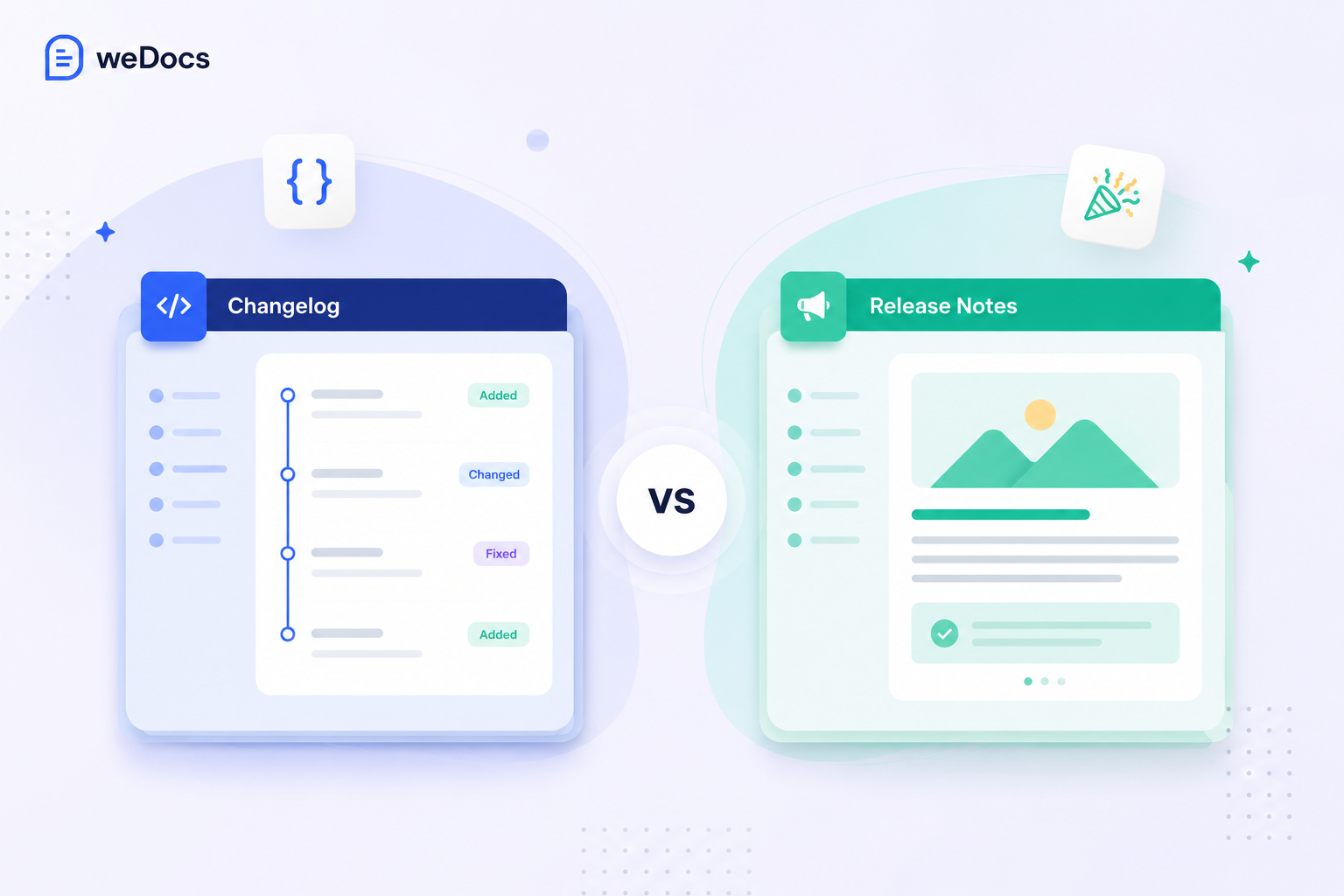
A changelog is a continuous, dated record of the notable changes to a product, listed newest first. It is comprehensive and it never stops. Every release adds to it. Our guide on what a changelog is covers the format in full.
Release notes are a document tied to one specific release. They explain the significant changes in that release, why they matter, and what to do with them. They are selective and they are written like communication rather than record-keeping.
The simplest way to hold the distinction: a changelog answers “what has changed over time,” and release notes answer “what should I know about this update.”
Both sit inside a wider set of documents your product needs. Our guide to the types of product documentation shows where each one fits.
Changelog vs Release Notes at a Glance
| Changelog | Release notes | |
|---|---|---|
| Scope | Every notable change, ongoing | One release |
| Audience | Developers, power users, support teams | Customers and non-technical stakeholders |
| Tone | Terse and factual | Explanatory, sometimes promotional |
| Length per item | One line | A paragraph, often with a screenshot |
| Completeness | Comprehensive | Selective, highlights only |
| Published | Continuously | Per release, sometimes only for major ones |
| Usual home | Repository file or a docs page | Blog post, email, in-app announcement |
The Same Change, Written Both Ways
This is the clearest way to see the difference. Take one fix and write it for each document.
As a changelog entry.
Fixed: race condition in the webhook delivery queue causing duplicate events under high load.
As a release note.
Webhooks are more reliable. Under heavy traffic, some accounts were receiving the same event twice, which meant duplicate records in connected tools. That is fixed, so you no longer need the deduplication workaround if you built one.
Same change. The first tells a developer exactly what was wrong. The second tells a customer what it means for them and what they can stop doing.
Notice the release note does something the changelog cannot. It tells the reader to take an action, in this case removing a workaround. That is the job release notes exist for, and it is why they cannot simply be a longer changelog.
The Line Is Blurrier Than Most Comparisons Admit
Almost every guide on this topic assumes a changelog is technical and internal. That was true when changelogs lived only as a file in a code repository.
It is less true now, because there are two kinds of changelog and they behave differently.
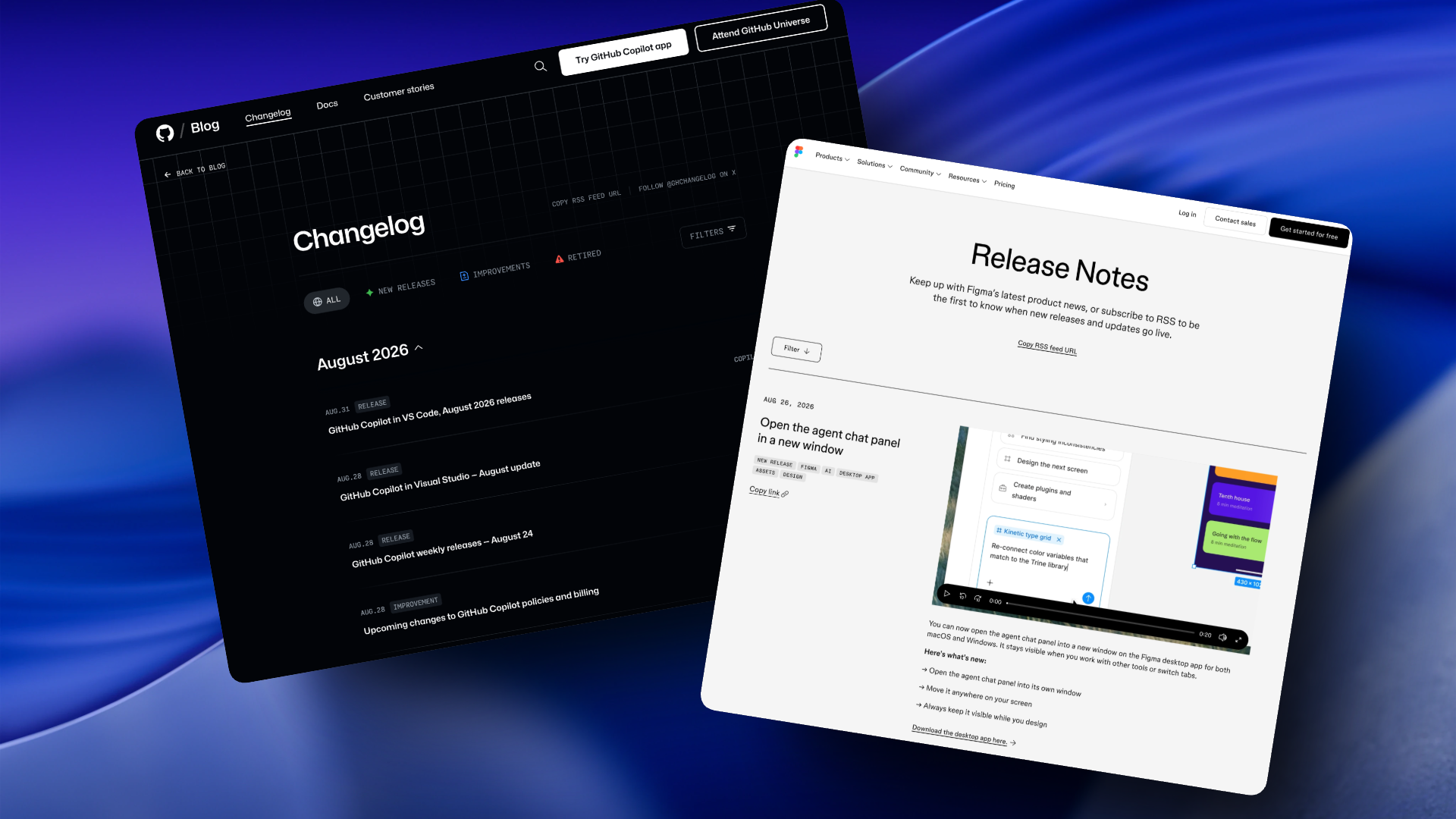
- A developer changelog sits in your repository as a file, uses version numbers, and is written for people upgrading a dependency.
- A product changelog is a public page on your website, written in plain language for customers, often with screenshots and category filters.
The second kind overlaps heavily with release notes. Both are public, both are readable, both are aimed at users. So if you already publish a product changelog, do you also need release notes?
Usually yes, but for less than you think. A product changelog handles the steady stream of small updates. Release notes are reserved for the handful of releases big enough to deserve an announcement, an email, and a proper walkthrough. Everything else stays in the changelog.
Who Uses Which, and Why
The clearest way to choose is to look at what comparable products actually do. The pattern is consistent once you know what to look for.
Companies That Lead With a Changelog
Products that ship constantly, and sell to technical or power users, almost always run a changelog as the primary channel.
- Stripe publishes a public changelog where entries are tied to dated API versions, so a developer can see exactly which version introduced a change.
- Linear keeps a timeline with categorized labels and a steady shipping cadence, written short and plain.
- Vercel, Supabase, and Raycast all publish continuously, matching the tone their developer audiences use.
- Notion and Figma run product changelogs closer to the visual end, with screenshots and video rather than version numbers.
What these have in common is release frequency. When you ship every week, waiting for a release worth announcing means publishing nothing for months.
Companies That Lead With Release Notes
Products that ship on a schedule, and sell to administrators who have to prepare for change, lean the other way.
- Salesforce runs three seasonal releases a year, typically Spring, Summer, and Winter. Each set of release notes explains what is changing, when it becomes available, and which features need an administrator to switch them on before anyone can use them.
- Atlassian moved Jira to seasonal releases during 2026, with the first arriving in May. The stated reason was change fatigue, because IT teams could not write training material for software that changed every week.
- Apple and Microsoft both tie notes to versions their users install deliberately rather than receive automatically.
The pattern here is preparation. When a change means retraining a team or testing an integration, people need warning and context, and a one-line entry does not provide either.
The Ones That Run Both
Stripe is the clearest example of the two-document approach done properly. Alongside the public product changelog, every Stripe SDK carries a CHANGELOG.md in its repository listing each release, including breaking changes with a link to a migration guide.
Two audiences, two documents, one product. A developer upgrading a package gets version-level detail in the repository. Everyone else gets the readable timeline on the website.
Atlassian does something similar in reverse. Even after moving to seasonal releases, they kept shipping bug fixes, performance work, and security patches continuously, outside the seasonal notes. The steady stream still needs somewhere to live.
| If your product | Lead with | Example |
|---|---|---|
| Ships weekly or faster | Changelog | Linear, Vercel |
| Is an API or developer tool | Changelog, in the repository | Stripe SDKs |
| Ships on a fixed seasonal schedule | Release notes | Salesforce, Jira |
| Requires admin action before users see changes | Release notes | Salesforce |
| Serves developers and non-technical users | Both, cross-linked | Stripe |
Which One Should You Start With?
Most teams asking this question cannot realistically maintain both. Here is the honest answer.
Start with the changelog. Three reasons.
- It costs less to keep. A one-line entry per change takes a minute. A release note takes an hour and often a screenshot.
- It never has an awkward gap. Release notes require a release worth announcing. If you ship small improvements for two months, you have nothing to publish and your page looks abandoned.
- It becomes the source for everything else. When you do write release notes, the raw material is already sitting in your changelog.
There is one case where the reverse applies. If your product updates rarely but significantly, a few times a year, release notes alone are fine. A changelog with six entries in it is not doing much work.
The other question worth asking is who your users actually are. Selling to developers pushes you toward the changelog. Selling to non-technical teams pushes you toward release notes, or toward a product changelog written in their language. The research on documentation and knowledge management is a useful reminder of how much of this work pays back through support rather than marketing.
How They Work Together
Once you run both, the relationship should be deliberate rather than accidental.
The changelog is the record. Everything user-facing goes in, continuously, in short entries.
Release notes are the layer on top. When a release is significant, you write the announcement, explain the value, show it working, and link back to the changelog entry for anyone who wants the full list.
Cross-reference in both directions. The changelog entry links to the release note for context. The release note links to the changelog for completeness. Readers land in whichever suits them and can move to the other.
Keep the terminology consistent. If your changelog uses the label “Improvement,” your release notes should not call the same thing an “upgrade.” Different words for the same category makes two documents feel like two products.
Agreeing this once, in writing, saves repeated arguments later. It belongs alongside the rest of your documentation standards, and a periodic knowledge base audit is a good moment to check both documents still follow them.
Watch for one specific problem when you run both. The same change described in two places can drift, and you end up with two versions of the truth. Our guide on finding and fixing duplicate content covers how that happens and how to catch it.
Where Each One Should Live
Location follows audience.
A developer changelog belongs in the repository as CHANGELOG.md. That is where developers look, and tools expect it there.
A product changelog belongs on your website, ideally next to your documentation, since that is where people already go to understand how something works. Some teams use a dedicated changelog service, others publish it through their docs platform. weDocs includes a changelog for exactly this reason, so the release history sits alongside the docs explaining each feature rather than on a separate service. If you have not built the surrounding documentation yet, start with our guide on how to create a knowledge base.
Release notes belong wherever your announcements already reach people. A blog post, an email, an in-app notification, or all three. The point is reach, not archive, so publishing them somewhere nobody visits defeats the purpose. Many teams route both into a self-service help center so customers can find them without opening a ticket.
If you are also documenting an API, breaking changes need more than either format offers. Our guide on writing API documentation covers that.
Marketplaces have a further wrinkle, because your sellers are a separate audience from your buyers and they need to know about changes that affect their storefront. Our guide on vendor documentation for a Dokan marketplace covers how to keep that group informed separately.
Frequently Asked Questions
Pick One and Start This Week
The difference matters, but not as much as having either one at all. Plenty of products publish neither, and their users find out about changes by noticing something moved.
Start a changelog with your next release. Add release notes when a release is big enough that a one-line entry would undersell it. That order works, and it is far easier than trying to launch both at once and abandoning both a month later.
If your documentation already runs on WordPress, weDocs gives you somewhere to put the changelog without adding another subscription.
Subscribe to
weDocs blog
We send weekly newsletters,
no spam for sure!