
weDocs supports full site editing. That means users can use the weDocs Gutenberg blocks to customize their single doc page to match their site and design aesthetics. You will find many benefits, like-
- Match your documentation with your brand design and layout
- Keep a consistent experience across your entire site
- Customize everything visually using Gutenberg blocks
- No coding or developer support needed
- Structure content the way your users prefer
- Add sections, media, and highlights anywhere
- Make updates faster with a visual editor
- Keep your docs modern with evolving Gutenberg features.
Here is how you can use the FSE feature.
Note: Make sure you are using the Block themes to use this feature fully.
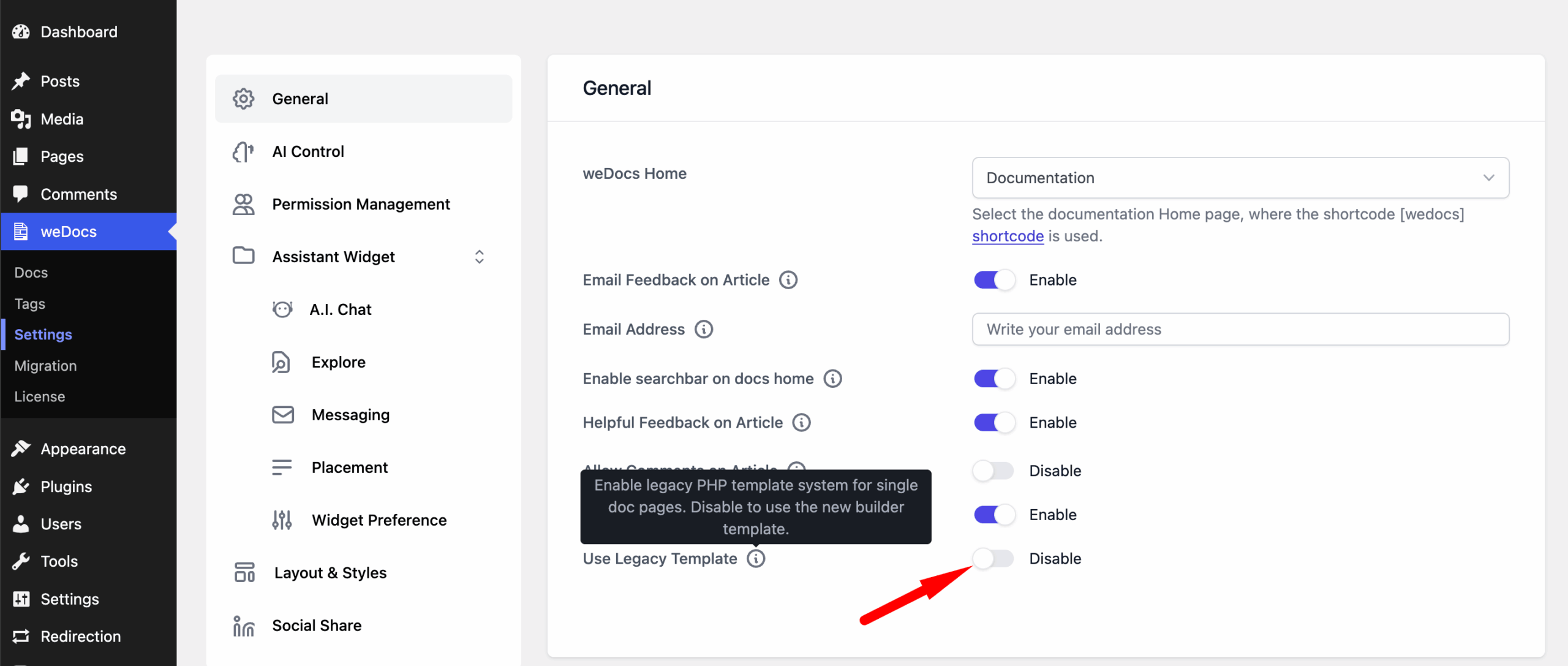
If you are using the classic themes, then don’t forget to enable the legacy templates from weDocs–> Settings–> General.
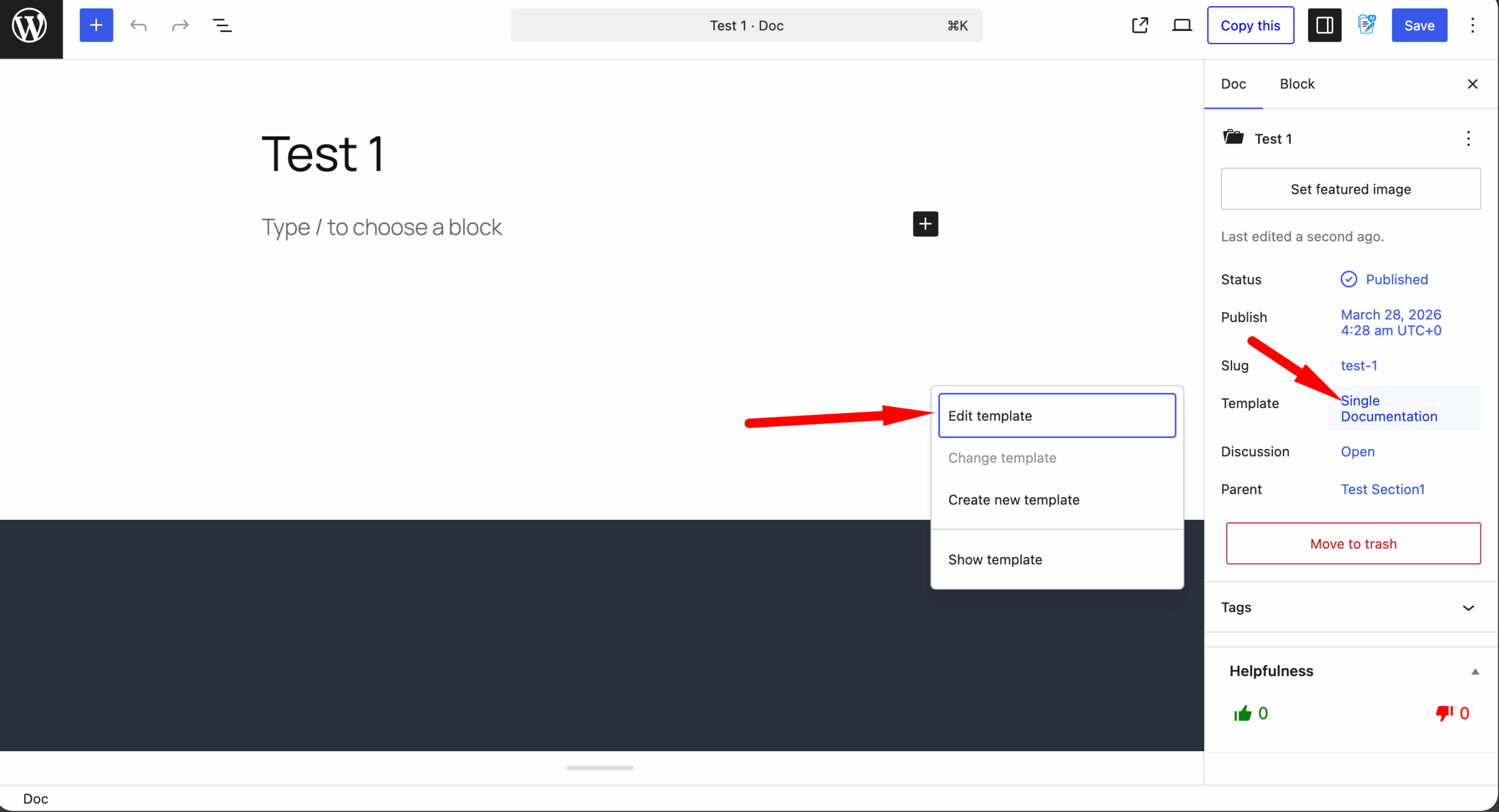
To use the Gutenberg blocks. Click on any of the single articles, and from the right-hand side of the menu, click on the Edit template option-
You will find yourself in the editing page. There is already a template loaded by default.
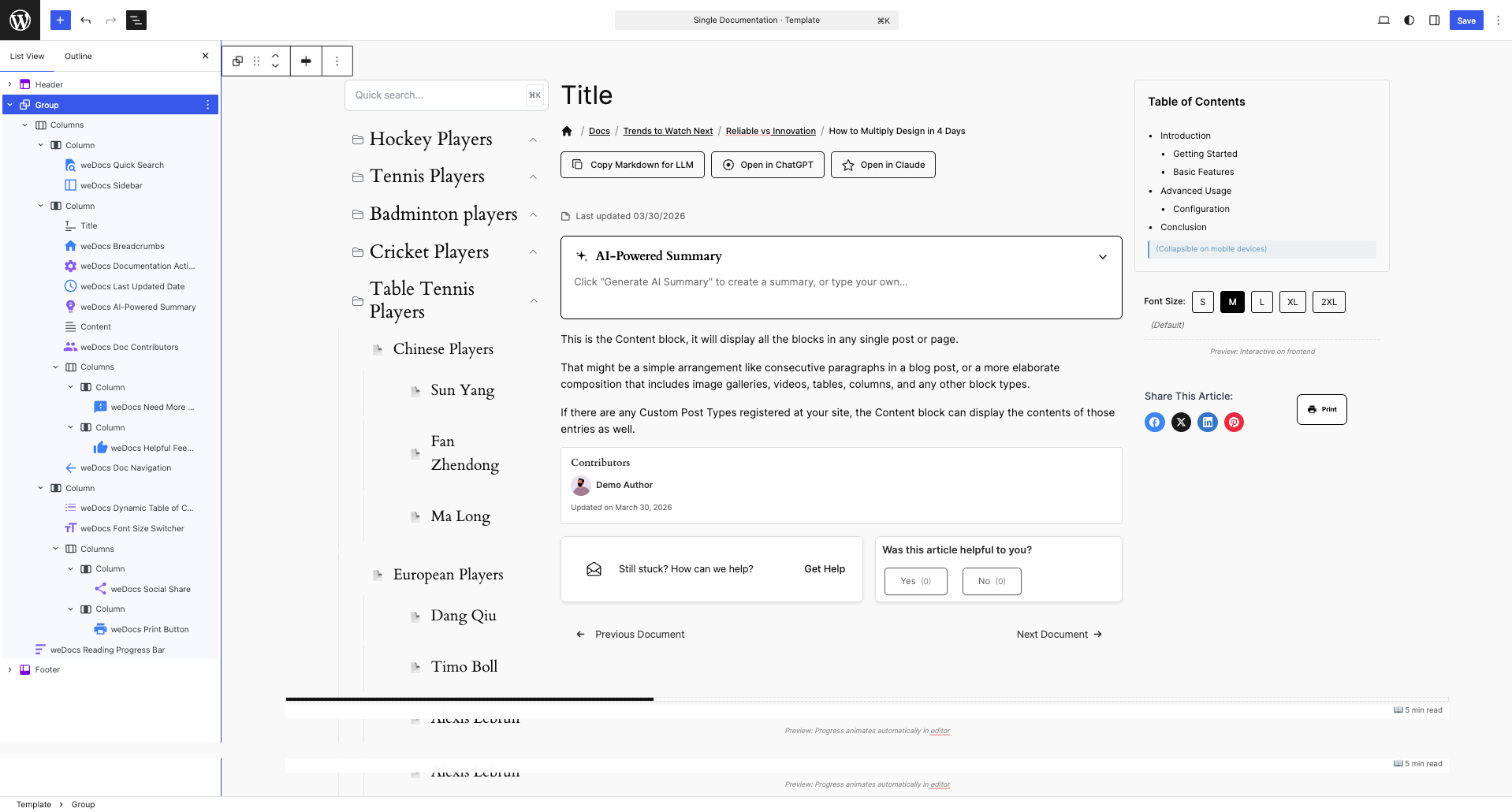
You can keep that as it is or you can use the list of weDocs Gutenberg blocks to customize how you like-
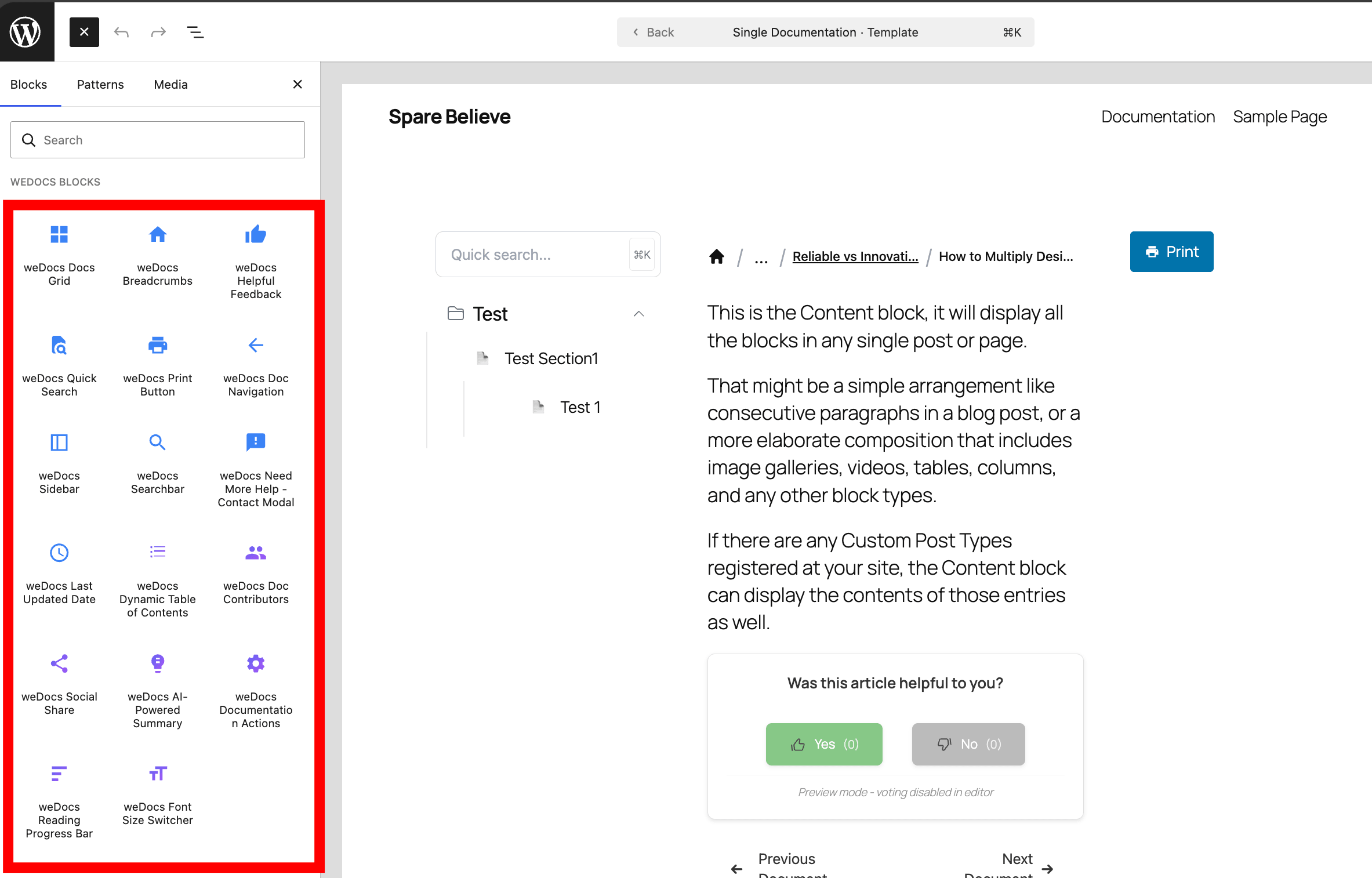
You can drag n drop the blocks anywhere you like-
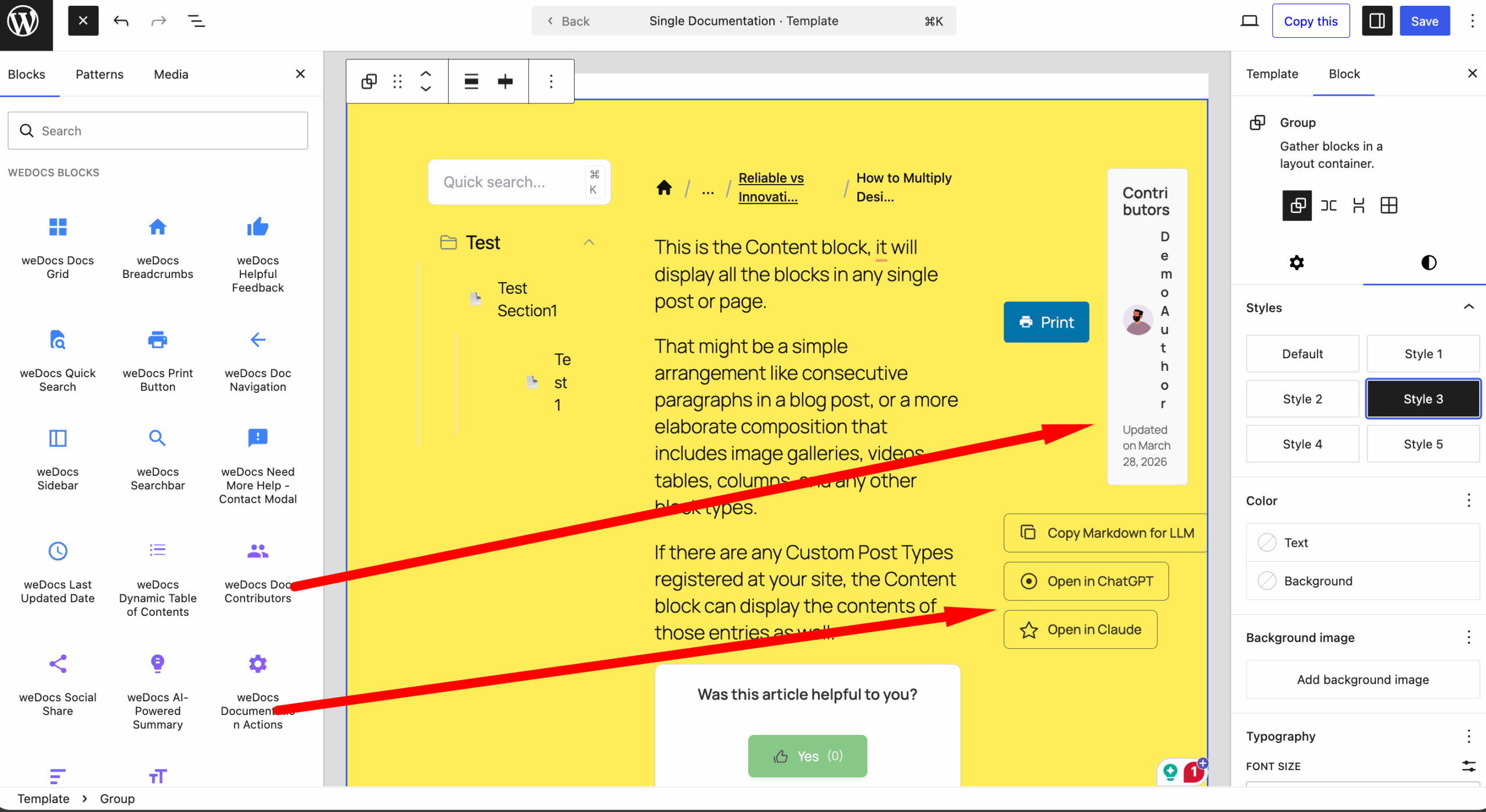
You can-
- Change colors, backgrounds, and text styles to match your brand
- Adjust block width, spacing, and alignment for better layout control
- Rearrange sections easily with drag and drop
- Add columns to create structured content layouts
- Insert images, videos, buttons, and callouts anywhere
- Highlight important content with headings, quotes, and separators
- Customize typography like font size, weight, and line spacing
- Show or hide elements based on your content needs
- Create reusable block patterns for consistency across docs
- Combine different blocks to design fully custom doc pages
Here is the result-
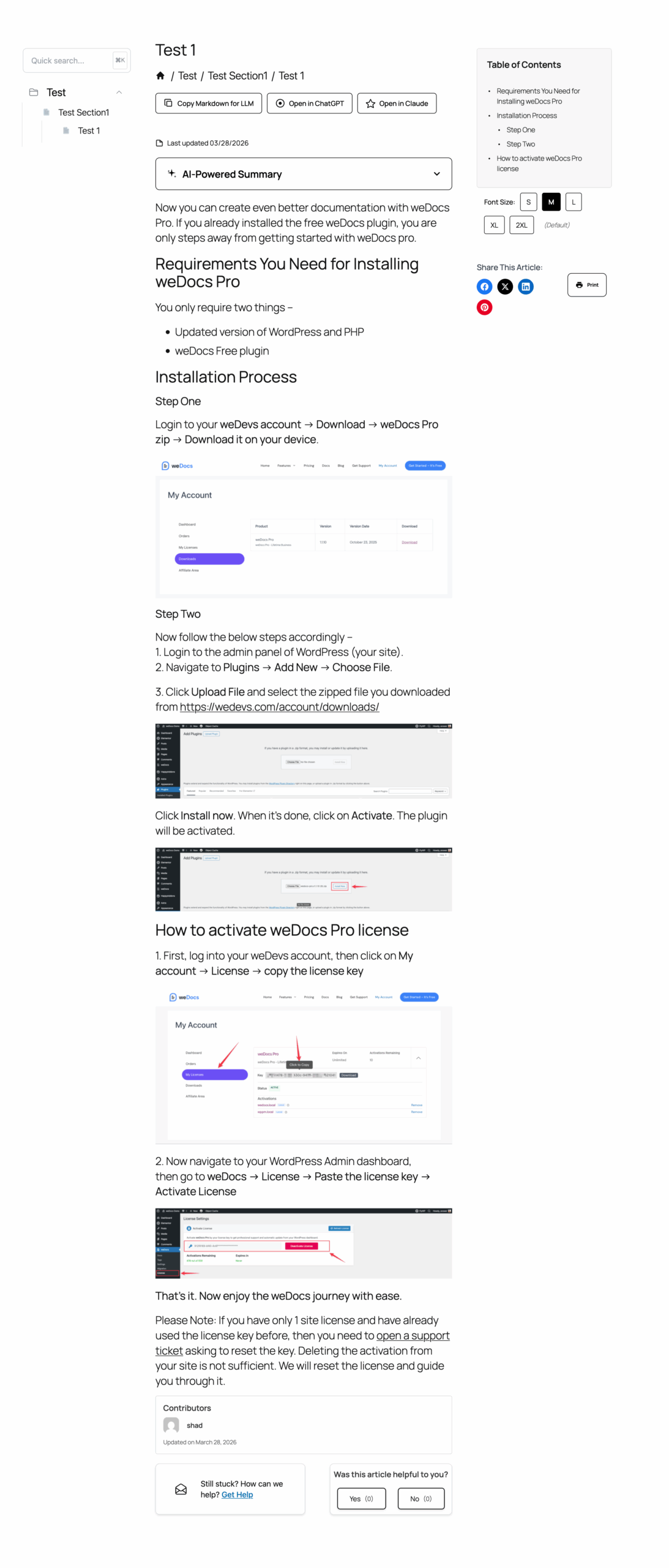
This is how you can use the Gutenberg blocks to customize the single documentation page.
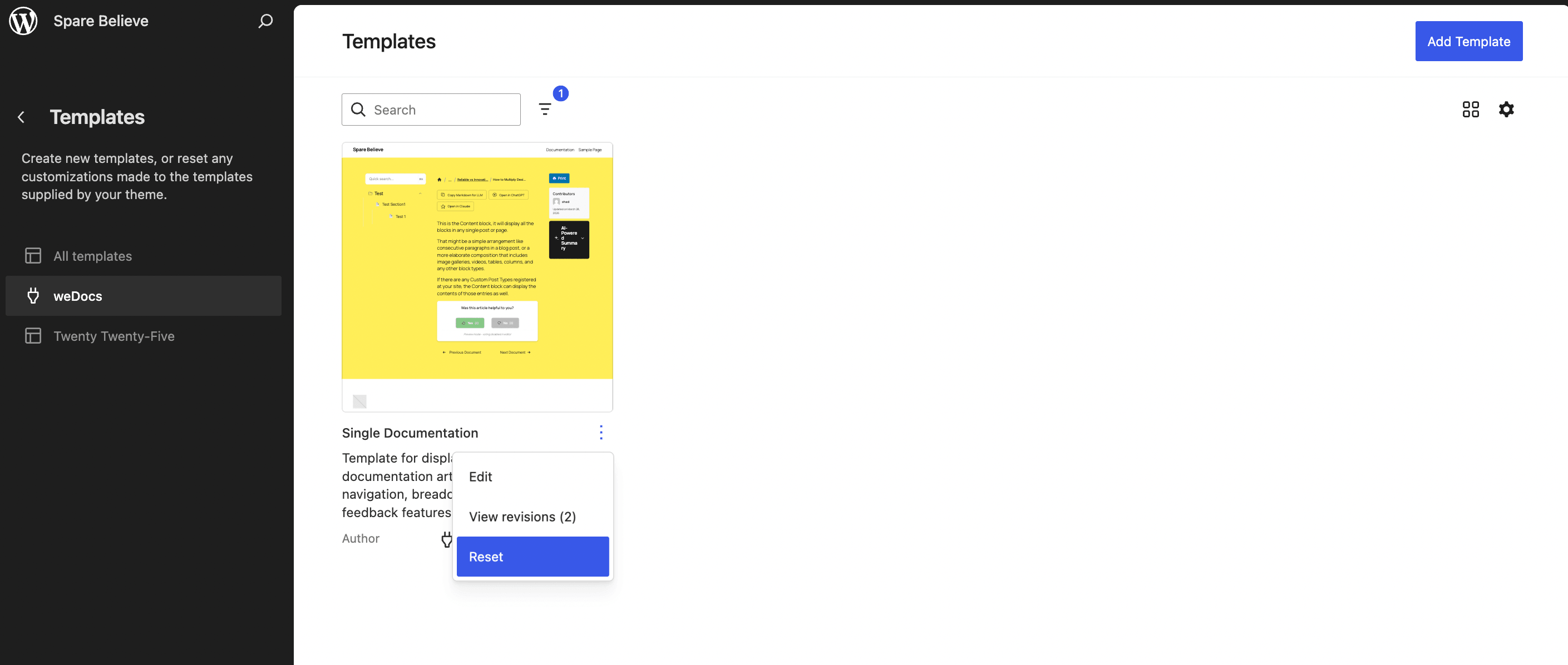
Note: If you somehow delete the default template, you can easily reset the template by going to the templates section from your theme and click on the Reset button-